
This post is a study note based on the Udemy course https://www.udemy.com/course/certified-kubernetes-administrator-with-practice-tests and content from https://kodekloud.com/.
- 186 Container Storage Interface
- 188 Volumes
- 189 Persistent Volumes
- 190 Persistent Volume Claims
- 196 Storage Class
Let us explore Persistent Volumes, the method for permanently storing data in Kubernetes. To understand storage in Kubernetes, we first need to understand how Docker handles storage.
It is important to understand Storage Drivers and Volume Drivers well.
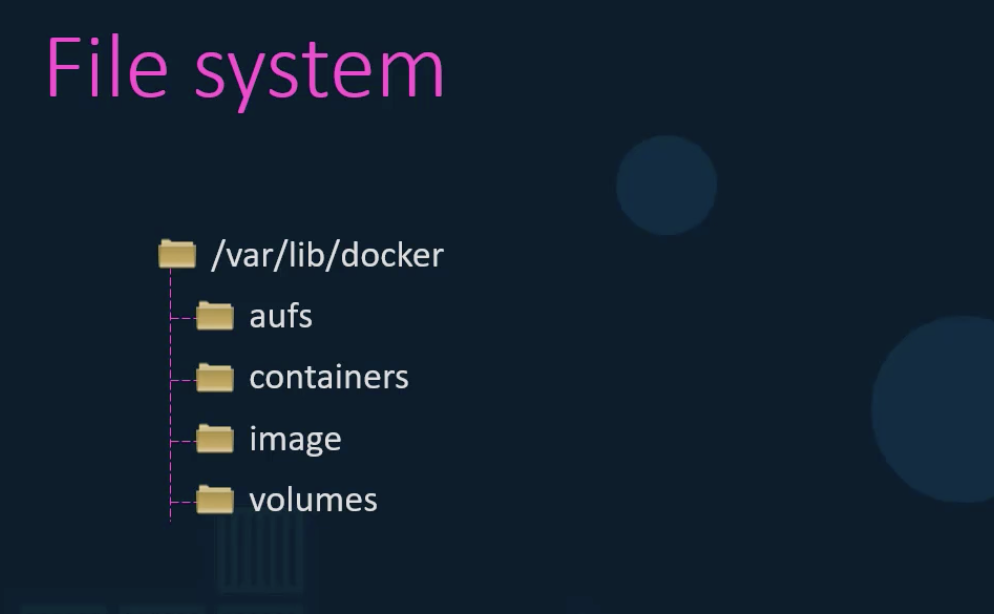
When Docker is installed, a /var/lib/docker folder is created, along with several subdirectories underneath it.
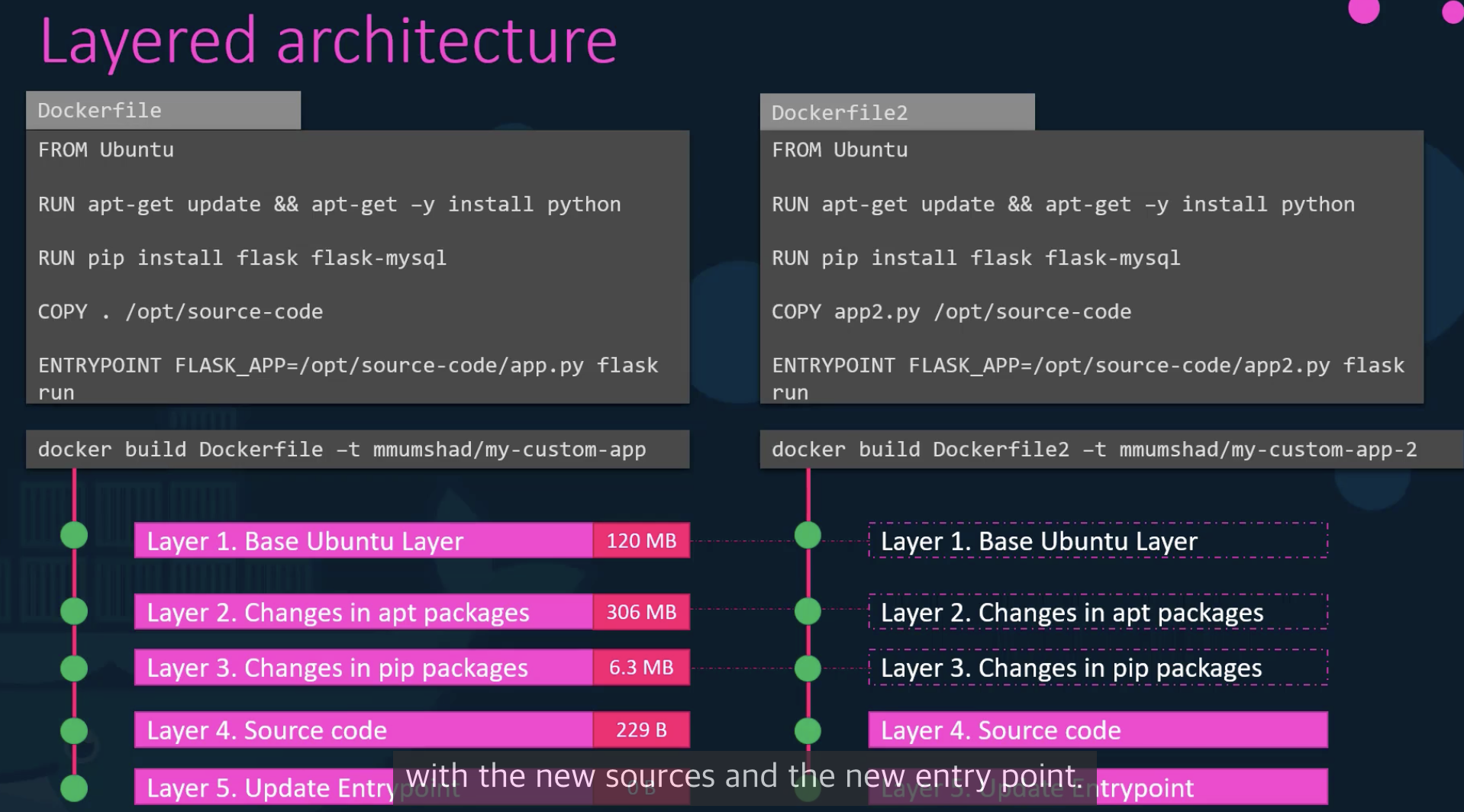
Docker can cache previously used docker images and reuse them for faster builds.
Since the Read-Write layer is deleted when the container is removed, a different approach is needed to store data permanently. You can mount a folder that is linked to the host's storage in the Read-Write layer.
There are Volume mounts and Bind mounts. Bind mounts can mount any directory from the Docker host.
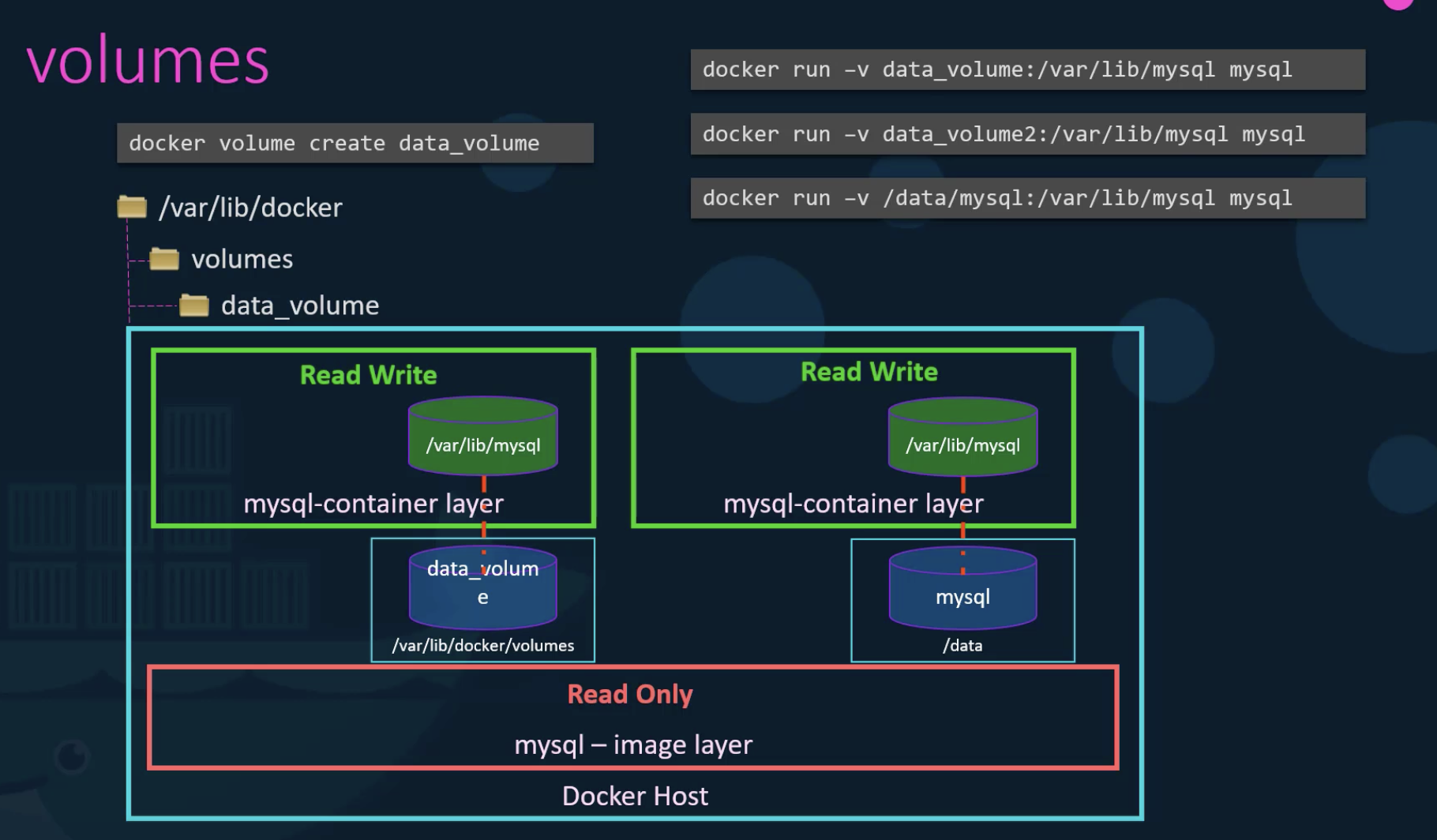
The --mount option is the better approach.
$ dockker run --mount type=bind,source/data/mysql,target=/var/lib/mysql mysql
There are several storage drivers, and Docker automatically selects the most suitable one.
- AUFS(Ubuntu)
- ZFS
- BTRFS
- Device Mapper
- Overlay
- Overlay2
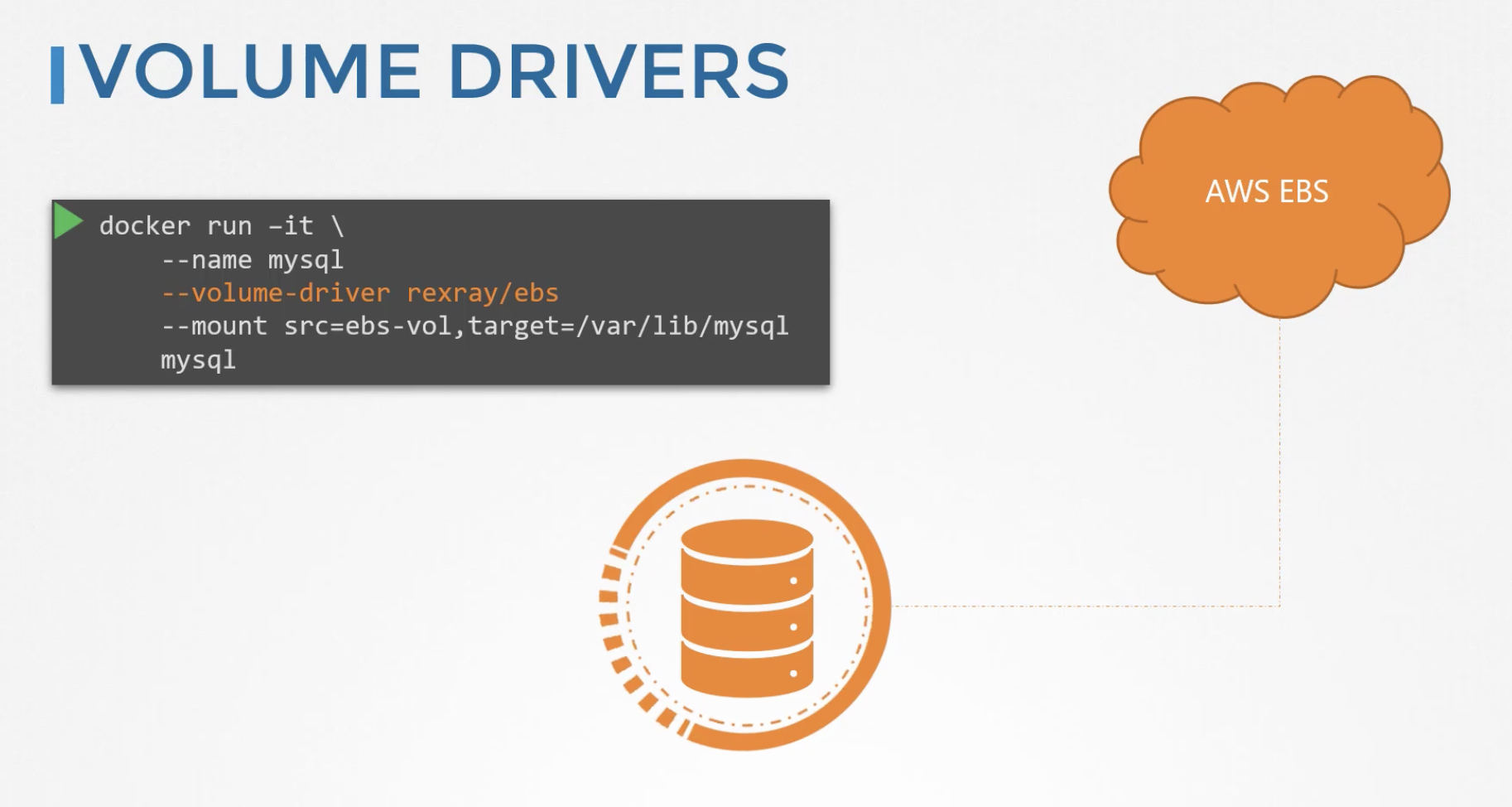
Volume Drivers include Local, Azure File Storage, Convoy, DigitalOcean Block Storage, RexRay, and more.
186 Container Storage Interface
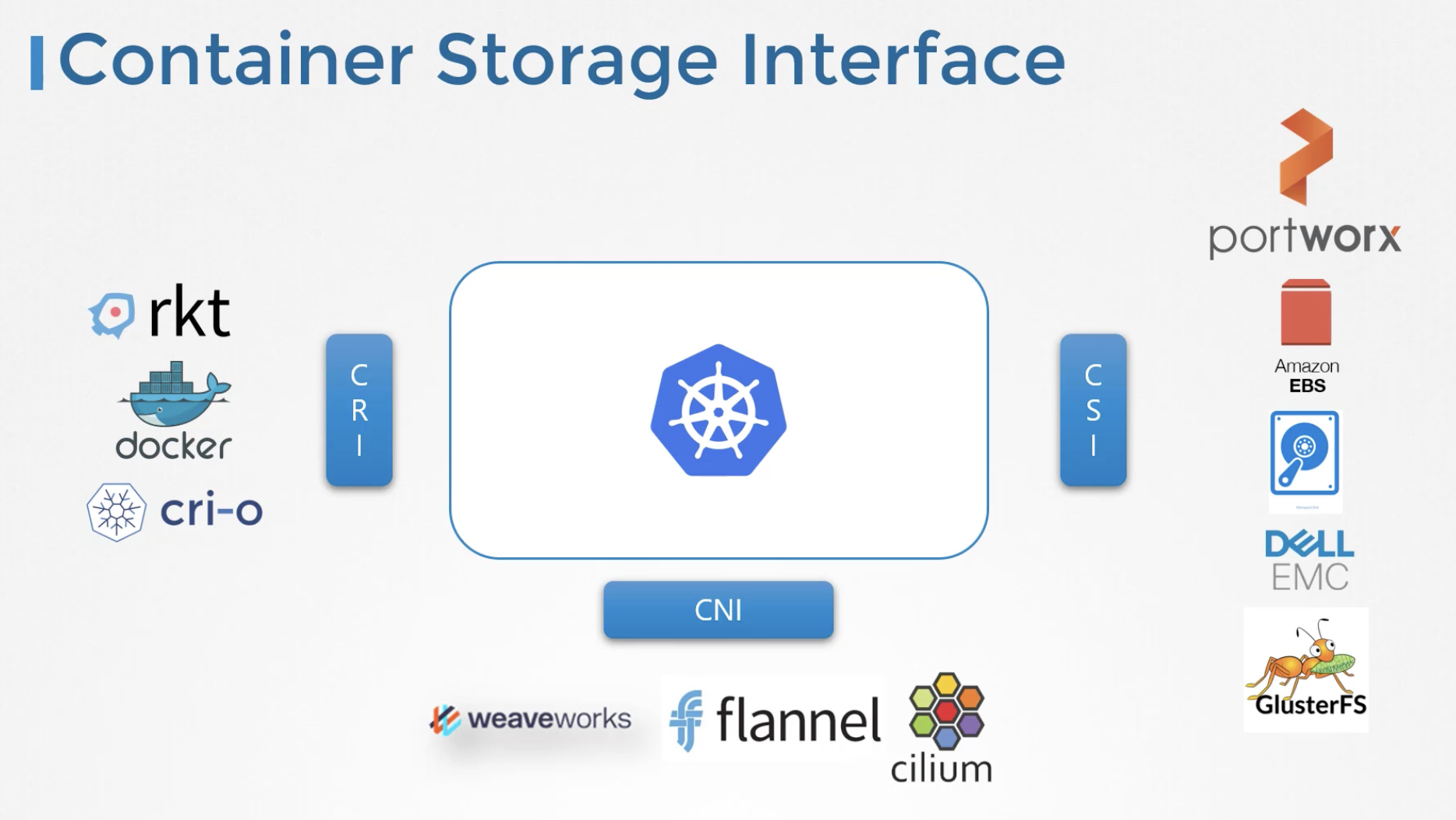
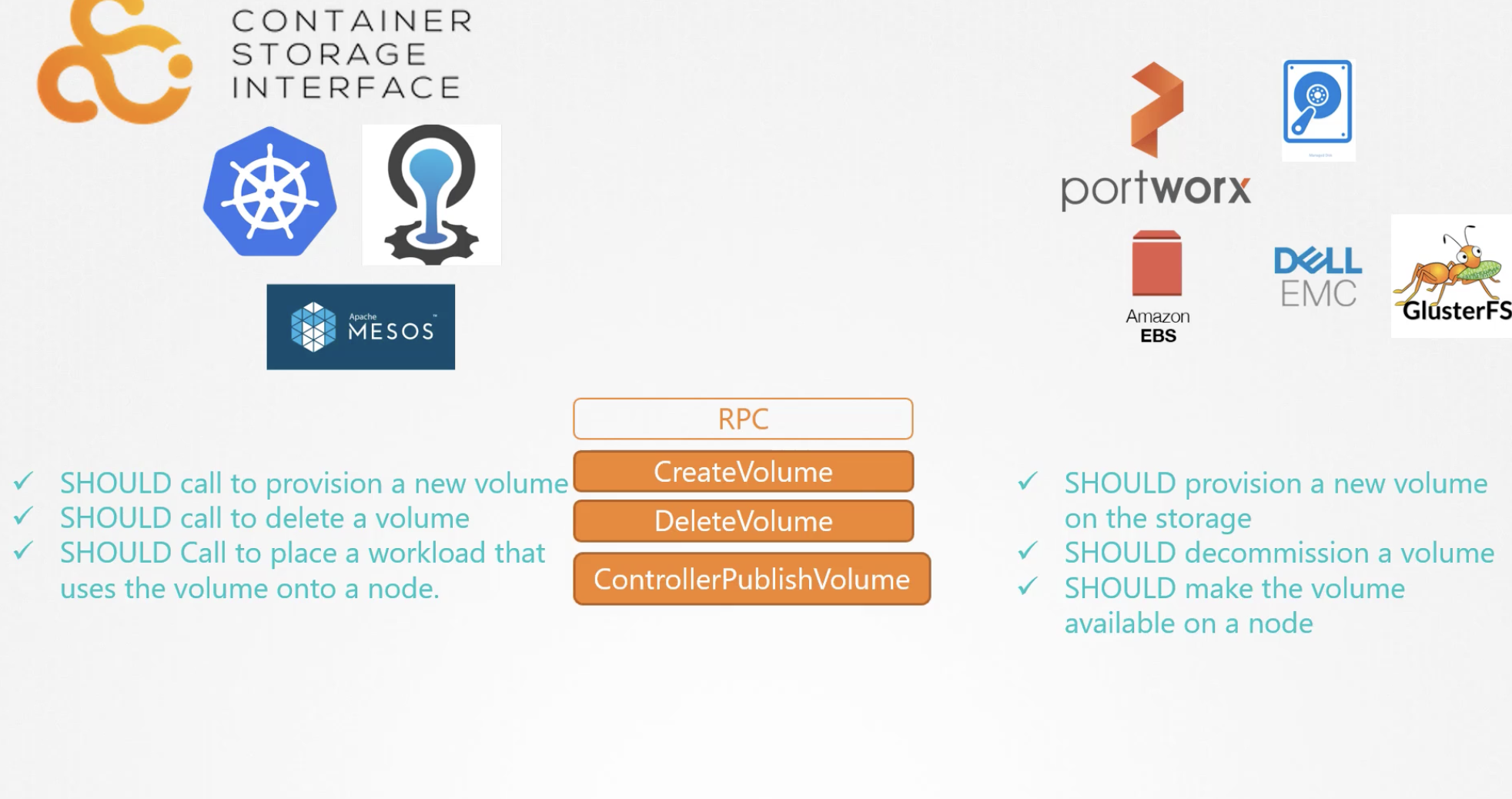
Because the Container Runtime Interface Standard exists, the dependency between Kubernetes and Container Runtimes (Docker, cri-o, rkt) has been eliminated. Similarly, CNI allows Kubernetes to be decoupled from network addons (Flannel, Cilium, Calico). On the storage side, CSI (Container Storage Interface) enables pluggable storage usage.
188 Volumes
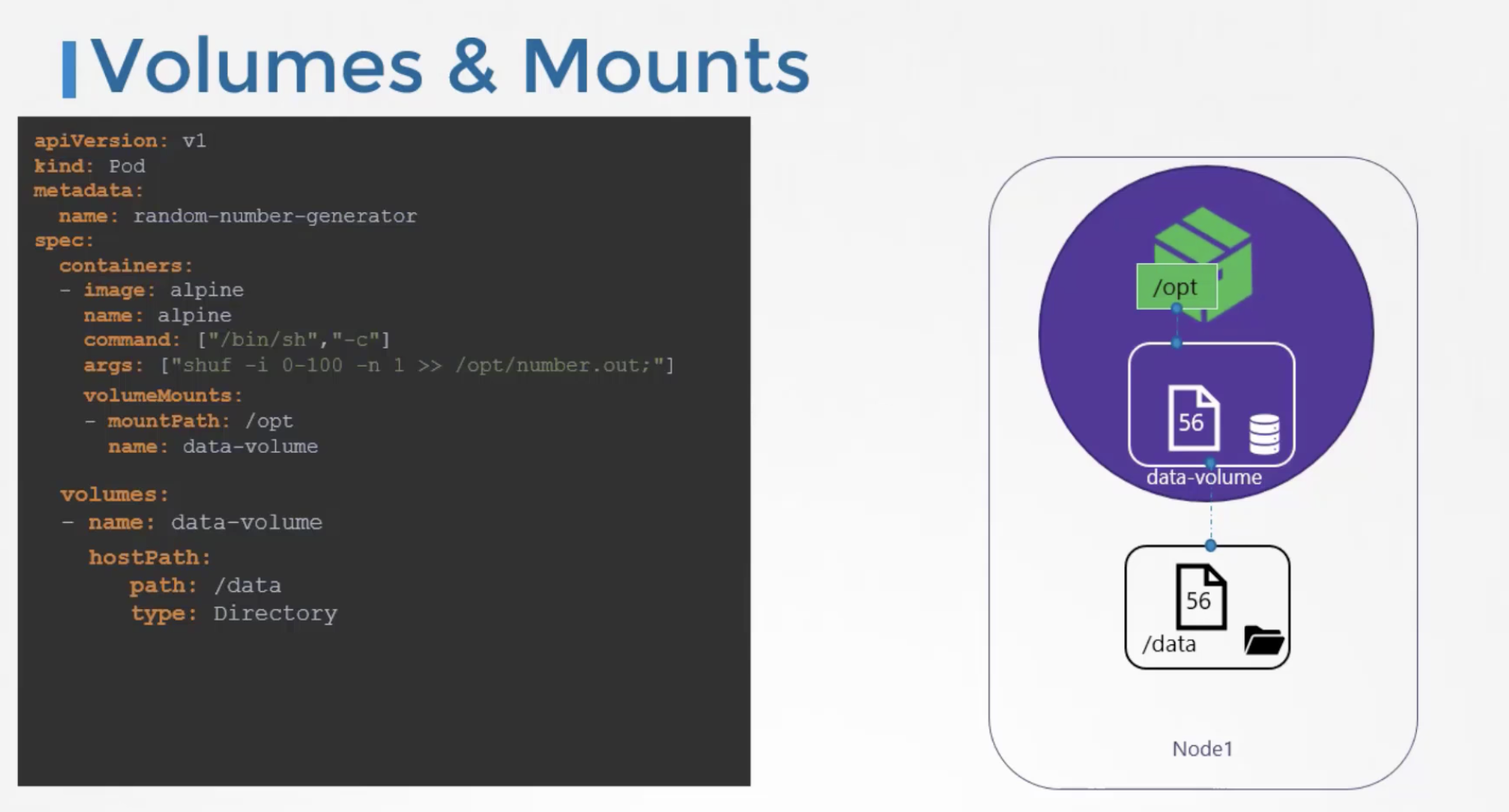
In a Kubernetes single-node cluster environment, you can simply mount the host machine's volume to the container as shown below. However, in a multi-node environment, there is an issue: since the host can change depending on where the pod is created, the volume data content may differ. This is why you need to use Kubernetes Persistent Volumes.
189 Persistent Volumes
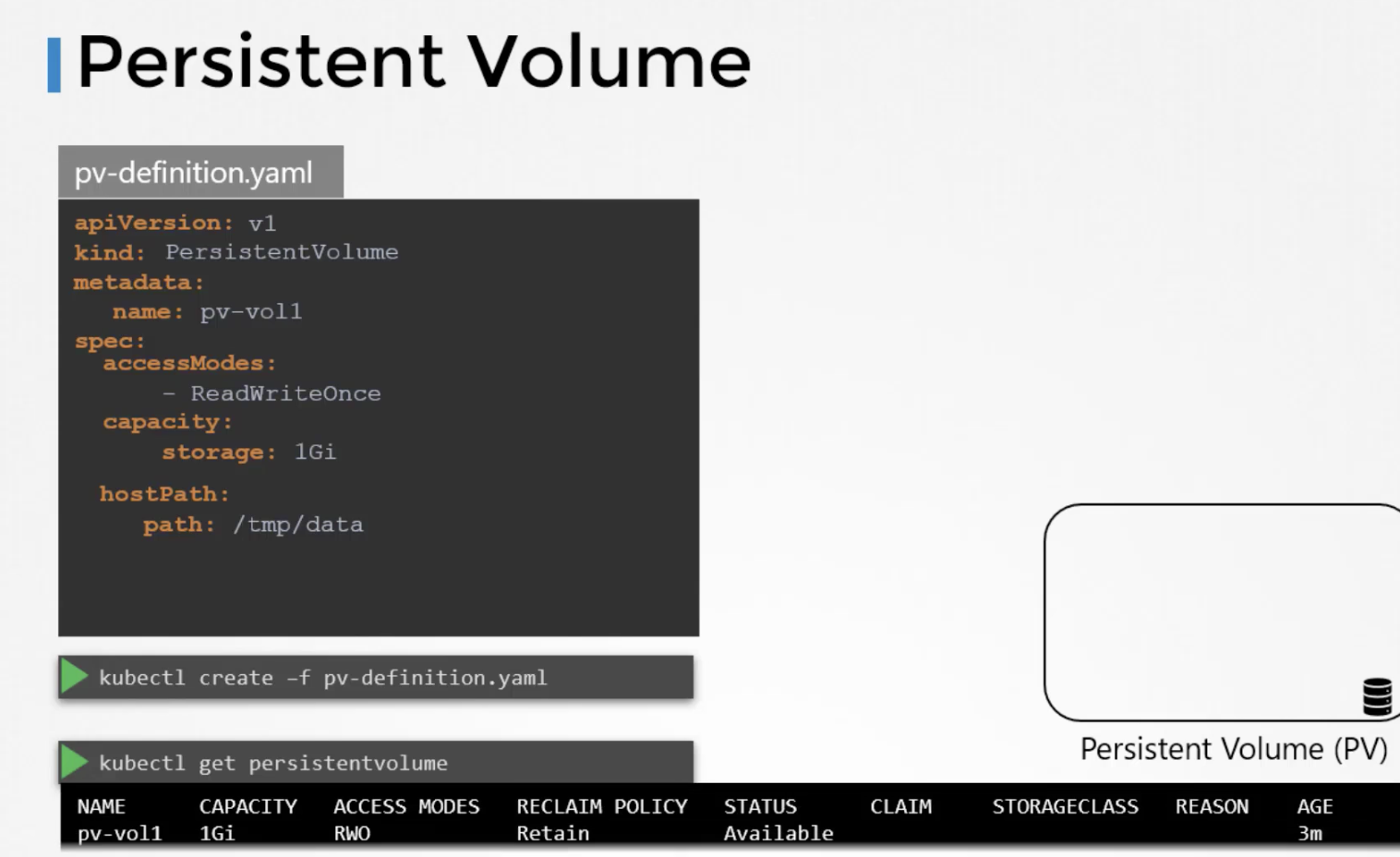
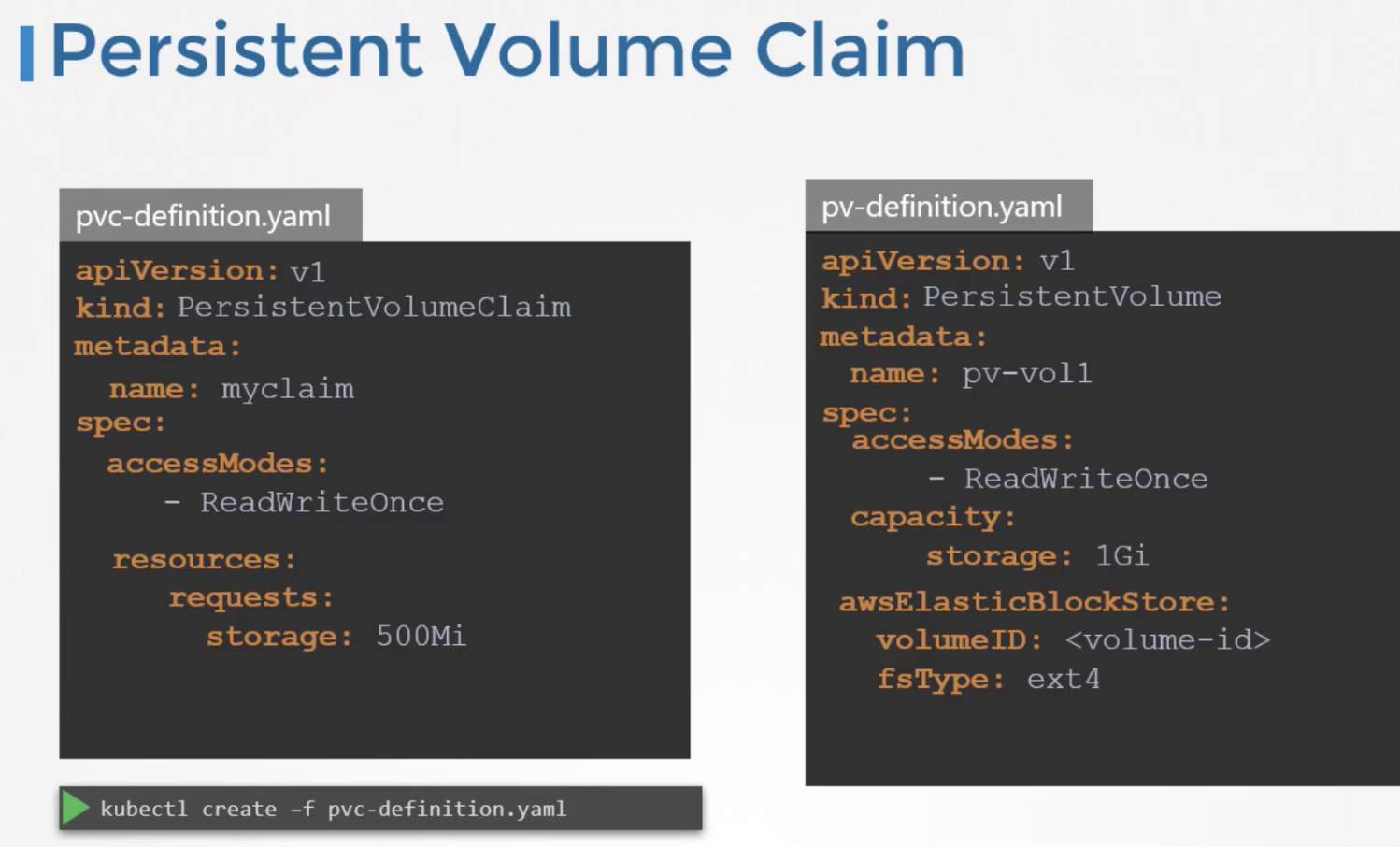
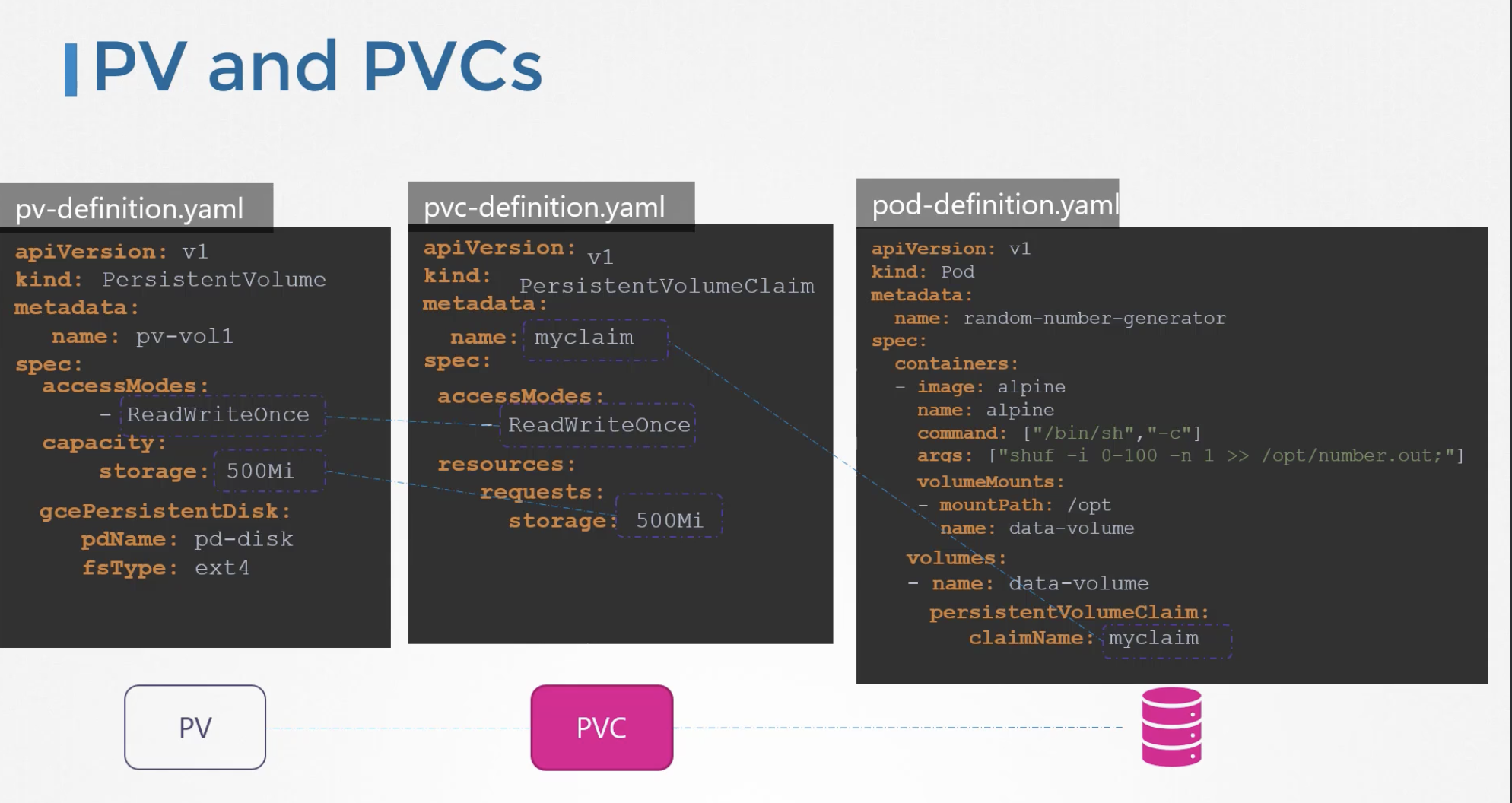
Persistent Volumes can be defined as shown below, and the created persistent volume can be used through a Persistent Volume Claim. By changing the HostPath section to something like awsElasticBlockStore, you can use different data storage backends.
190 Persistent Volume Claims
Typically, an Administrator creates Persistent Volumes, and Users consume them through Persistent Volume Claims. Selection can be done via labels, and if there are two or more candidates, Kubernetes binds the appropriate volume. Since PV and PVC have a one-to-one relationship, if a PVC claims a PV and there is no exact capacity match, it may bind to a larger volume, resulting in wasted storage.
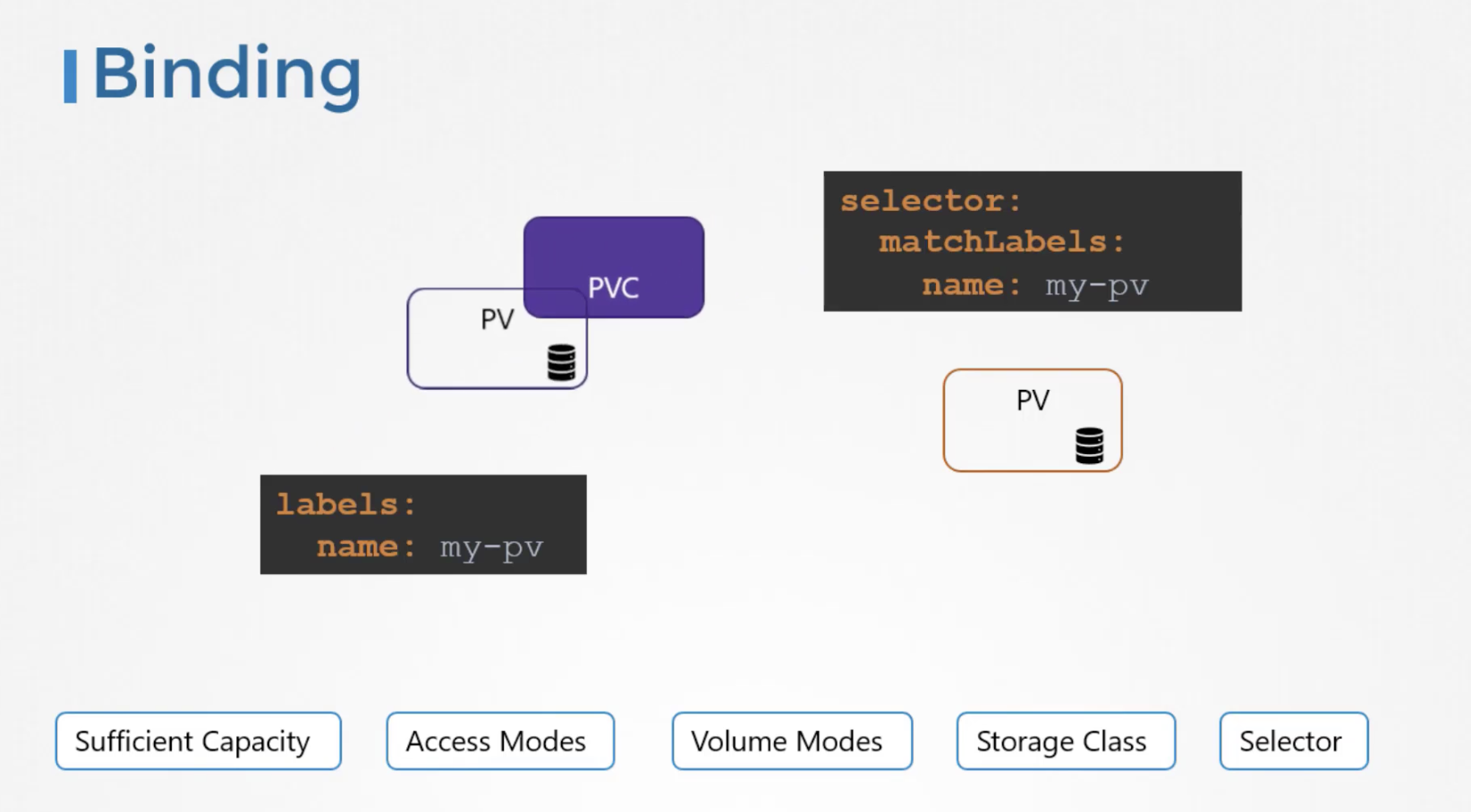
When a Persistent Volume Claim is first created, it stays in a pending state until a matching Persistent Volume becomes available, at which point it transitions to a bound state.
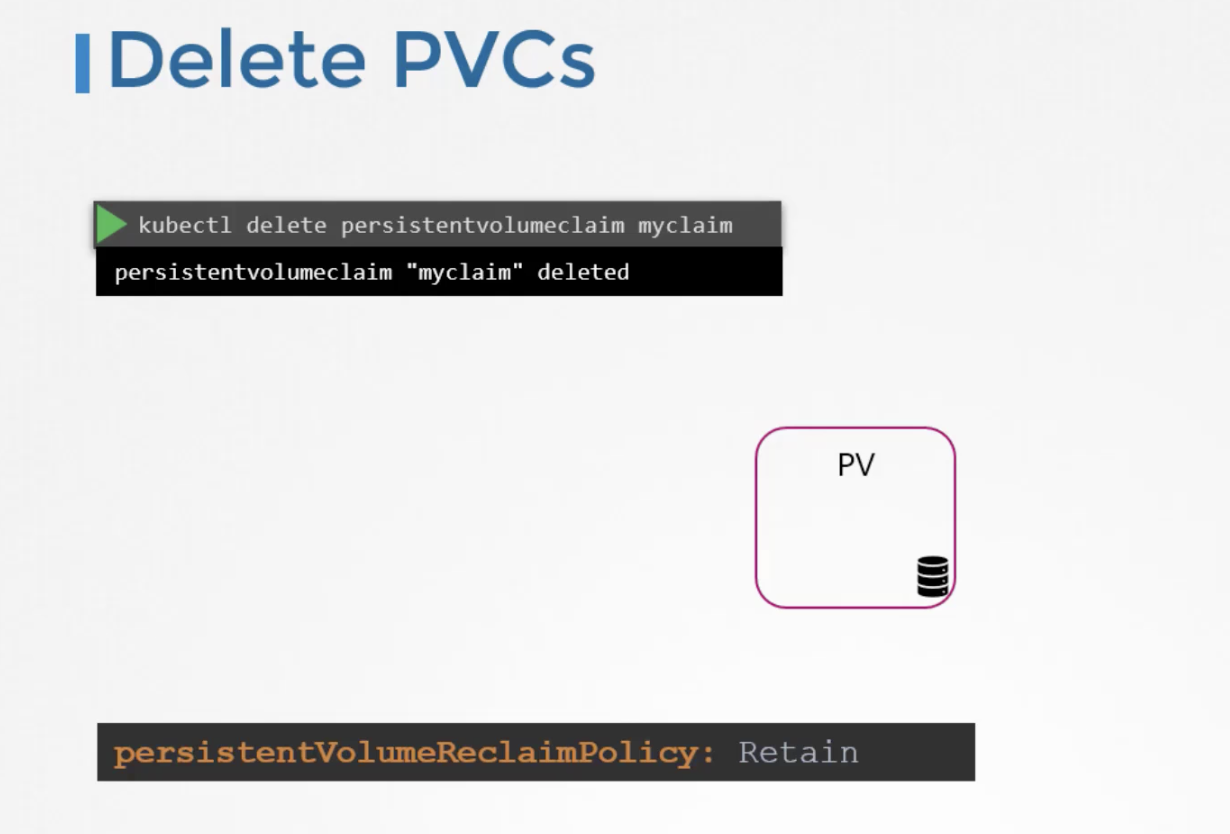
What happens to the PV when a PVC is deleted? By default, it operates in Retain mode, meaning the PV remains as is. You must manually delete the PV. There are also Delete and Recycle options that automatically clean up the PV.
apiVersion: v1
kind: Pod
metadata:
  name: mypod
spec:
  containers:
    - name: myfrontend
      image: nginx
      volumeMounts:
      - mountPath: "/var/www/html"
        name: mypd
  volumes:
    - name: mypd
      persistentVolumeClaim:
        claimName: myclaim
Creating a persistent volume with the following settings: Volume Name: pv-log Storage: 100Mi Access Modes: ReadWriteMany Host Path: /pv/log Reclaim Policy: Retain
apiVersion: v1
kind: PersistentVolume
metadata:
  name: pv-log
spec:
  capacity:
    storage: 100Mi
  accessModes:
  - ReadWriteMany
  hostPath:
    path: "/pv/log"
  persistentVolumeReclaimPolicy: Retain
How to create a Persistent Volume Claim: Volume Name: claim-log-1 Storage Request: 50Mi Access Modes: ReadWriteOnce
kind: PersistentVolumeClaim
apiVersion: v1
metadata:
  name: claim-log-1
spec:
  accessModes:
    - ReadWriteOnce
  resources:
    requests:
      storage: 50Mi
How to use a persistentVolume in a pod:
spec:
  containers:
    volumeMounts:
    - mountPath: /log
      name: webapp
  volumes
  - name: webapp
    persistentVolumeClaim:
      claimName: claim-log-1
196 Storage Class
Setting up PV and PVC in advance and then using them in applications is called static provisioning.
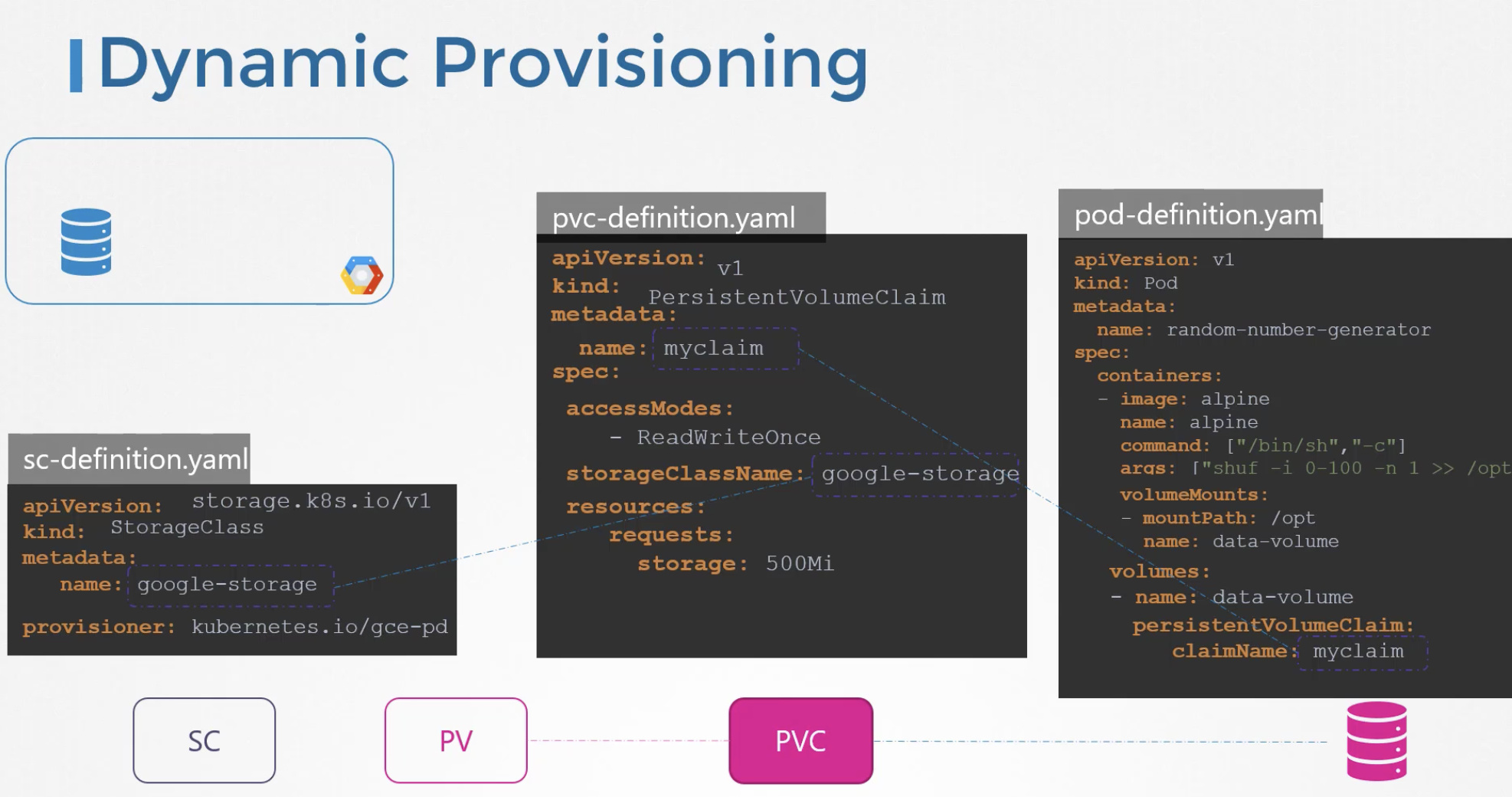
If you are using Google Cloud, instead of creating a Persistent Volume every time, you can have one automatically created whenever a Persistent Volume Claim is created. This is made possible by Storage Classes.
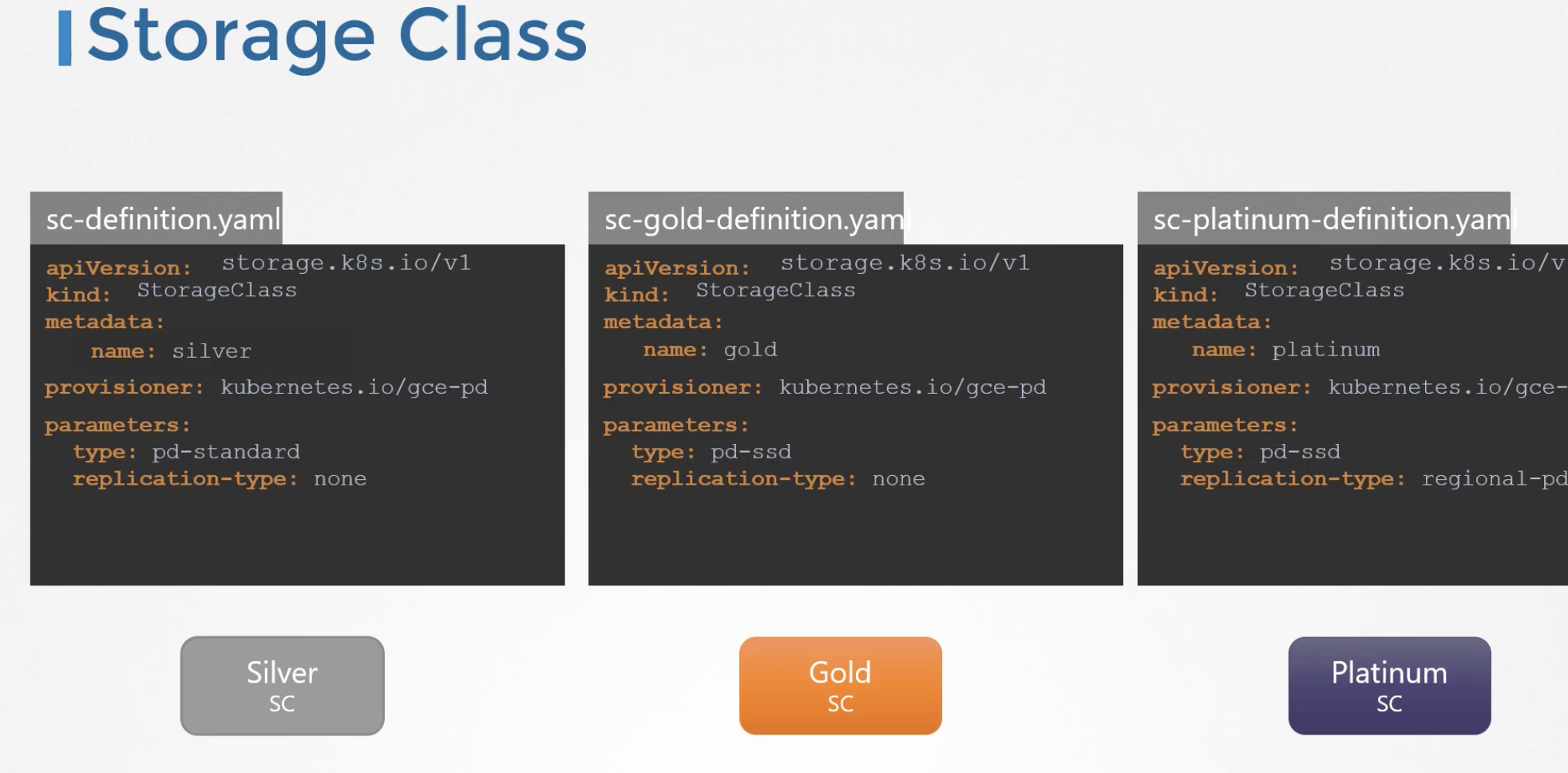
There are several provisioners: AWS EBS, GCE, Ceph, Azure, and more.
Additionally, storage classes can differentiate based on replication options and disk types (HDD, SSD, NVMe SSD).
$ kubectl get storageclasses
NAME                   PROVISIONER             RECLAIMPOLICY   VOLUMEBINDINGMODE      ALLOWVOLUMEEXPANSION   AGE
local-path (default)   rancher.io/local-path   Delete          WaitForFirstConsumer   false                  15m
The Storage Class called local-storage makes use of VolumeBindingMode set to WaitForFirstConsumer. This will delay the binding and provisioning of a PersistentVolume until a Pod using the PersistentVolumeClaim is created.
Quiz
Q1: What is the main topic covered in "CKA_8_Storage"?
CKA_8_Storage
Q2: What are the key takeaways from this article?
CKA_8_Storage
Q3: How can the concepts in this article be applied in practice?
Consider the practical examples and patterns discussed throughout the post.