
This post is a study note based on the Udemy course https://www.udemy.com/course/certified-kubernetes-administrator-with-practice-tests and content from https://kodekloud.com/.
- 201 Switching Routing
- 202 DNS
- 204 Network Namespaces
- 206 Docker Networking
- 207 CNI
- 212 Pod Networking
- 213 CNI in Kubernetes
- 223 Service Networking
- 226 DNS in kubernetes
- 227 Core DNS in kubernetes
- 230 Ingress
201 Switching Routing
A switch connects devices within the same network.
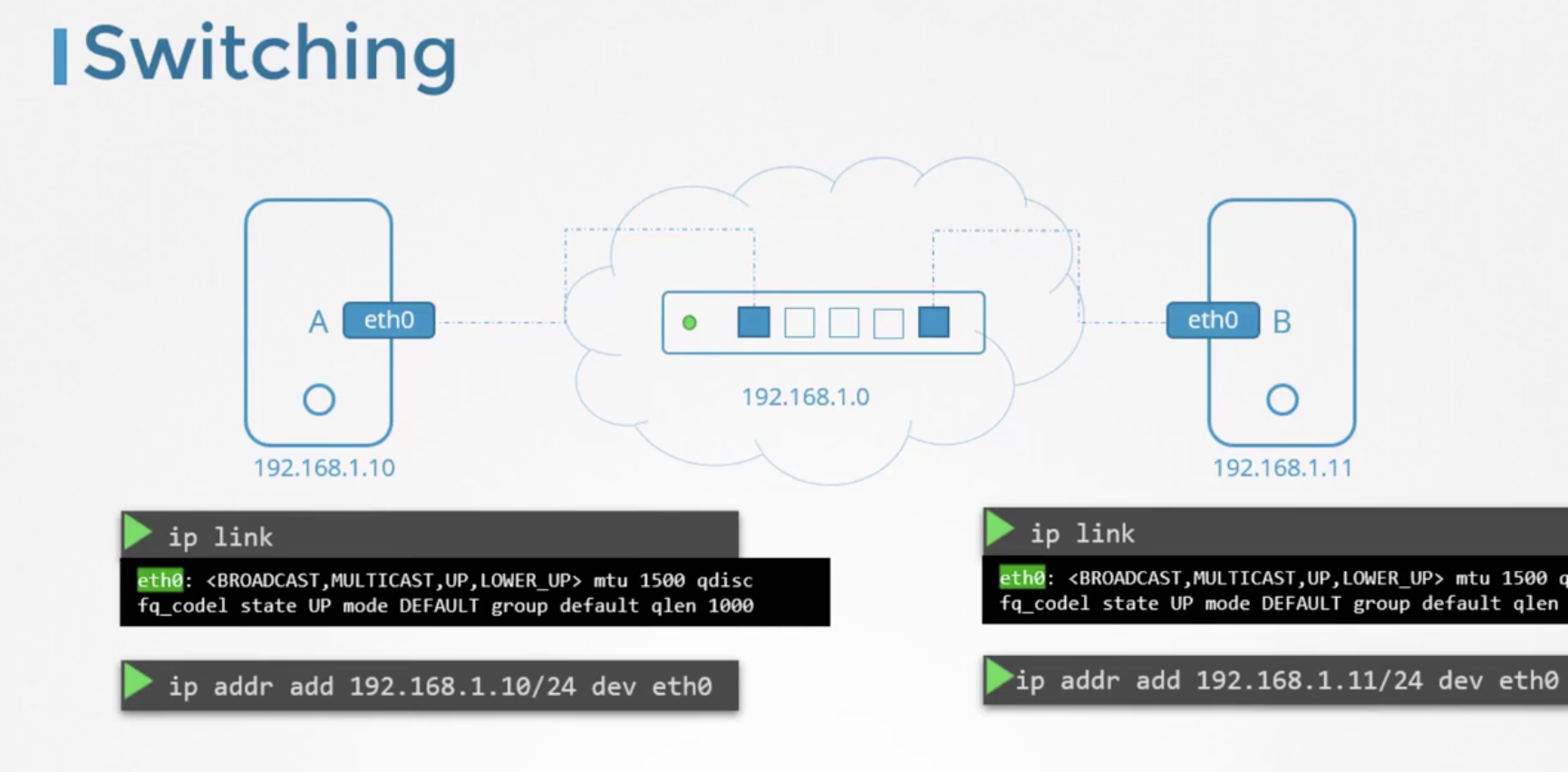
A router connects two or more separate networks. When a packet moves from one network to another, it passes through a Gateway, which refers to the address connected to the router.
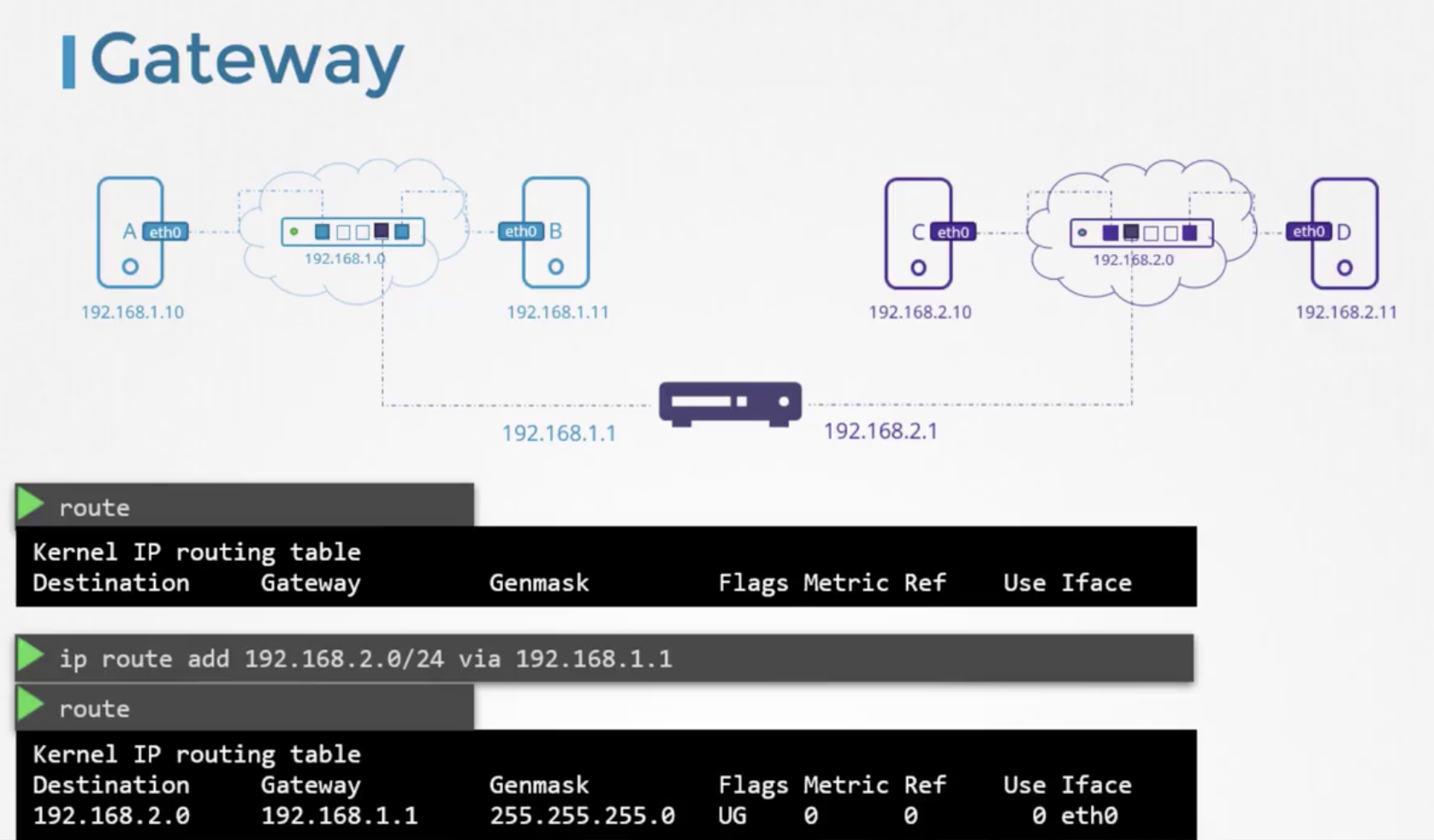
The kernel route table can be checked with the following command.
root@latte01:~# route -n
Kernel IP routing table
Destination     Gateway         Genmask         Flags Metric Ref    Use Iface
0.0.0.0         192.168.219.1   0.0.0.0         UG    100    0        0 enp2s0
169.254.0.0     0.0.0.0         255.255.0.0     U     1000   0        0 enp2s0
172.17.0.0      0.0.0.0         255.255.0.0     U     0      0        0 docker0
192.168.219.0   0.0.0.0         255.255.255.0   U     100    0        0 enp2s0
Instead of specifying every IP address you want to access, you can use 0.0.0.0 to represent all networks.
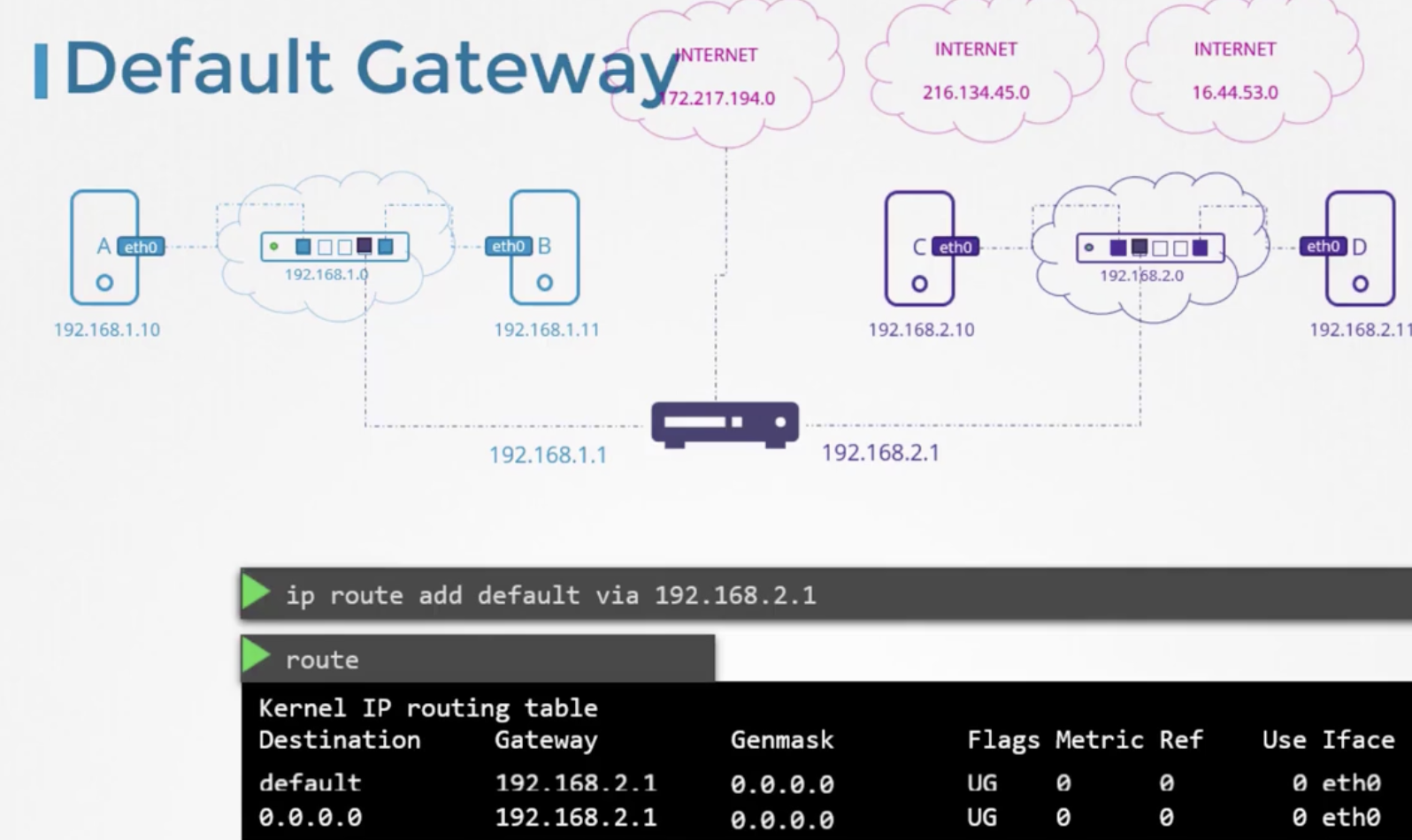
If the routers for external and internal networks are separate, you can specify them separately in the routing table.
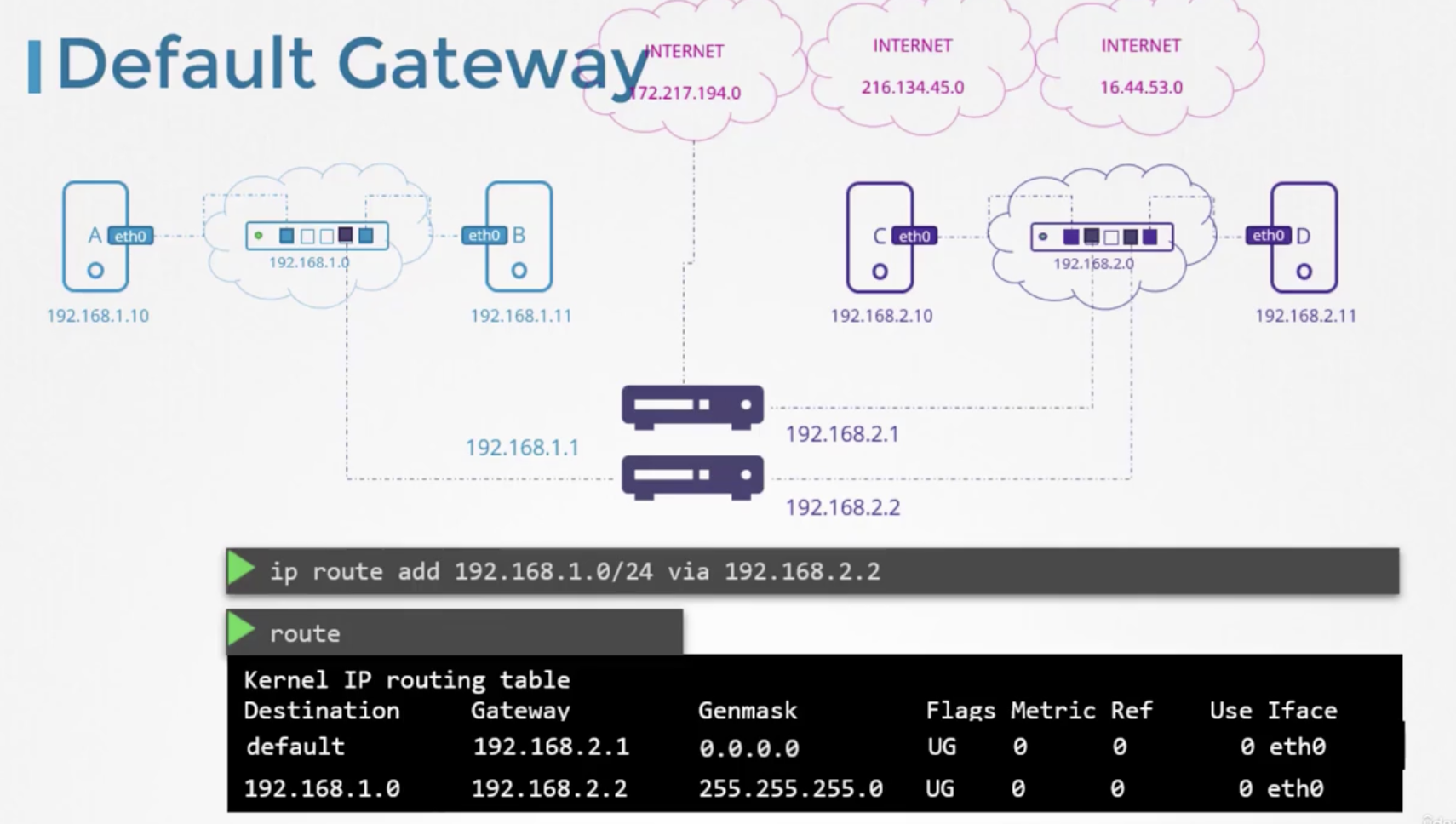
How do you set up a Linux machine as a router? However, even if you assign two network interfaces to machine B as shown below and ping from A to B, the ping will not return successfully. This is because Linux blocks packet forwarding by default for security reasons.
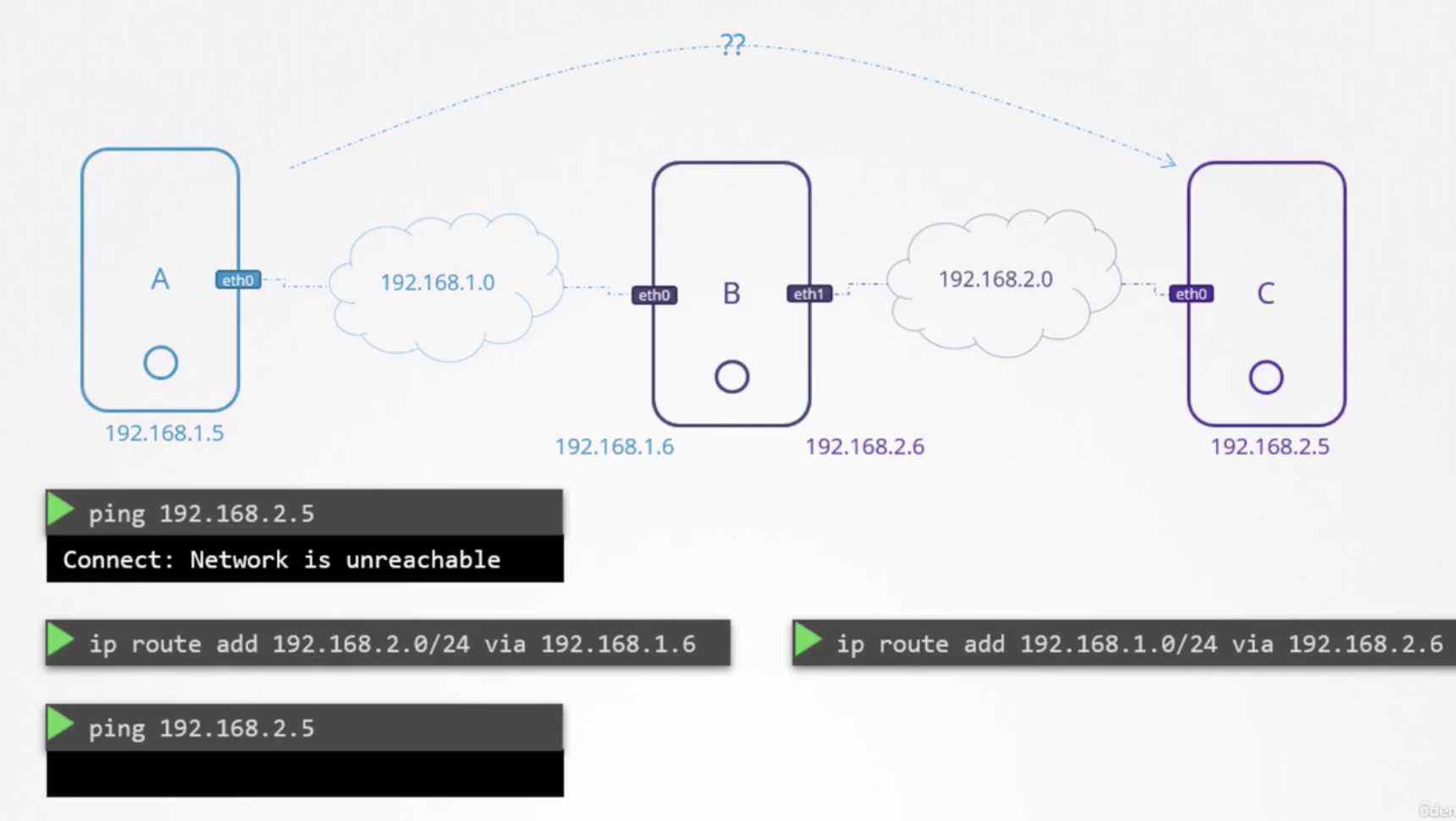
By running echo 1 > /proc/sys/net/ipv4/ip_forward on machine B to enable forwarding, it will function properly as a router. To maintain the same setting after a reboot, set net.ipv4.ip_forward =1 in /etc/sysctl.conf.
202 DNS
By registering Host B as "db" in /etc/hosts, you can use a text-based name instead of an IP address. /etc/hosts is referred to as the local nameserver (DNS). However, the actual hostname of the server called "db" may not be "db". Also, management becomes more difficult as the number of servers increases or IP addresses change.
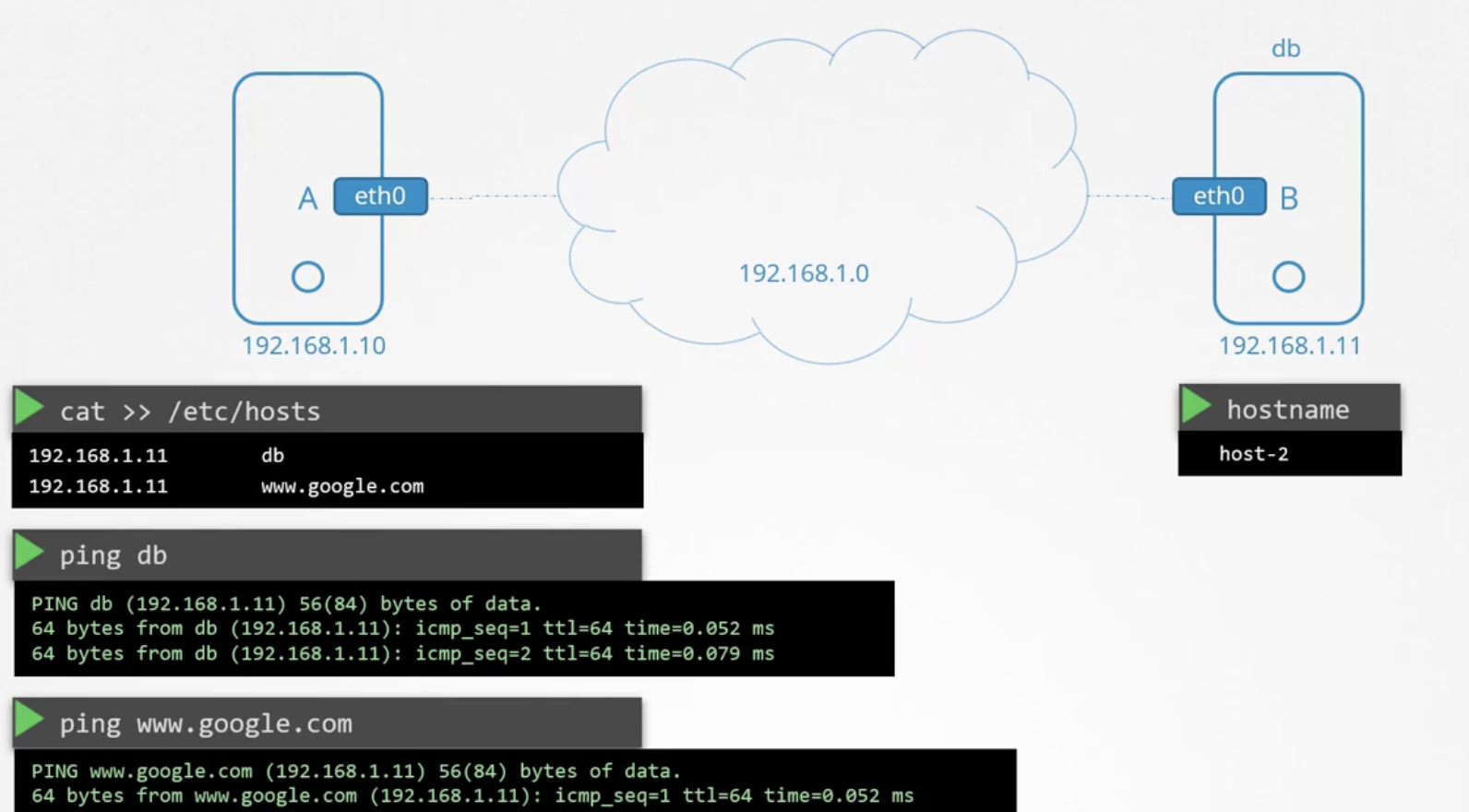
A server that manages the mapping between IP addresses and hostnames is called a DNS server.
Every server registers and uses a nameserver in a file called /etc/resolv.conf.
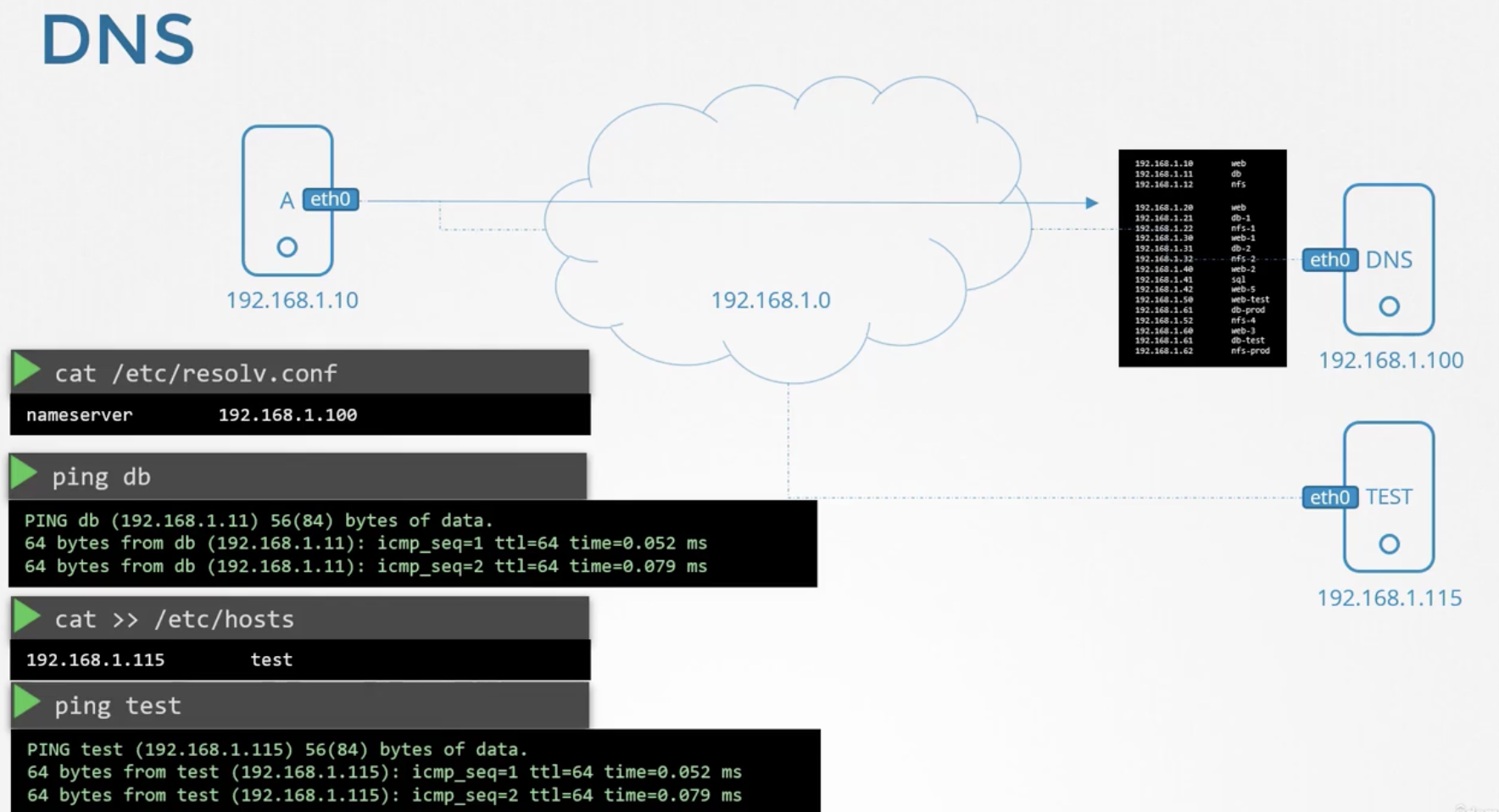
Using a nameserver does not prevent you from using the local /etc/hosts file -- both can be used simultaneously. When looking up IP-to-hostname mappings, /etc/hosts is searched before the DNS server. This order is defined in /etc/nsswitch.conf under hosts. The default is files dns, which means /etc/hosts is searched first.
8.8.8.8 is a well-known nameserver operated by Google. Multiple nameservers can be defined here.
When the DNS server looks up apps.google.com, it follows the DNS tree as shown below to retrieve the IP address. Once retrieved, it is cached locally for reuse.
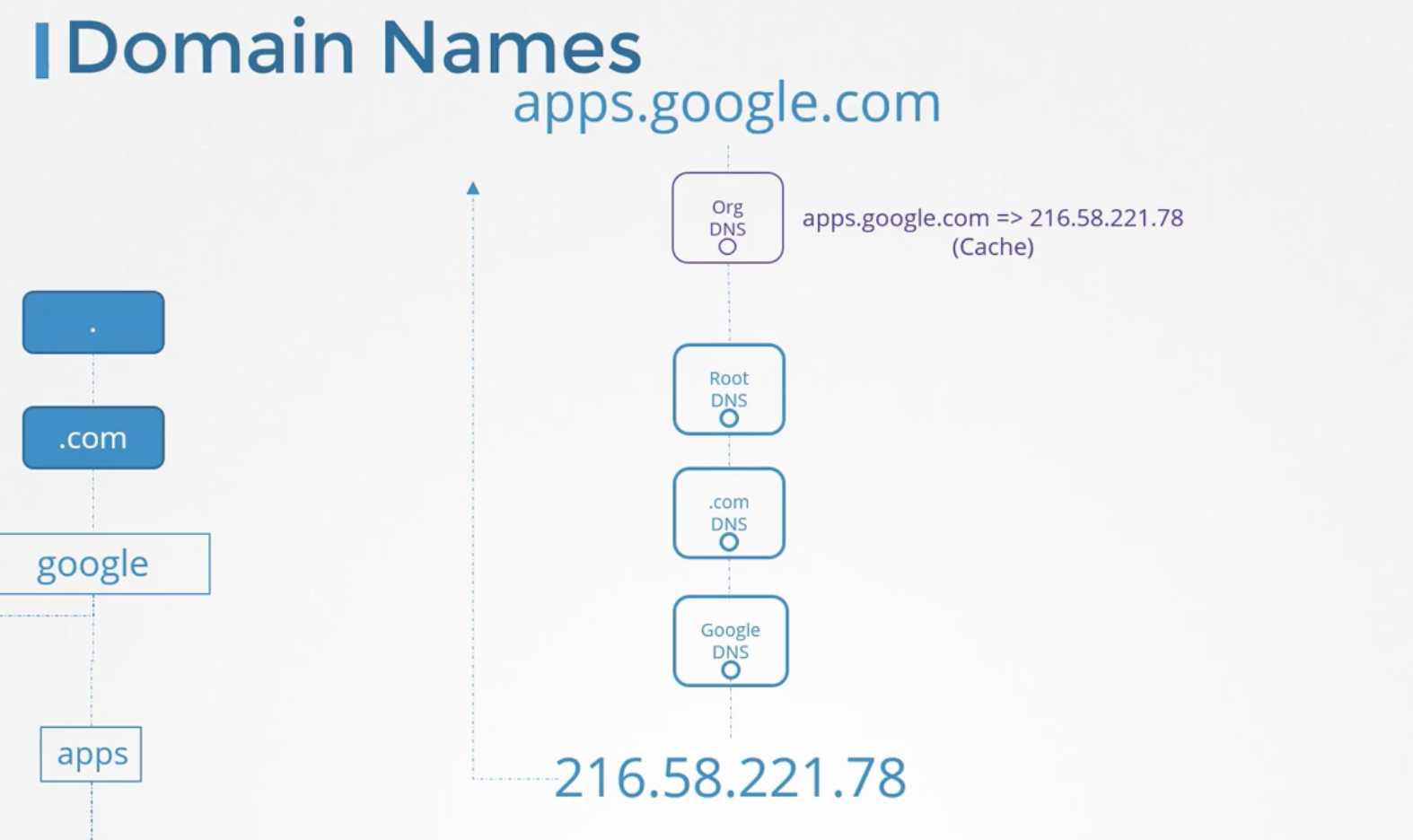
Converting an IP to a hostname is called an A type record. Setting up an alias is called a CNAME record.
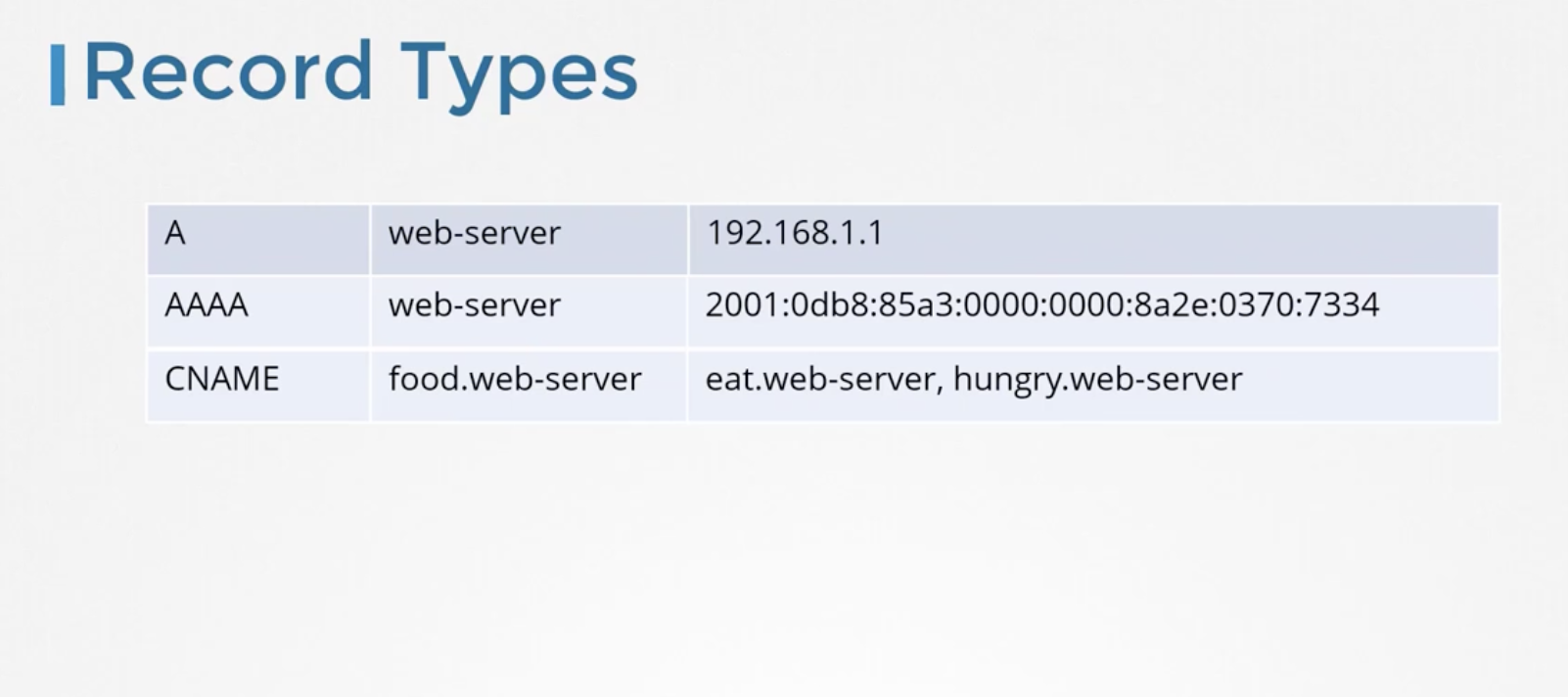
You can find out the nameserver and IP using nslookup <domain_name>, but note that nslookup does not search /etc/hosts. Because of this, actual network behavior on the local machine may differ.
dig is also a useful tool for looking up nameservers.
nslookup www.google.com
dig www.google.com
204 Network Namespaces
Containers have their own separate Routing Table and ARP Table. A separate network namespace exists for them.
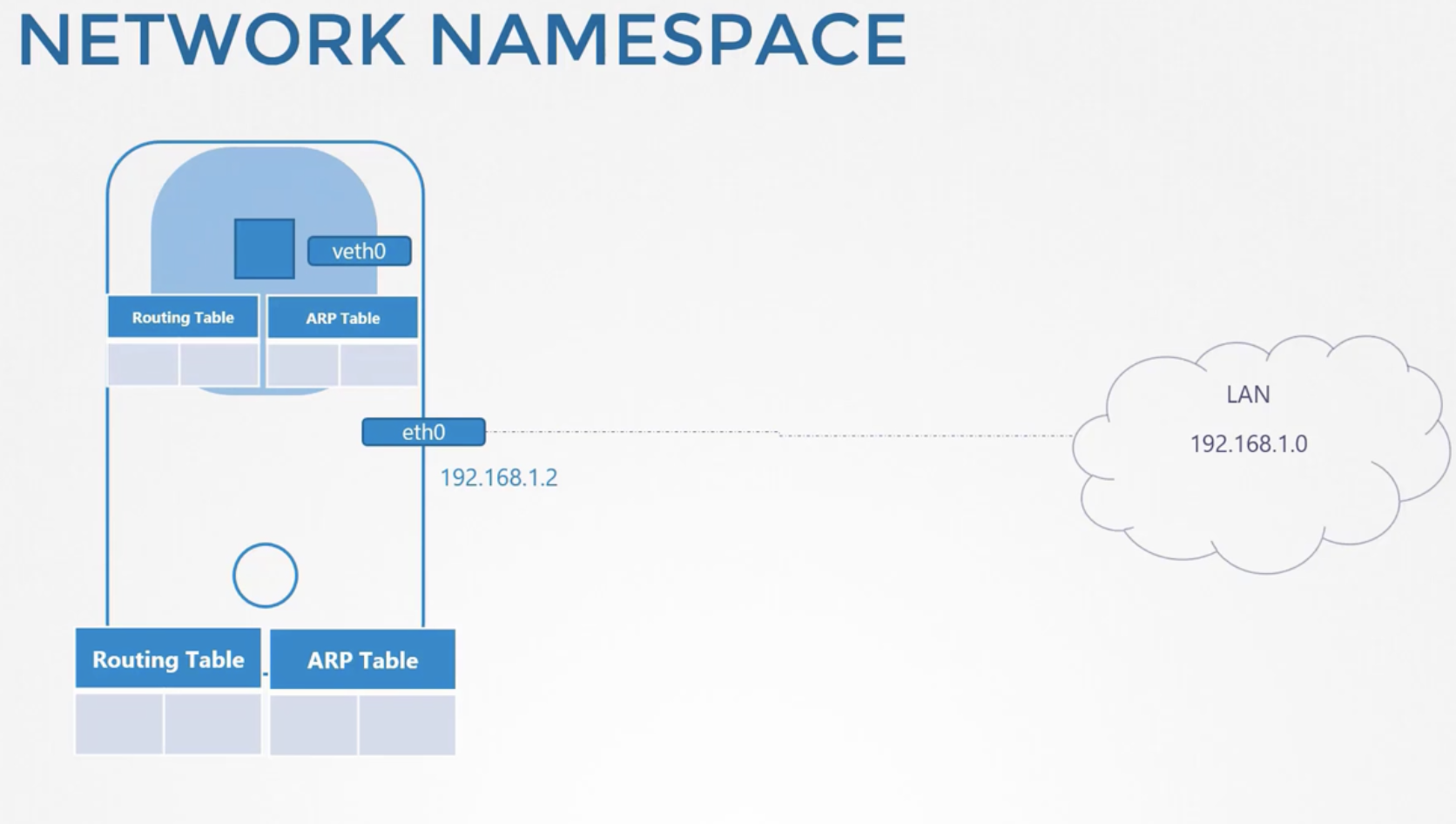
To create a new network namespace, enter ip netns add <namespace_name>. You can check the created namespaces with the ip ns command.
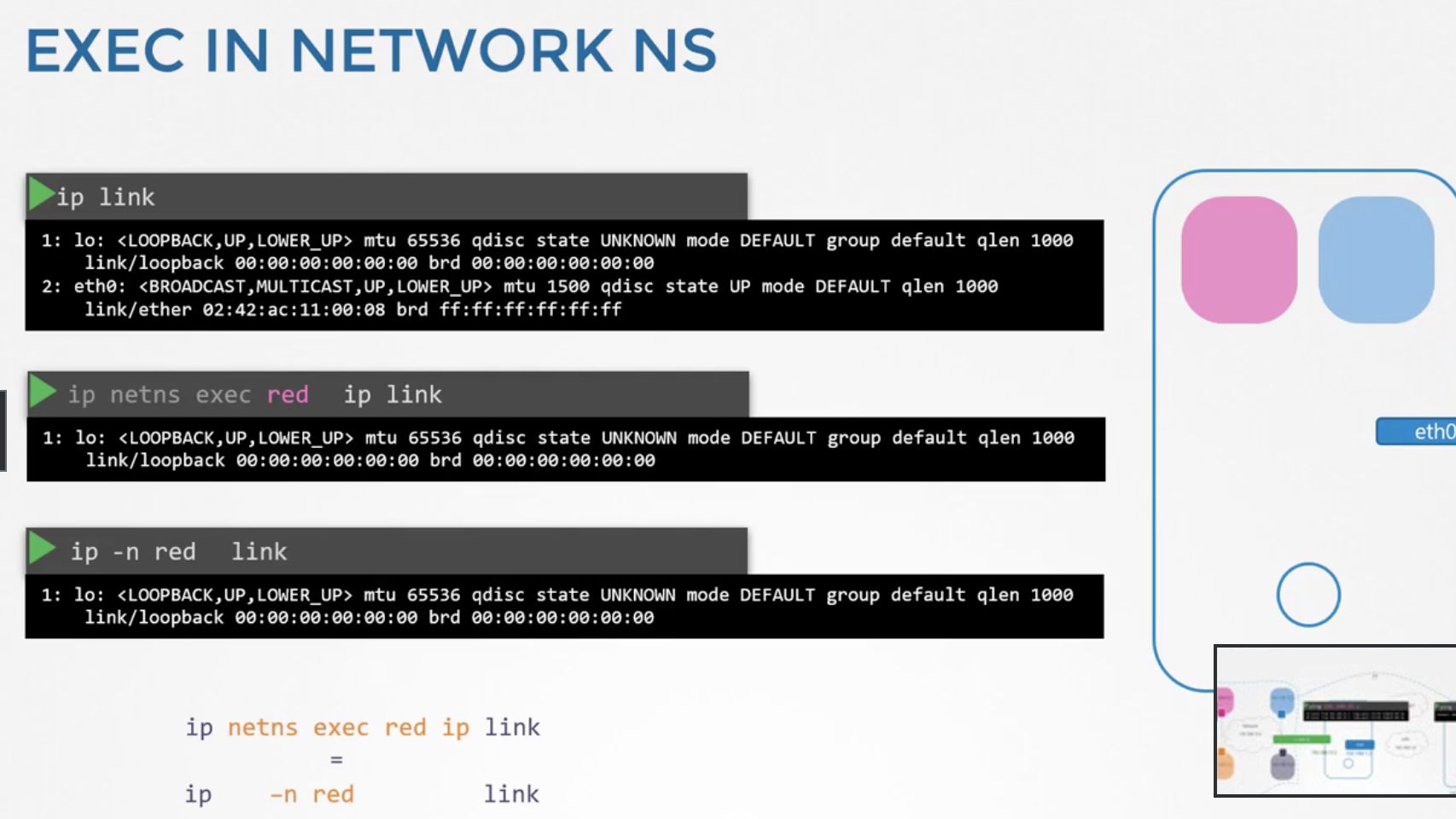
To use ip commands inside a namespace, do as shown below. When running the link command, unlike on the host, only the loopback link is visible. The same applies to arp and route commands.
Since a new namespace has no outbound connectivity configured, network connections must be set up for communication with other namespaces. This connection process is similar to physically connecting a cable (virtual cable).
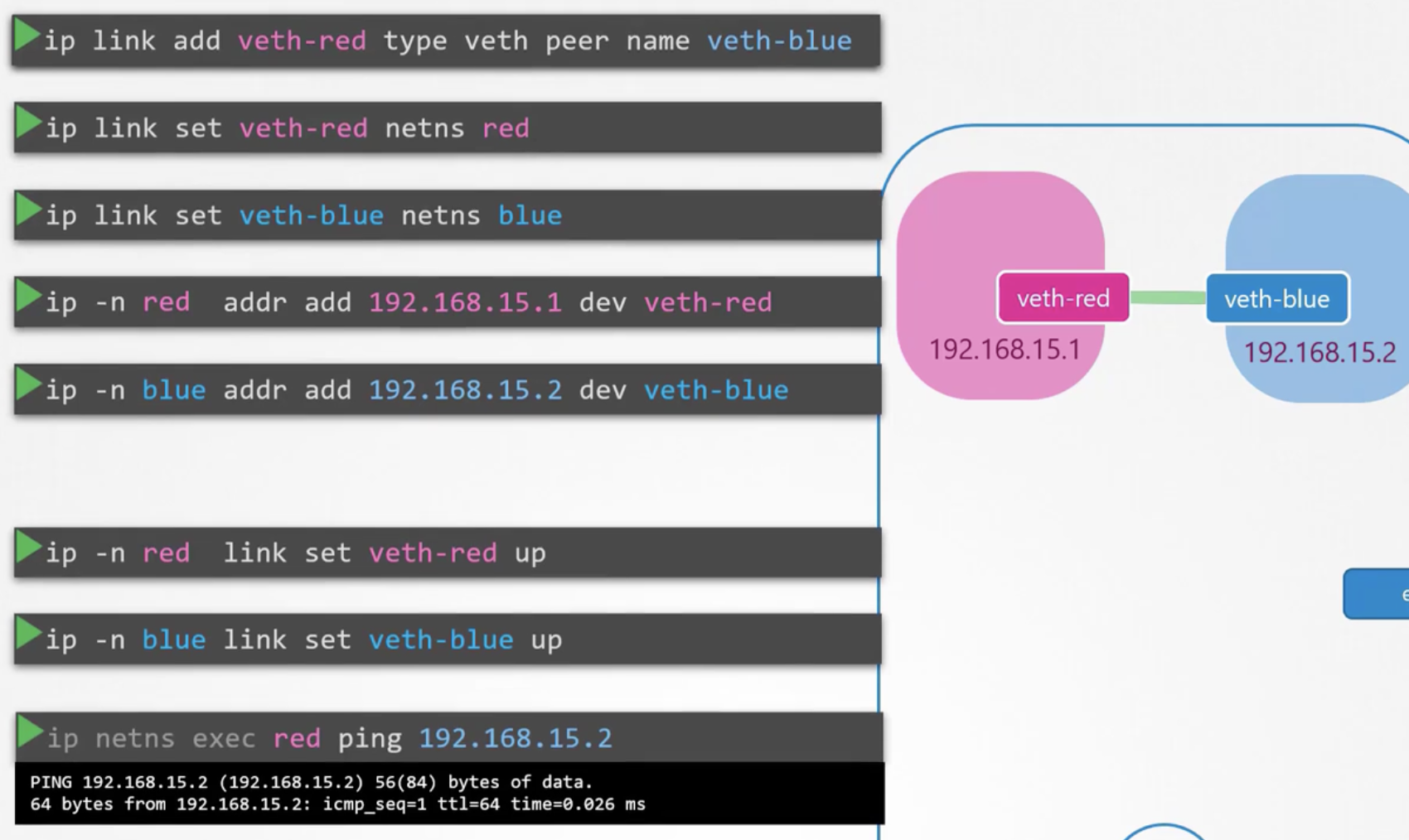
Once configuration is complete, querying the ARP table shows the other party's information. However, the host's ARP table has no related information.
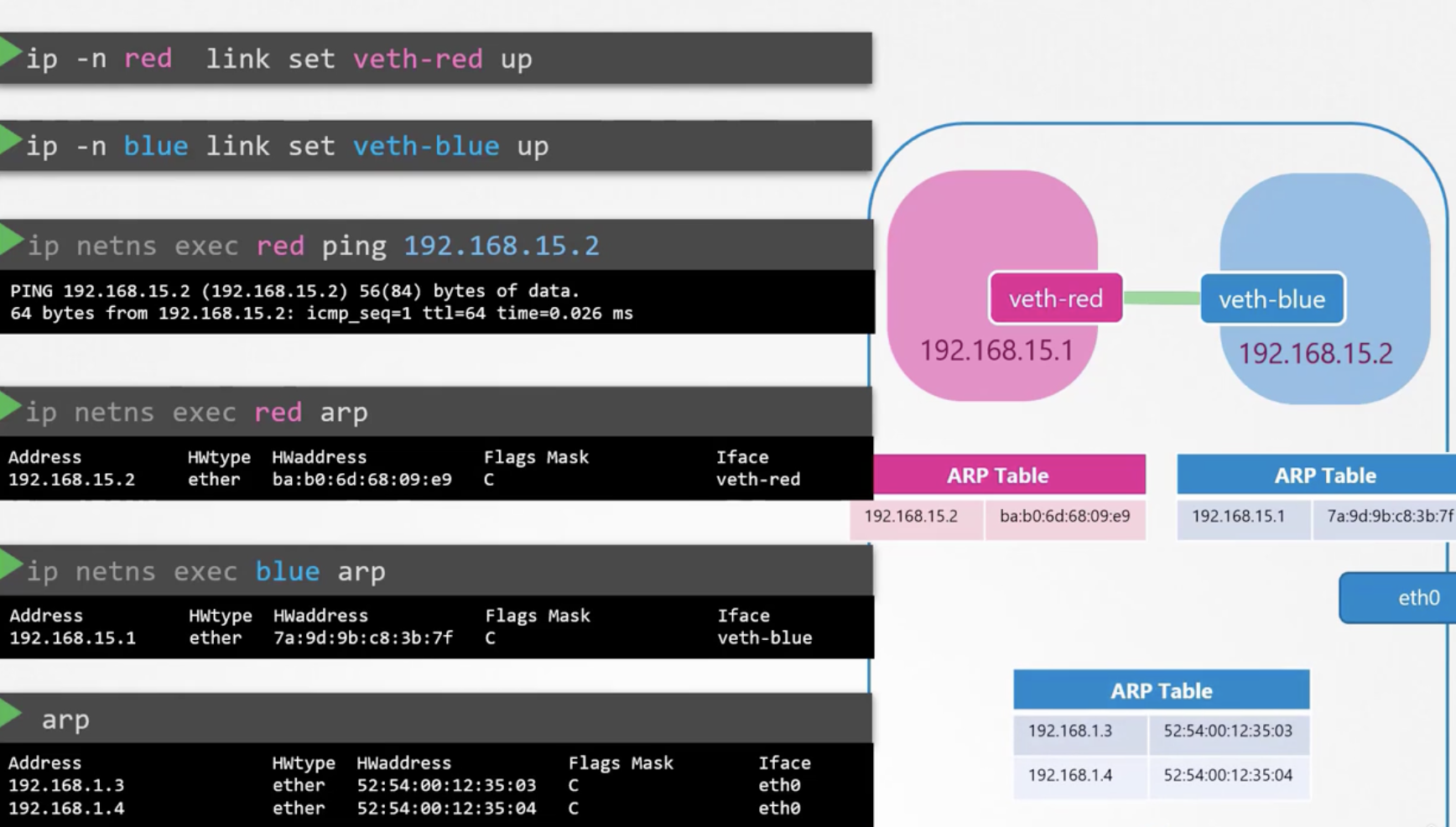
What if there are more than two namespaces? In this case, a virtual switch must be created. Linux Bridge and Open vSwitch are the most well-known options. Here we look at Linux Bridge.
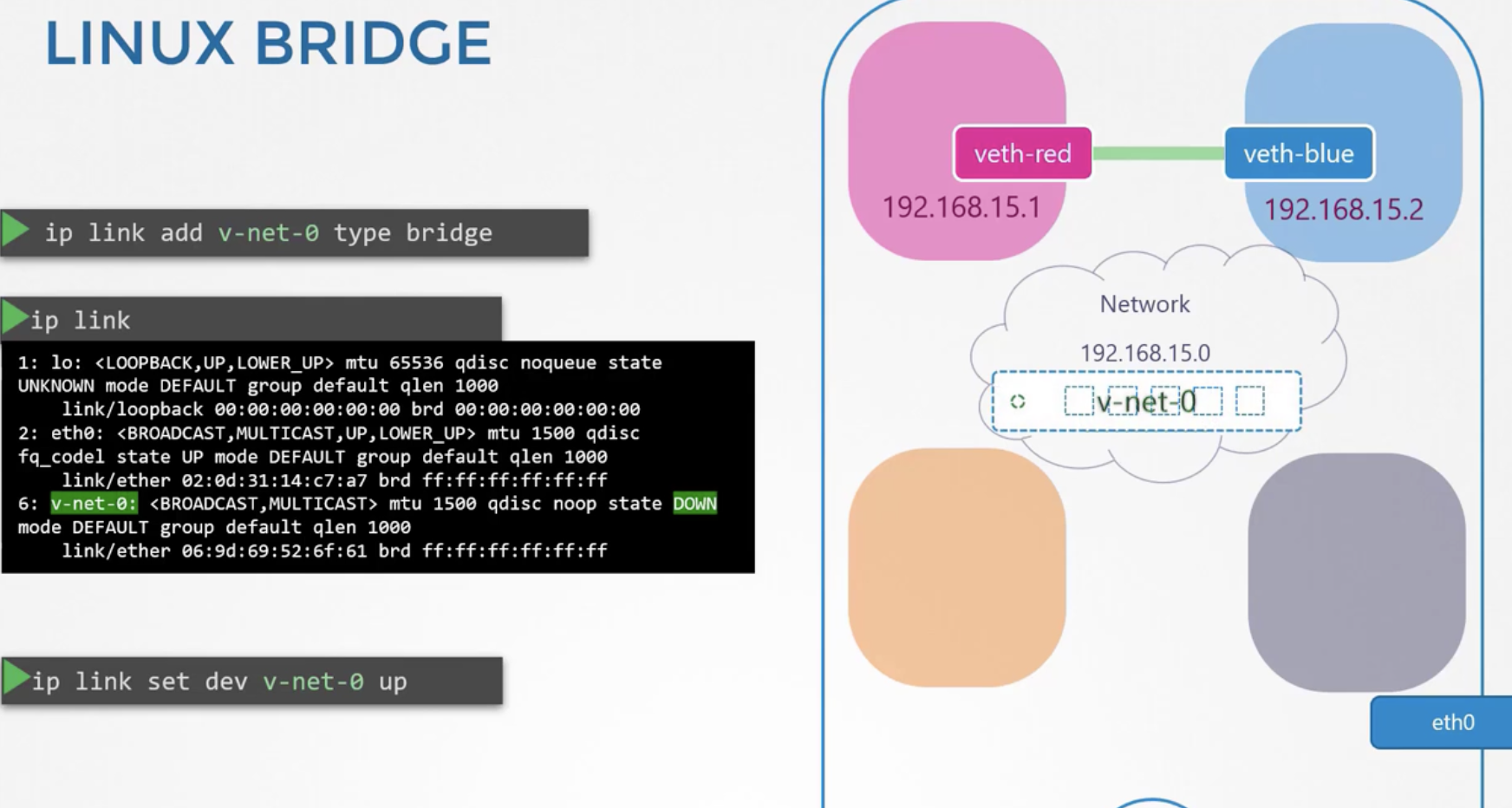
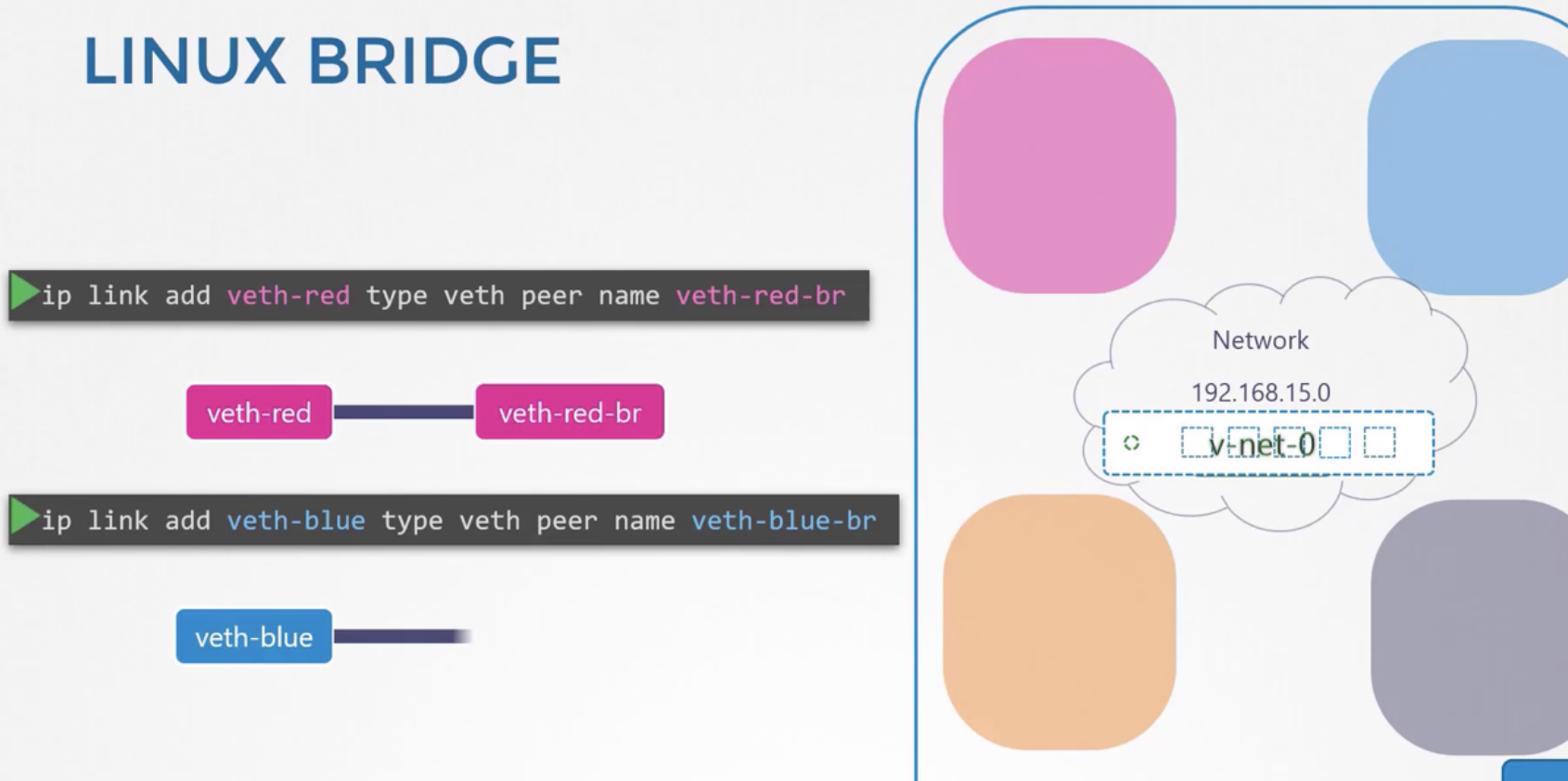
Before creating the Linux bridge, remove the previously created virtual cables between red and blue. You can remove them with ip -n red link del veth-red.
By connecting namespaces to the Linux bridge as shown below, the namespaces can communicate with each other.
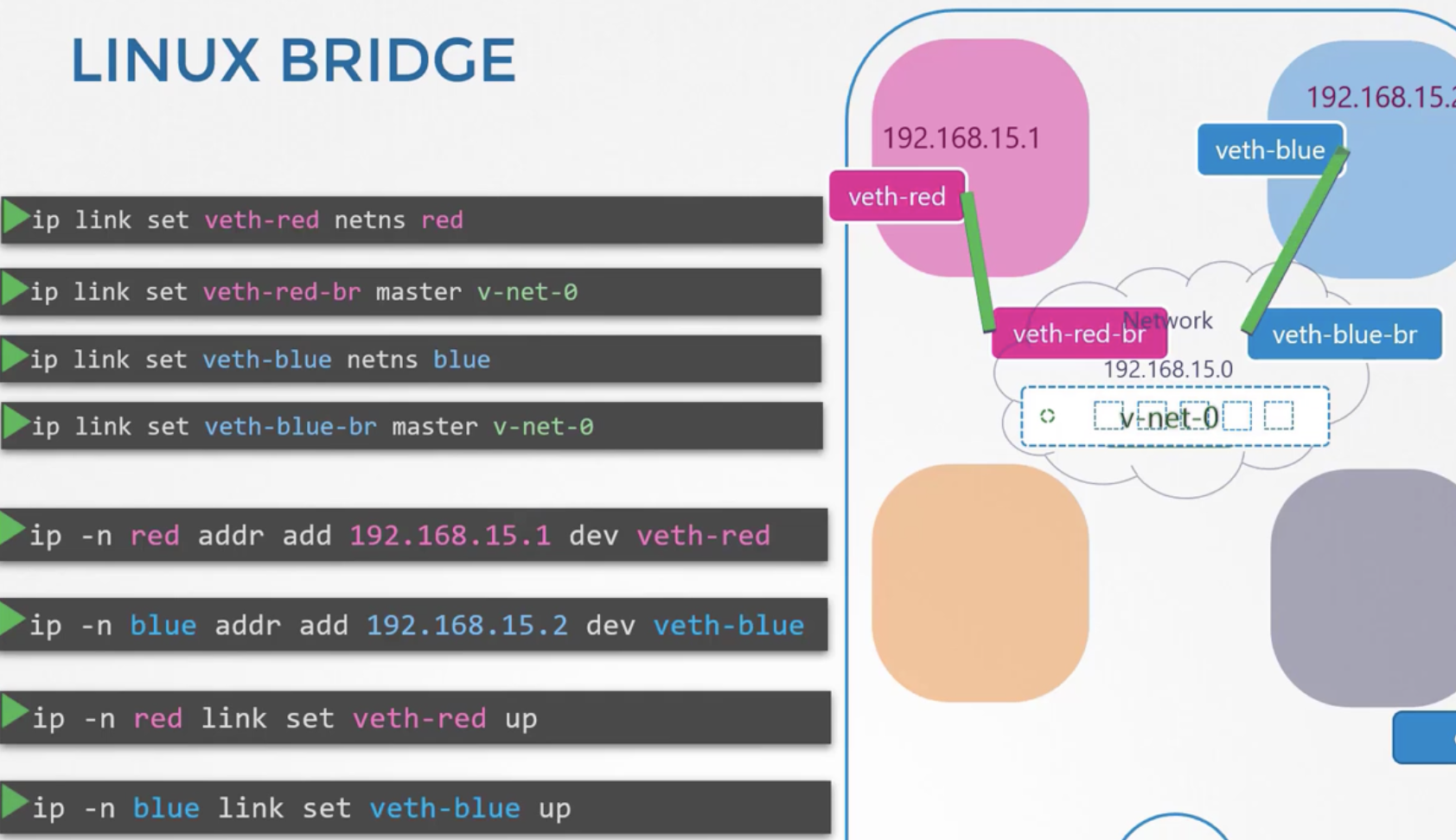
How do you set up a connection between the bridge and the host? Simply assign an IP to the bridge.
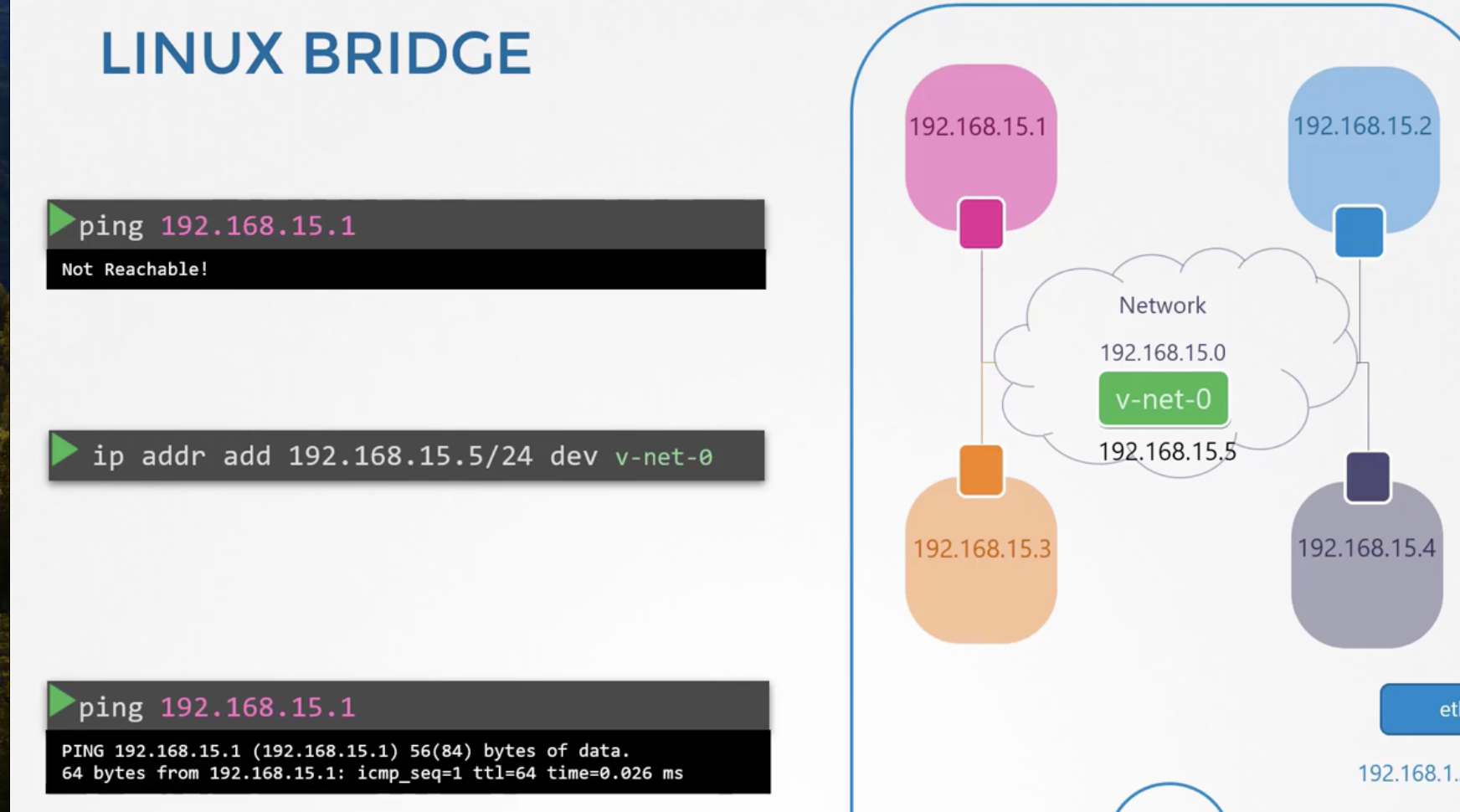
The four namespaces created this way form a private network, so they cannot communicate with the outside.
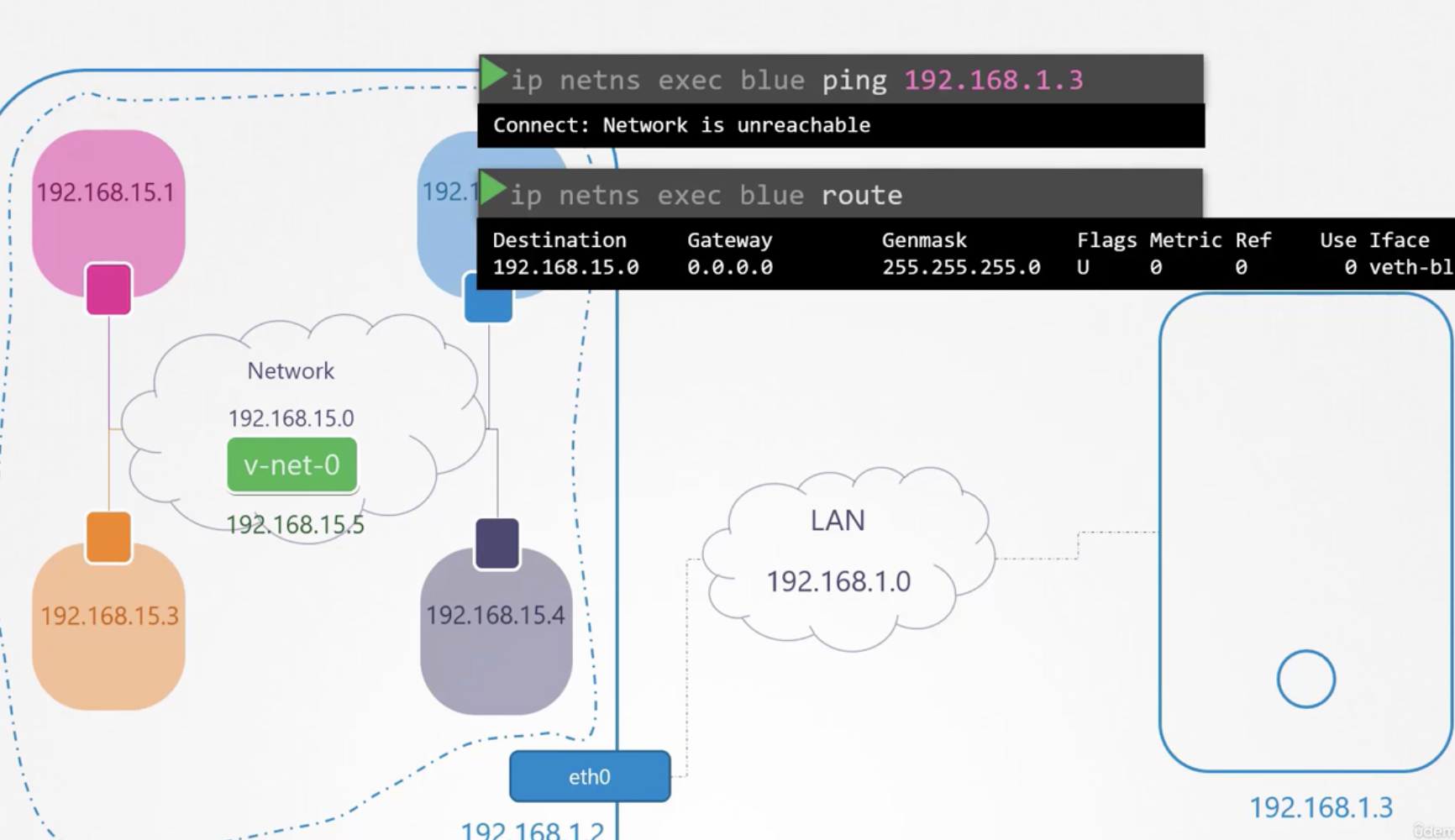
Set the bridge network as the gateway in blue's routing table as shown below.
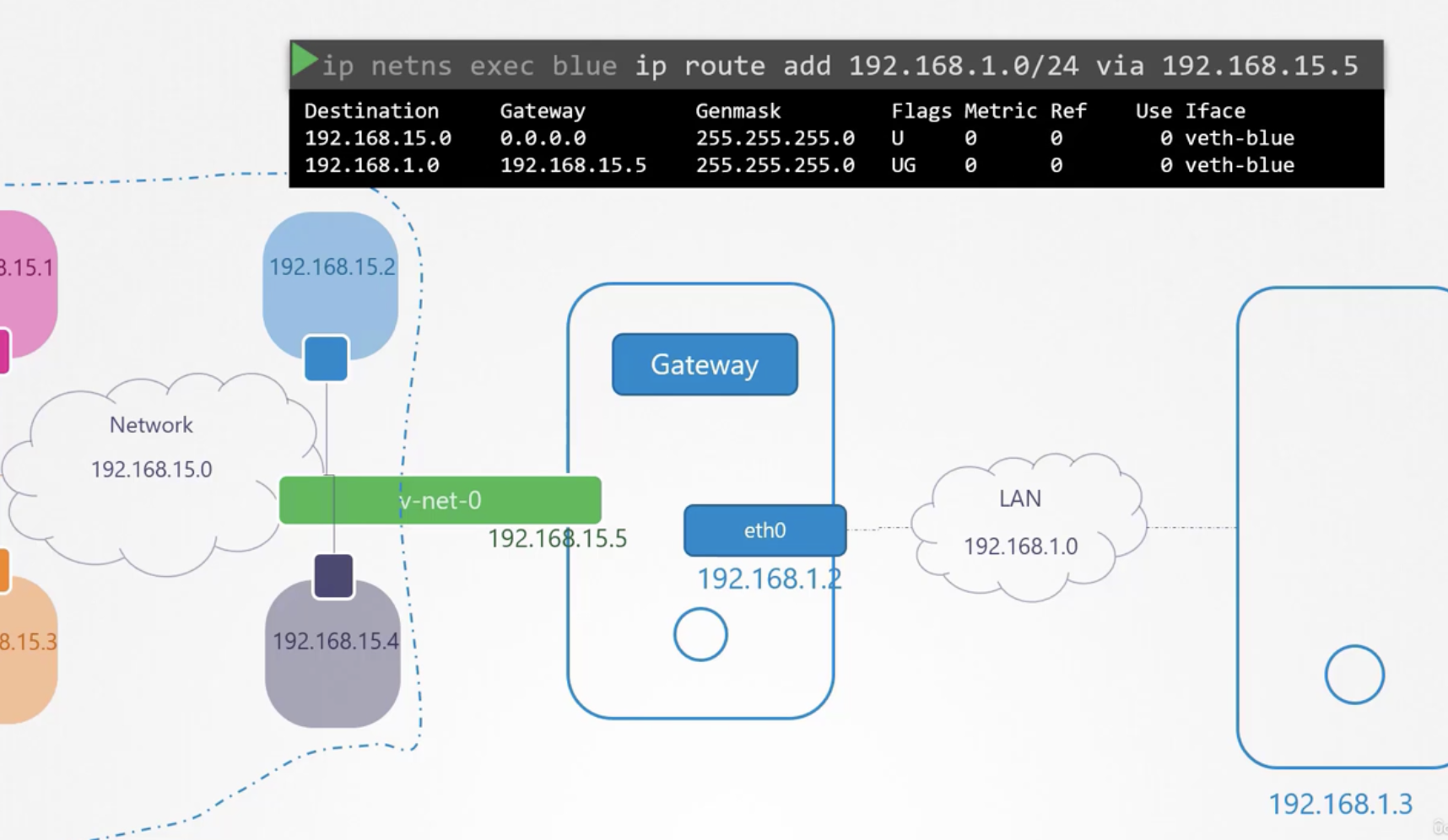
Then, by configuring incoming packets from 192.168.15.0/24 to appear as the host's packets with the command below, ping becomes possible.
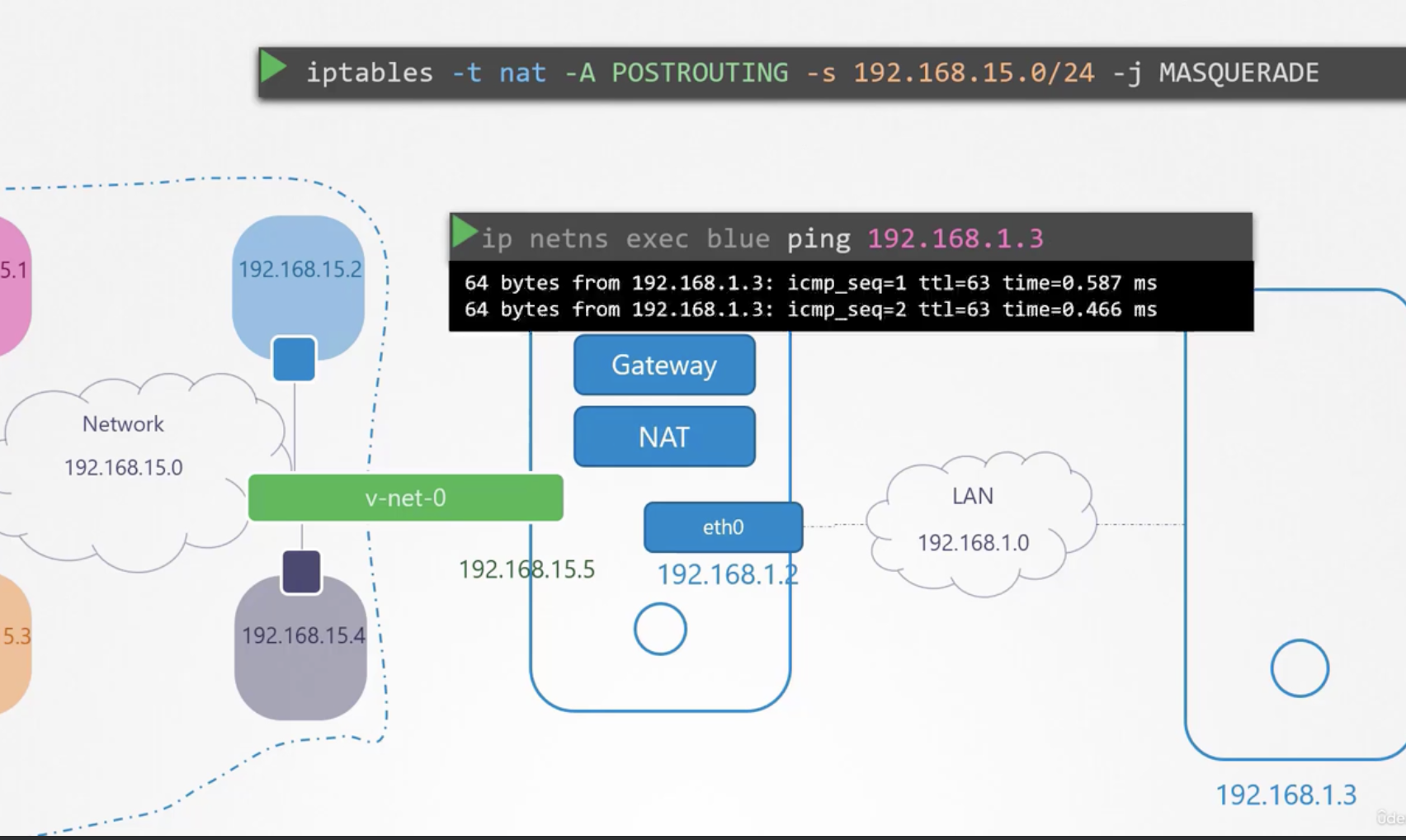
Finally, set the default gateway and the setup is complete.
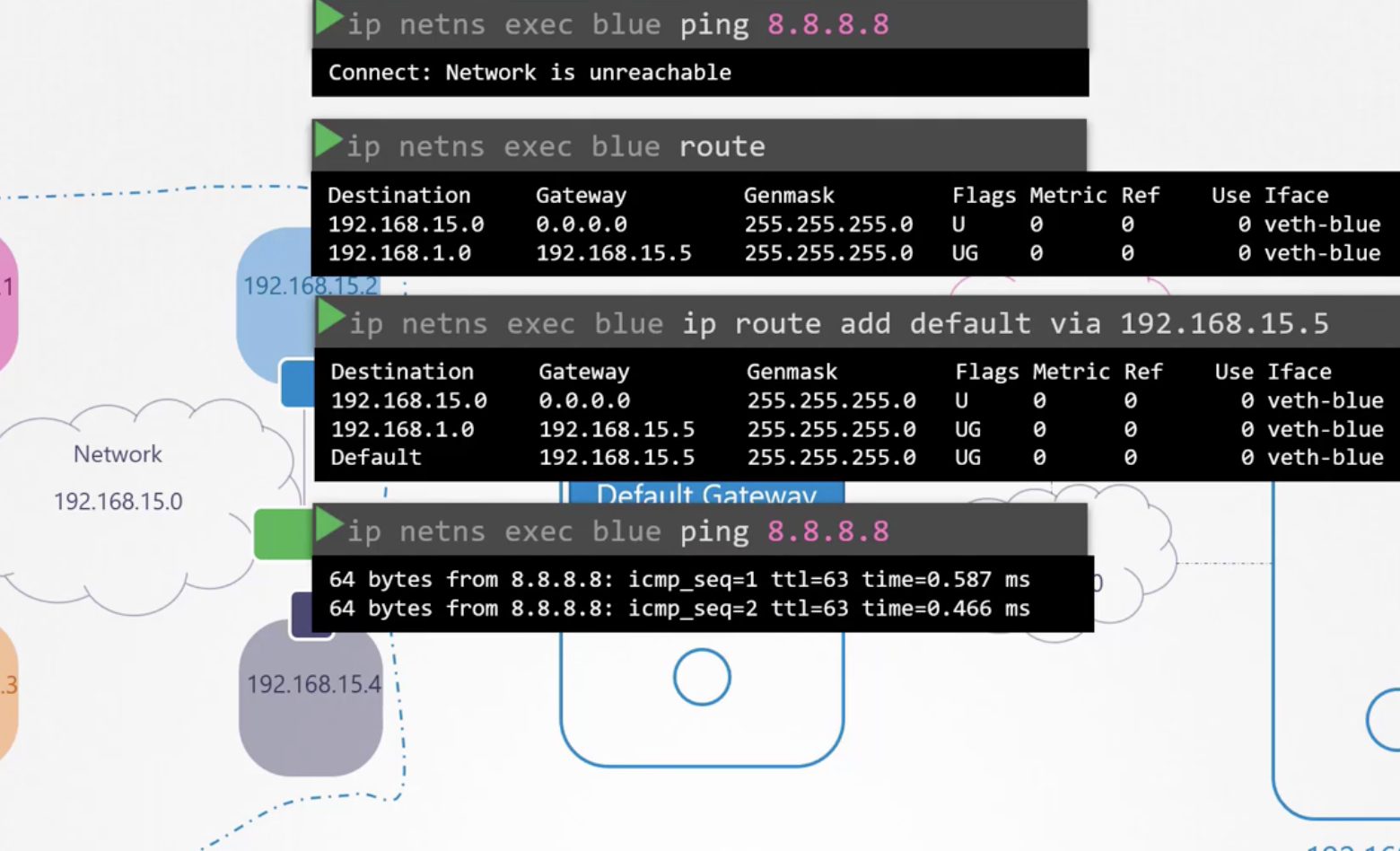
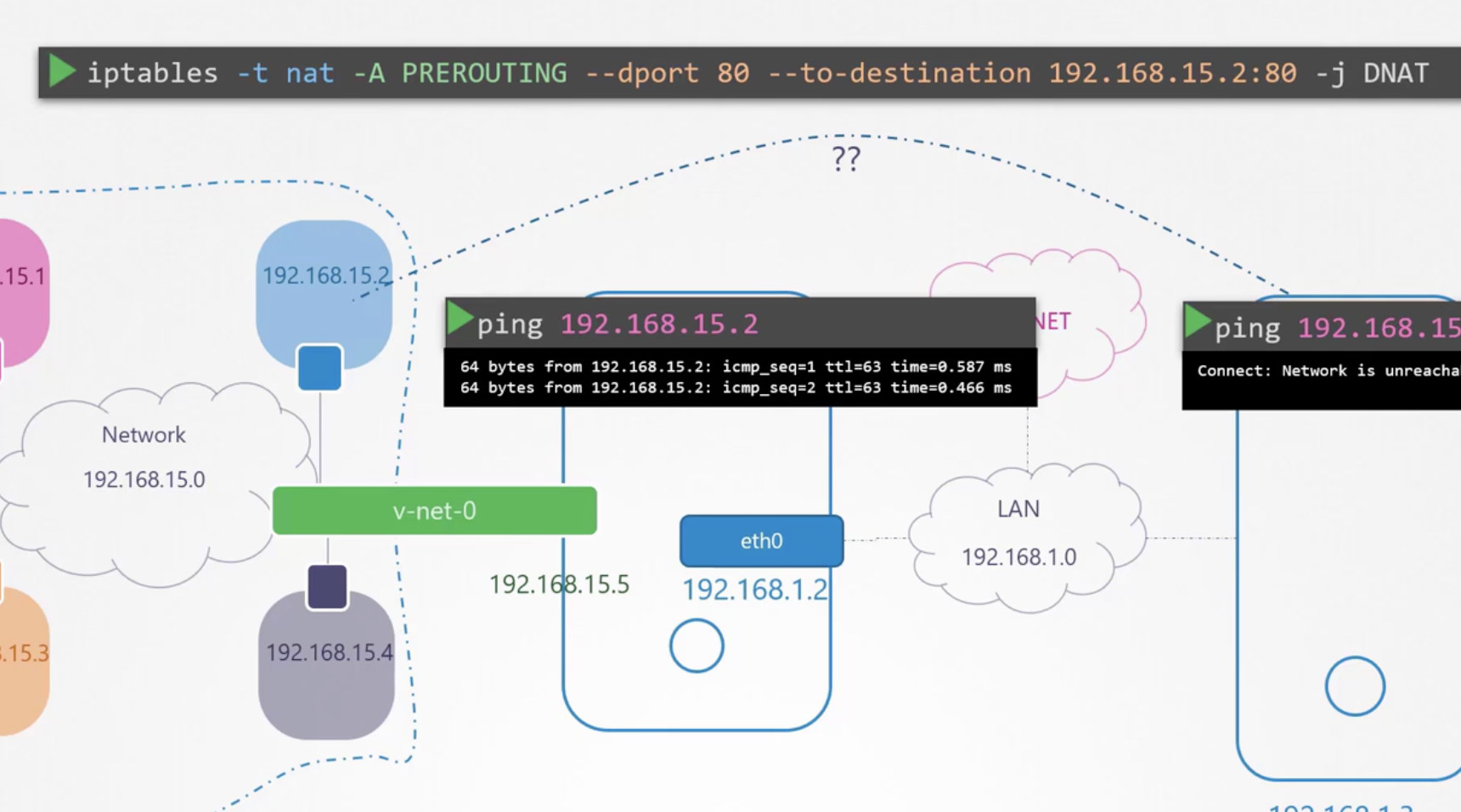
To access the private network from outside, there are two methods: using NAT or using port forwarding.
206 Docker Networking
Docker internally creates a bridge called docker0 and uses it for communication between namespaces and with the host machine. This can be verified with the docker network ls command.
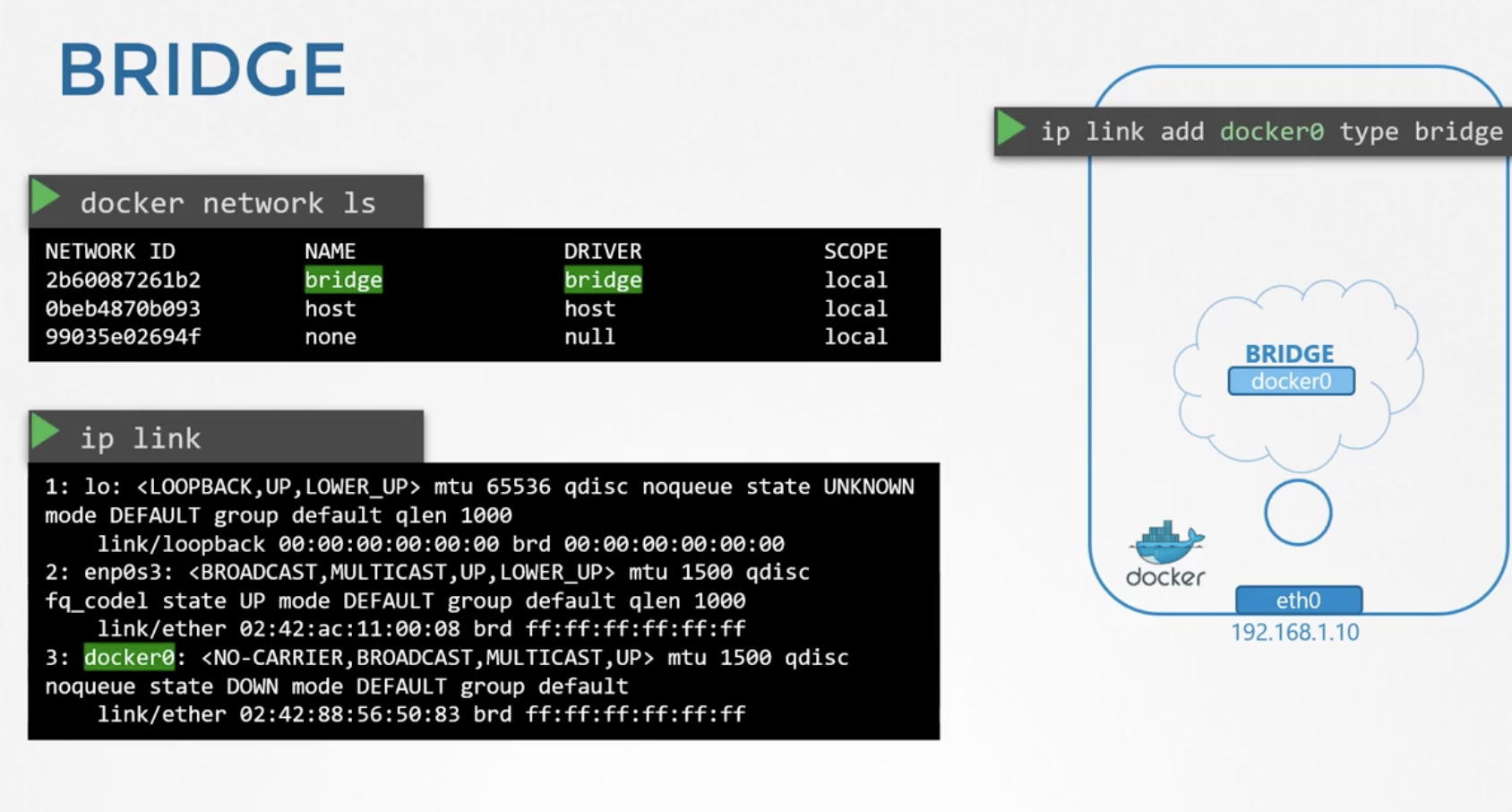
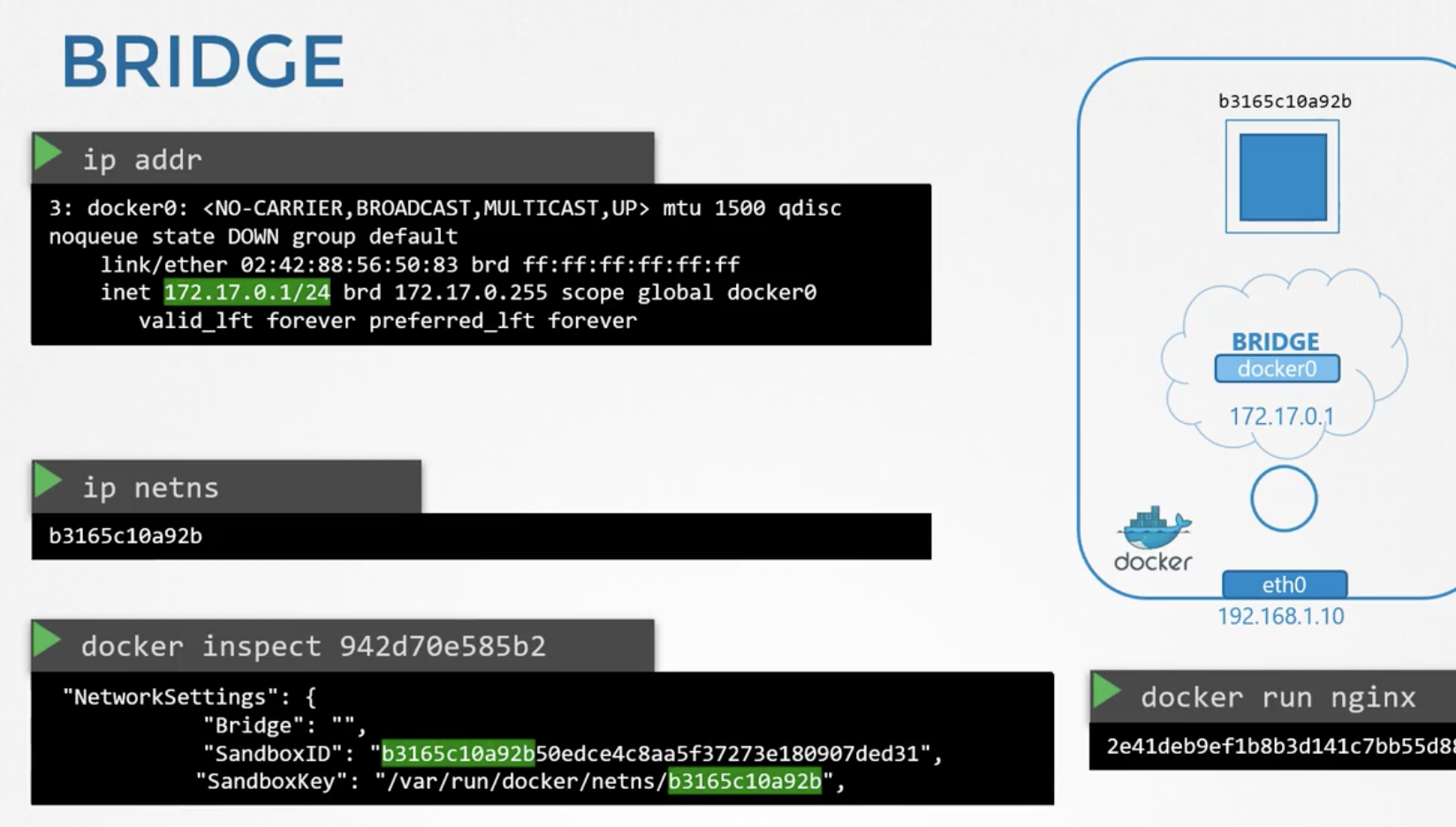
Think of launching a container with Docker as creating one namespace. That namespace and the docker0 bridge are connected via the virtual cable we examined earlier.
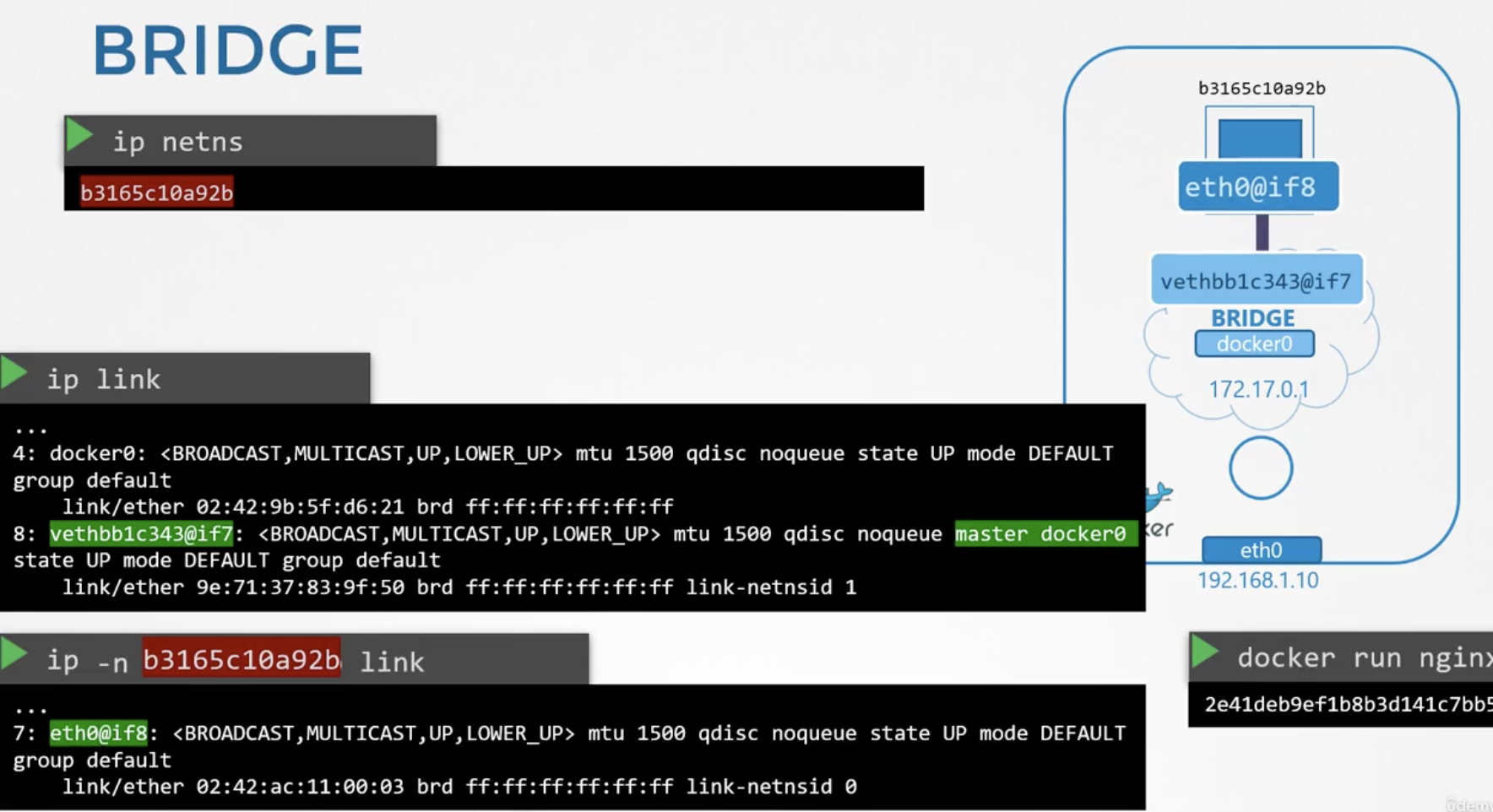
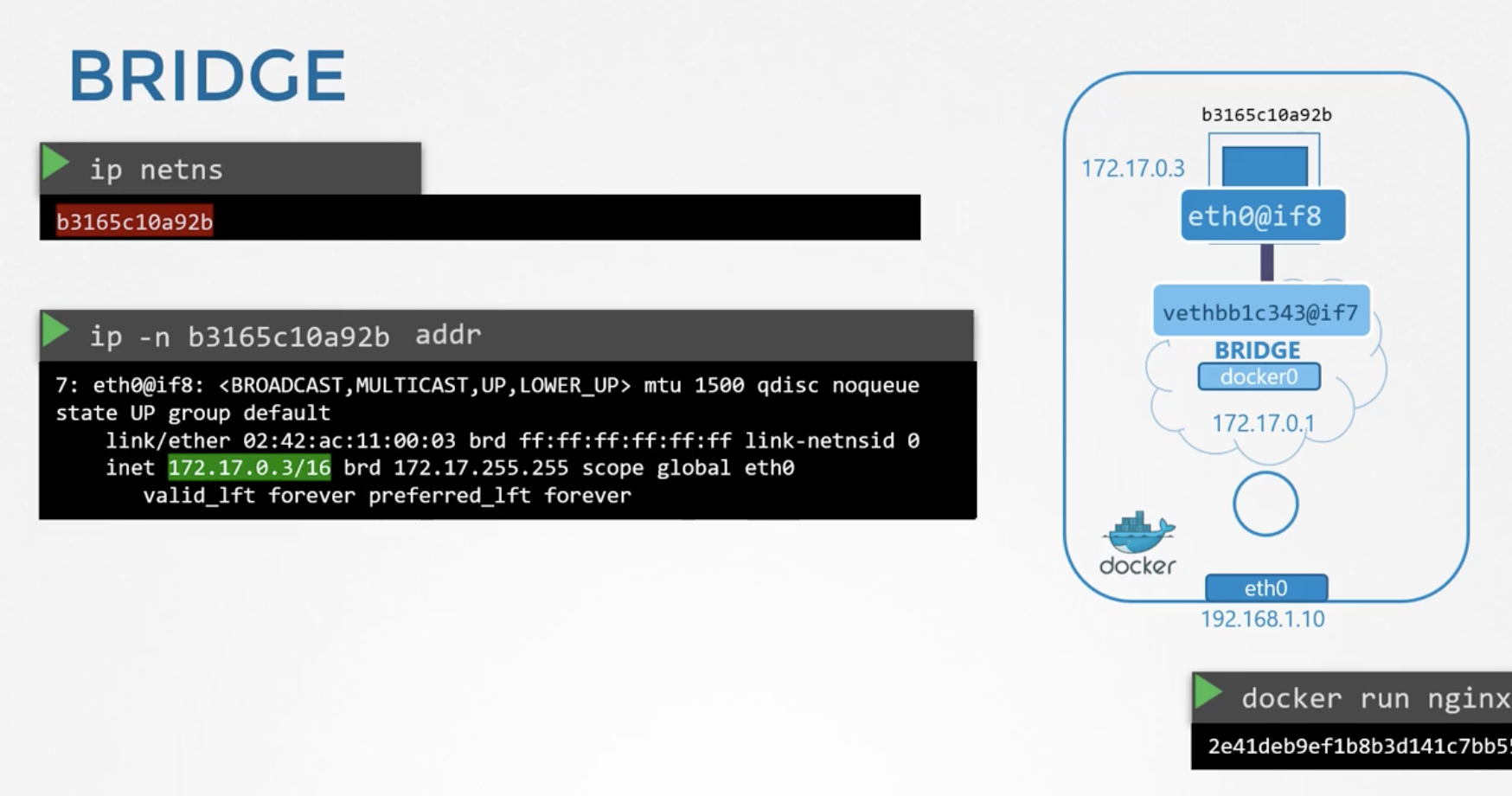
Port forwarding is also performed by adding NAT rules to iptables, similar to what we looked at before.
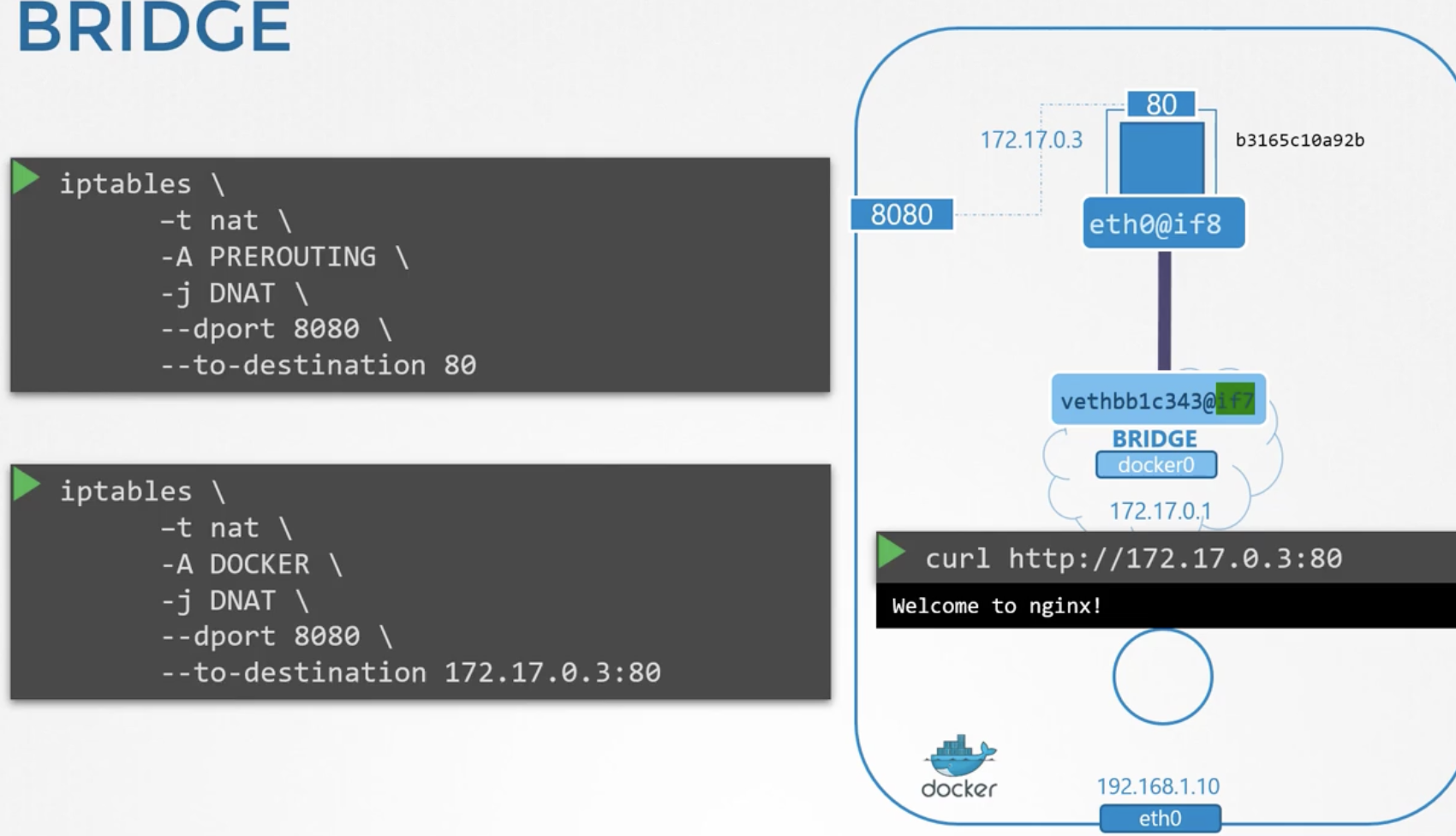
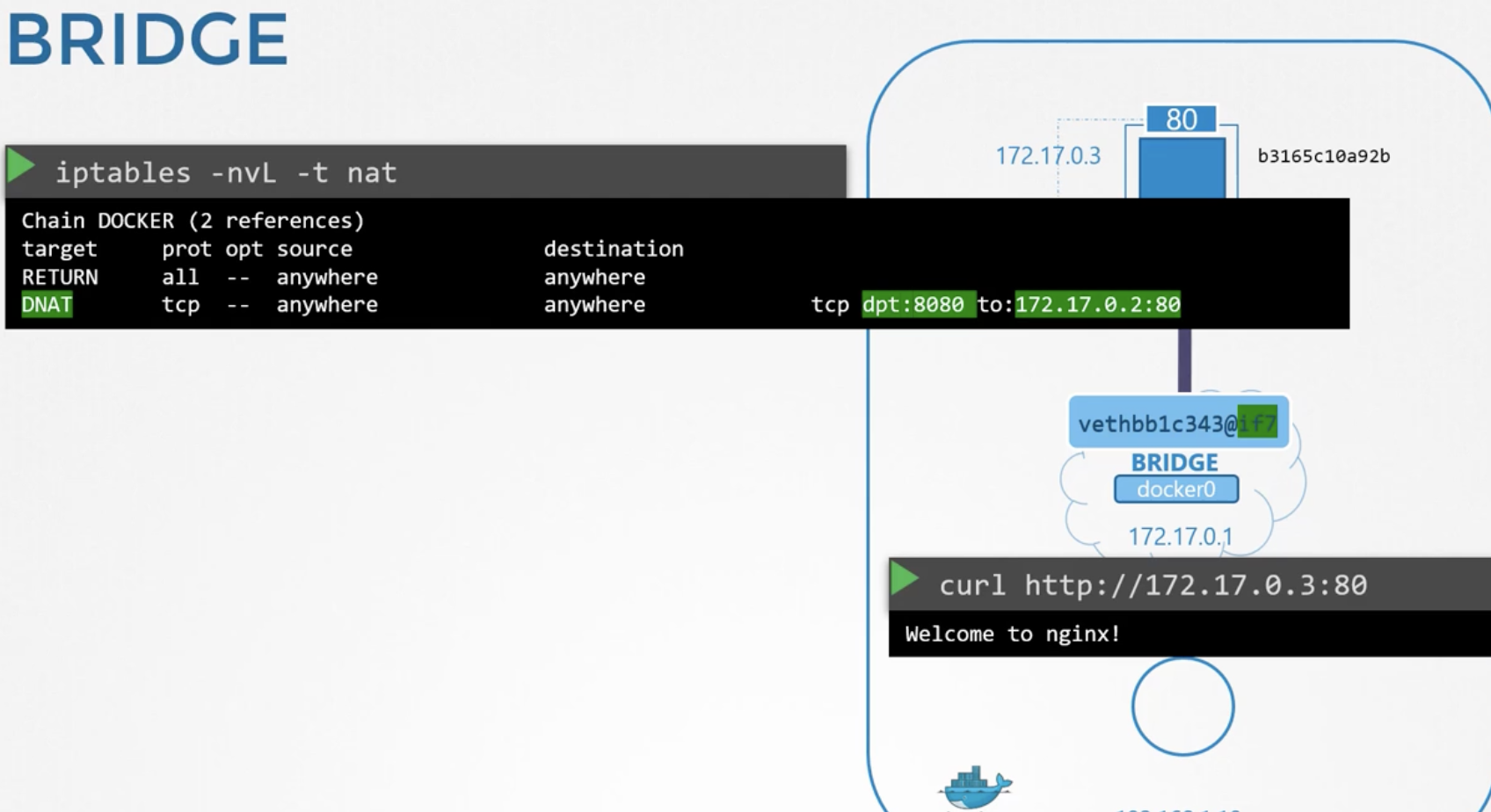
After port forwarding is configured, checking the iptables with iptables -nvL -t nat reveals that a DNAT entry has been added.
207 CNI
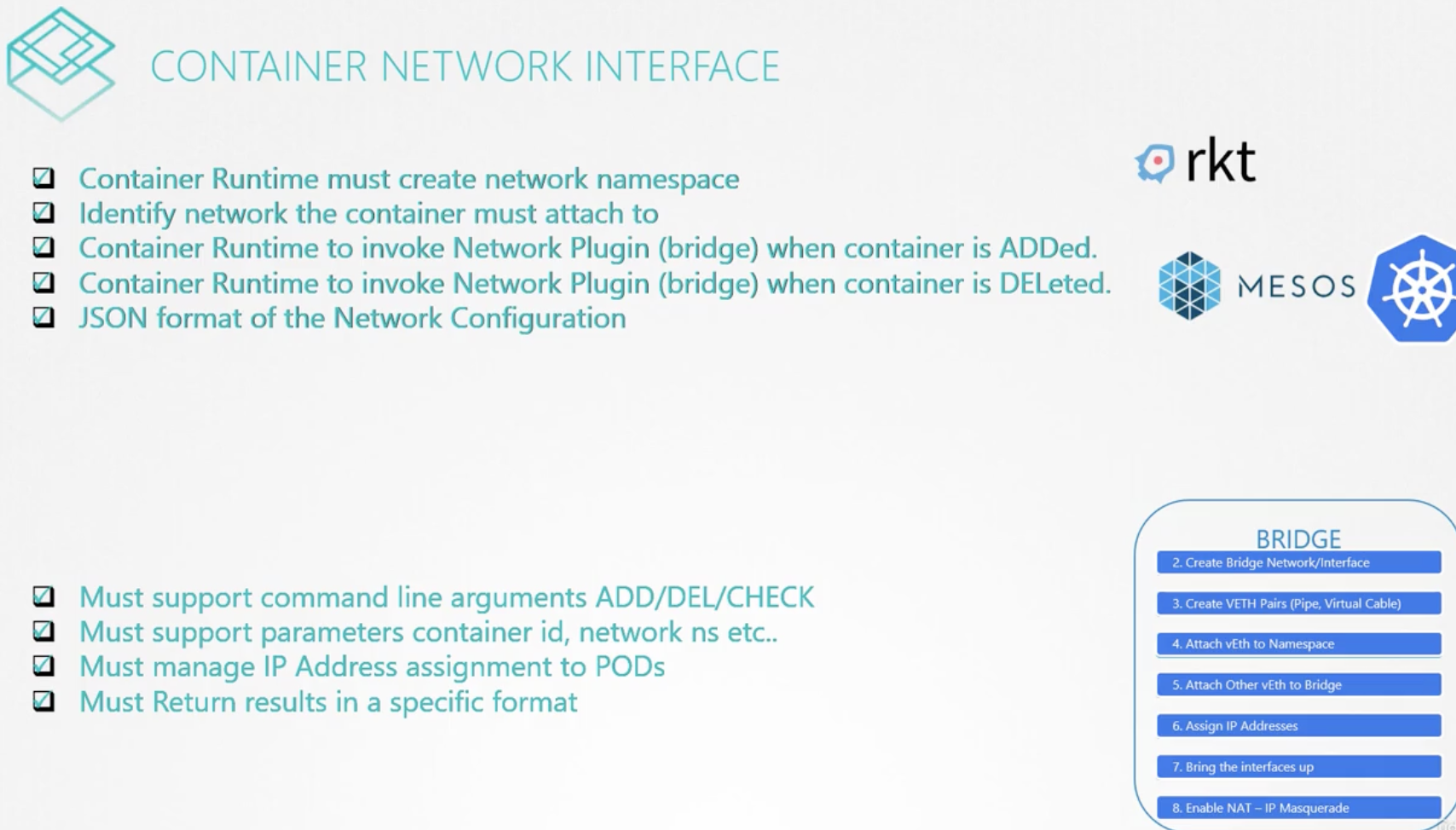
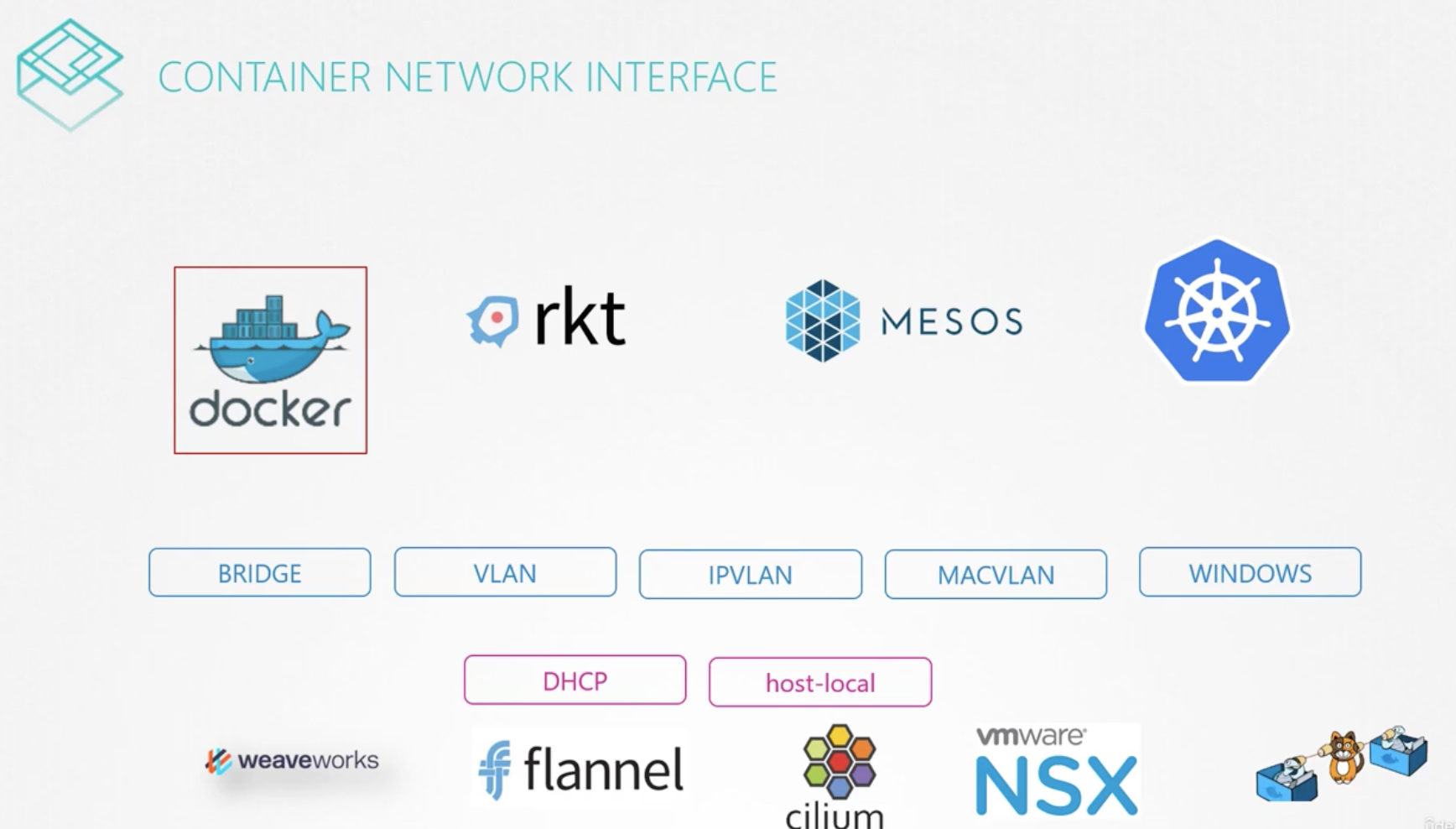
We previously looked at the process of creating network namespaces and connecting networks, as well as how Docker connects networks. These two approaches are very similar. rkt, Mesos, and Kubernetes all need to solve the same problem. CNI (Container Network Interface) defines what must be implemented for network communication between containers in Kubernetes. Therefore, plugins implemented according to CNI work regardless of the runtime.
Docker does not comply with the CNI standard and has its own CNM (Container Network Model), so it cannot use CNI plugins (such as Flannel and Weaveworks).
How to check the ports in use by the etcd process:
$ netstat -anp | grep etcd
tcp        0      0 192.5.203.6:2379        0.0.0.0:*               LISTEN      3644/etcd
tcp        0      0 127.0.0.1:2379          0.0.0.0:*               LISTEN      3644/etcd
tcp        0      0 192.5.203.6:2380        0.0.0.0:*               LISTEN      3644/etcd
...
Port 2379 is used by etcd to communicate with all Kubernetes control plane components, and port 2380 is used for peer connections.
212 Pod Networking
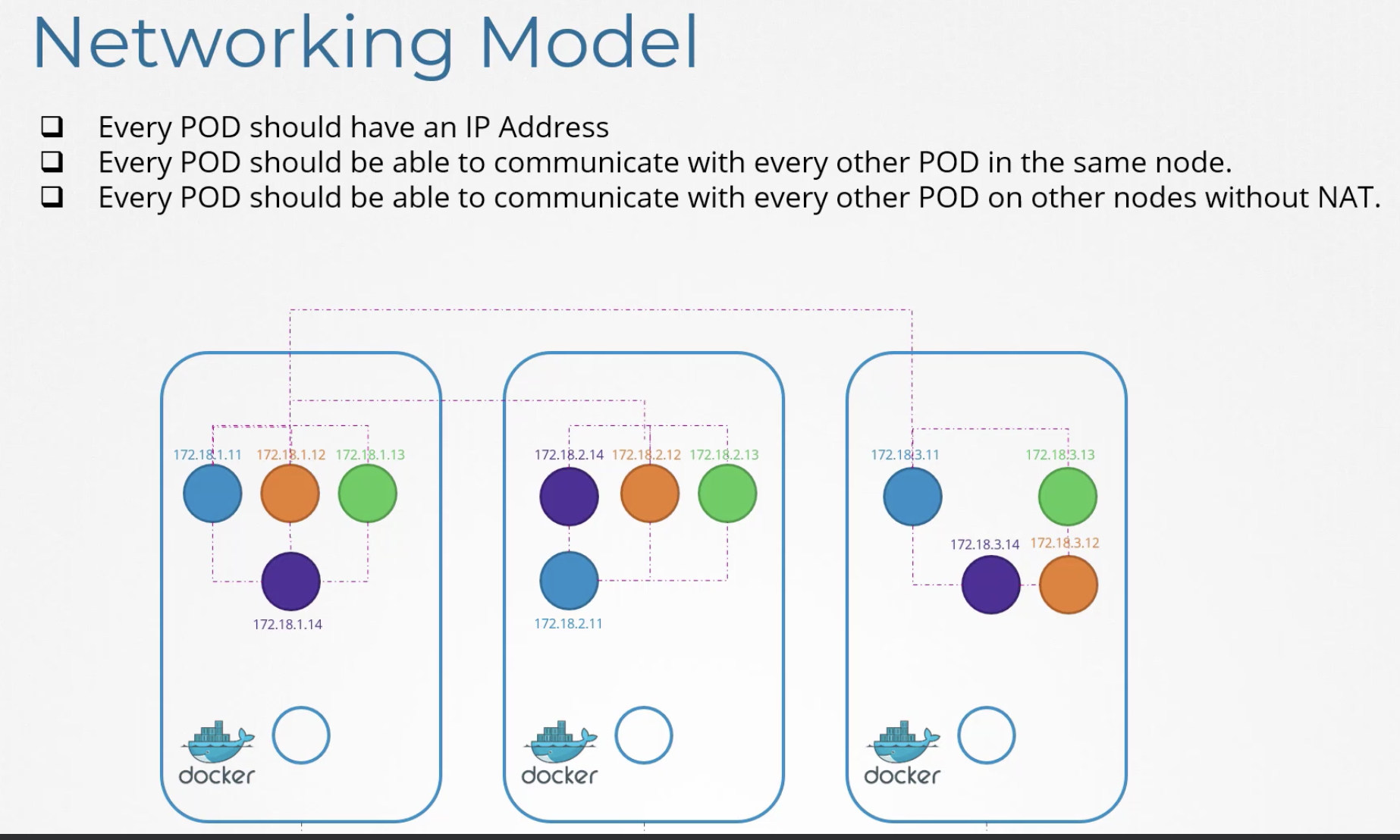
Kubernetes assigns a unique IP address to every pod and created a model where all pods can communicate without NAT. What problems did Kubernetes need to solve to build this network model? Various network plugins built to comply with the CNI standard solved these problems (Flannel, Weave net, Cilium).
First, a bridge network is created on every node, and each time a pod is created, a network namespace and veth connected to the bridge are created. This allows pods within a single node to communicate. However, communication with pods on other nodes is still not possible.
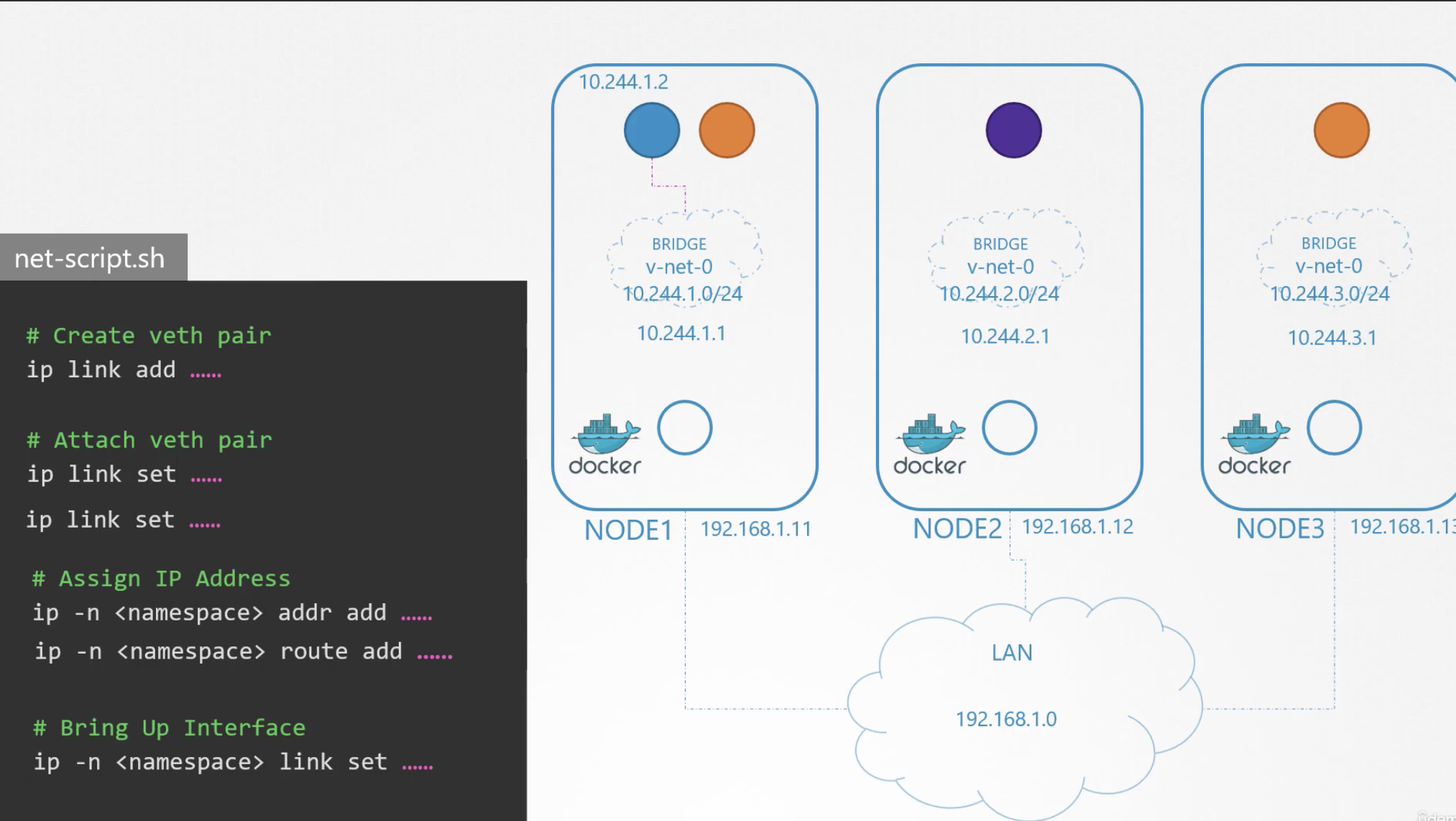
By configuring gateways in each node's routing table as shown below, network communication with other nodes becomes possible.
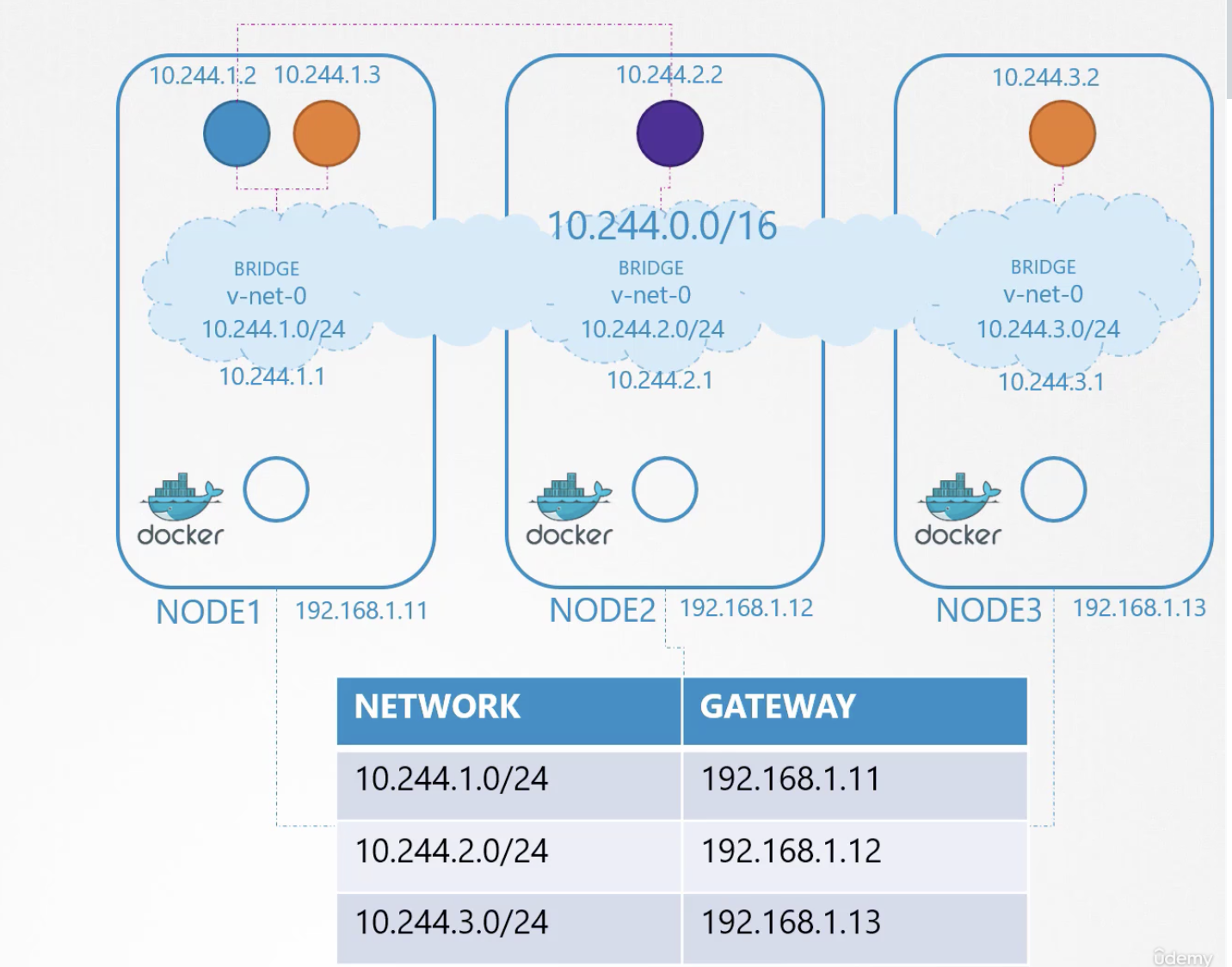
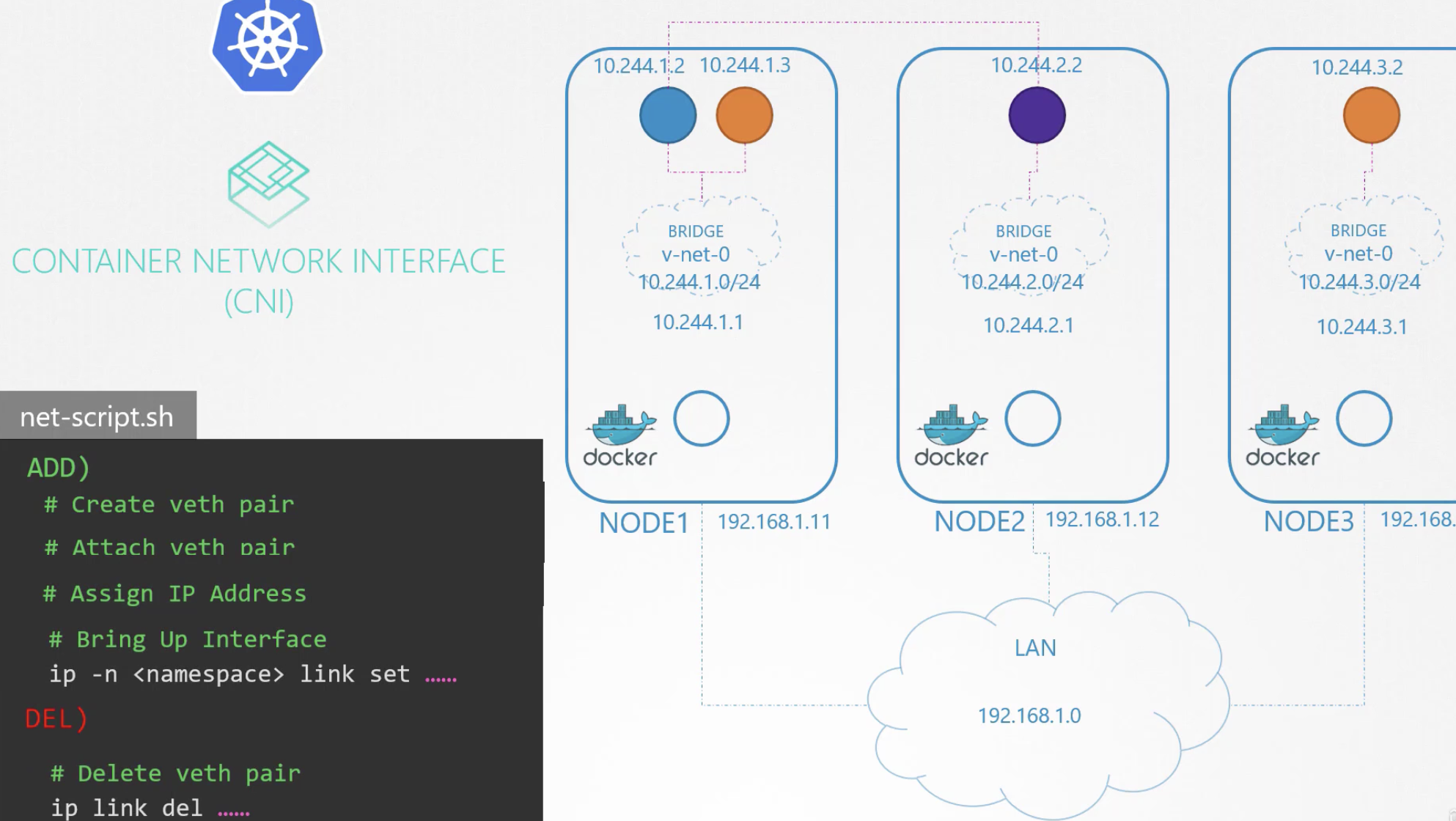
Conceptually this is not overly complicated, but applying it to a Kubernetes cluster with hundreds or thousands of nodes is not easy. However, CNI handles this, so there is no need to worry. CNI groups complex scripts into ADD and DELETE operations for management and execution.
These scripts are located in /etc/cni/net.d/net-script.conflist and /opt/cni/bin/net-script.sh, and users can also use these scripts directly.
213 CNI in Kubernetes
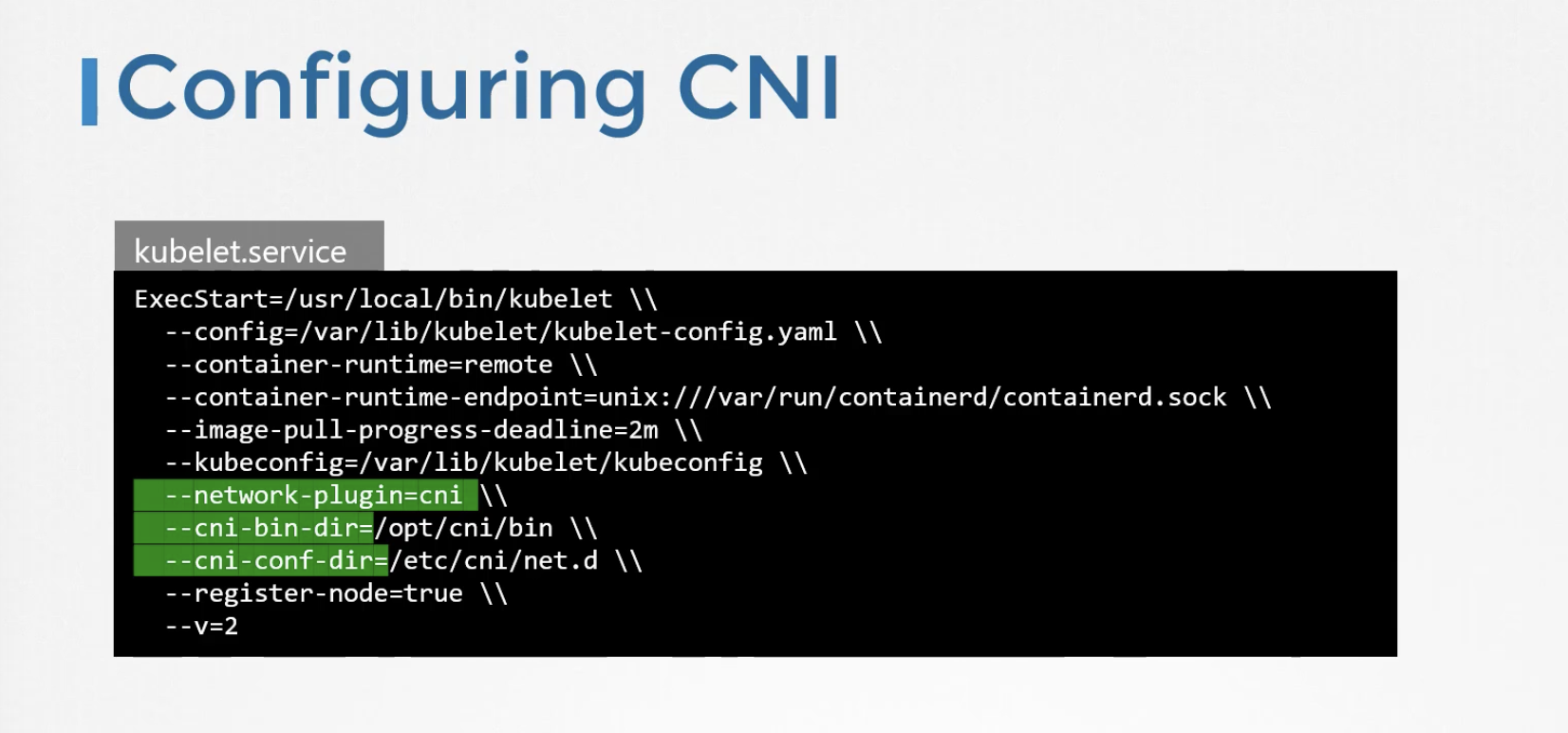
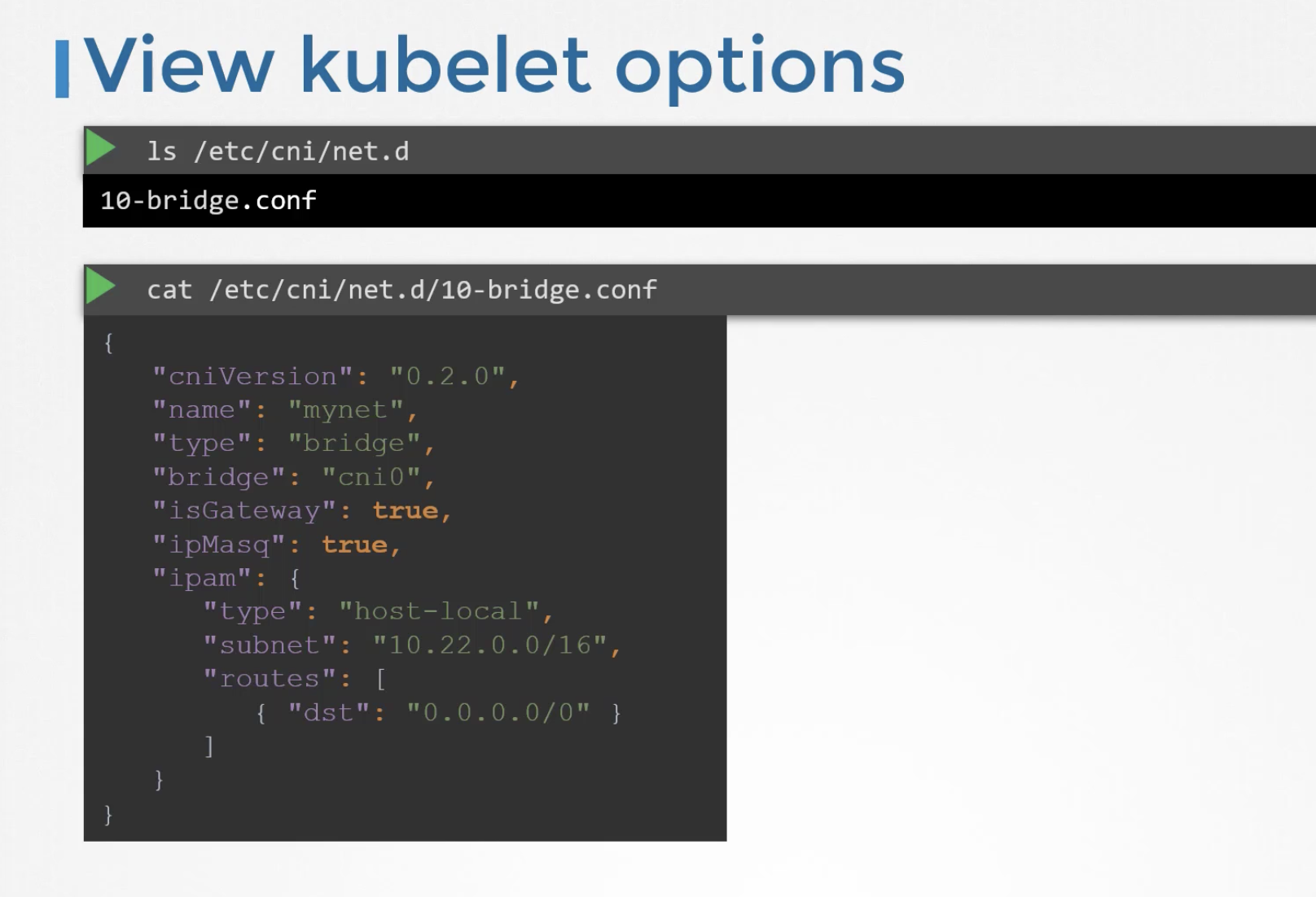
The network-plugin can be configured in kubelet.service. CNI execution binaries are located in /opt/cni/bin, and configuration files are under /etc/cni/net.d.
The actual config file used to set up the bridge network looks like the following.
To find the range of the bridge network, use ip link to find the bridge network name and then inspect it with ip addr show.
$  ip addr show weave
4: weave: <BROADCAST,MULTICAST,UP,LOWER_UP> mtu 1376 qdisc noqueue state UP group default qlen 1000
    link/ether be:b5:e6:4f:f0:c1 brd ff:ff:ff:ff:ff:ff
    inet 10.244.0.1/16 brd 10.244.255.255 scope global weave
       valid_lft forever preferred_lft forever
$ ip addr show weave
4: weave: <BROADCAST,MULTICAST,UP,LOWER_UP> mtu 1376 qdisc noqueue state UP group default qlen 1000
    link/ether aa:be:68:65:bf:37 brd ff:ff:ff:ff:ff:ff
    inet 10.244.192.0/16 brd 10.244.255.255 scope global weave
       valid_lft forever preferred_lft forever
223 Service Networking
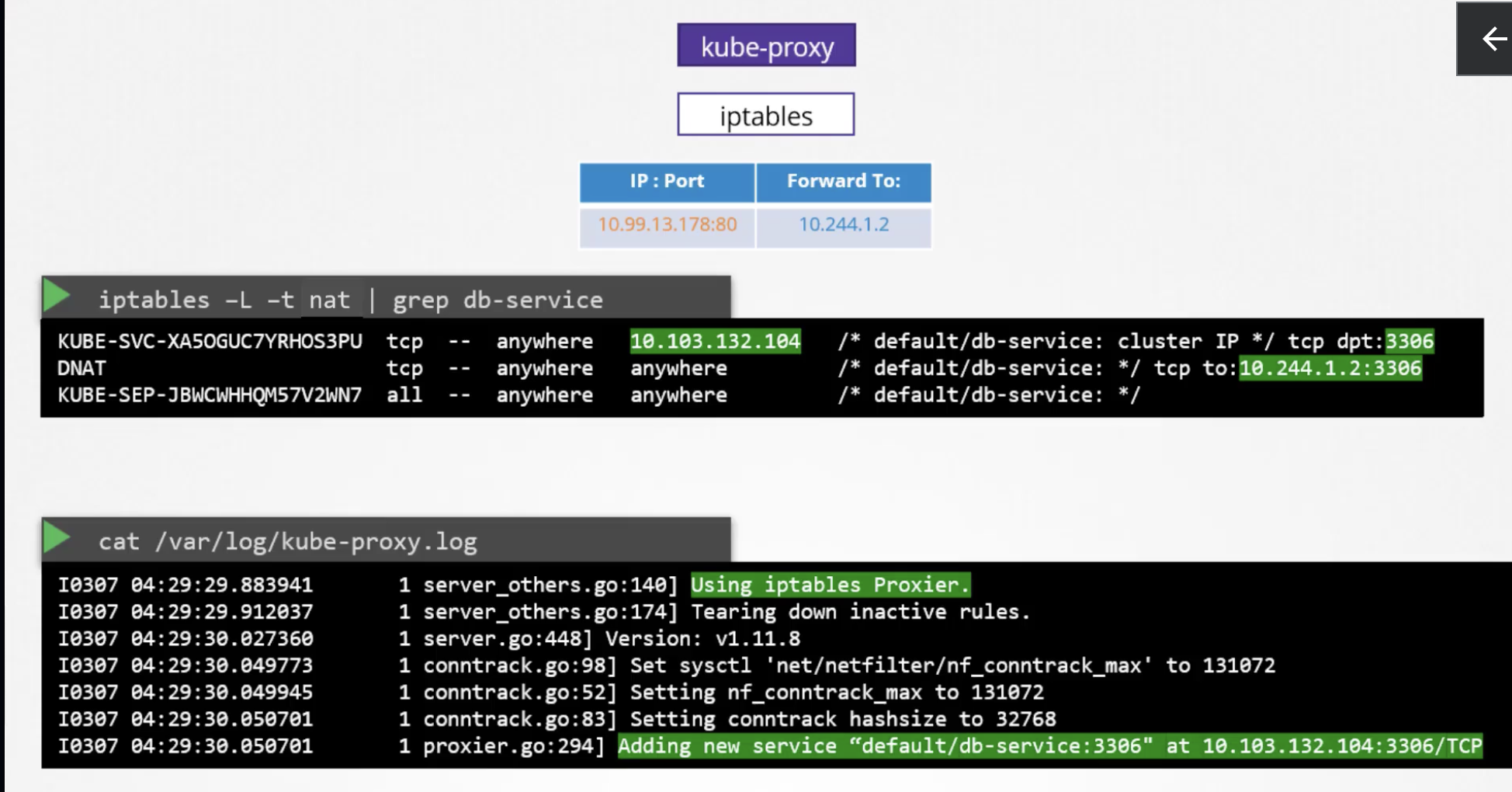
When a Service is deployed, it should be accessible from other services regardless of which node it is deployed on. To achieve this, Kubernetes creates a Cluster IP for the service. As a result, even if the actual pod IP changes, consumers of the service use the Cluster IP, enabling seamless operations. When external access to the IP is needed from outside the cluster, Cluster IP cannot be used. In this case, a NodePort service provides an external endpoint. This is made possible by kube-proxy. The cluster-ip range is a value passed as an argument when starting the kube-api-server.
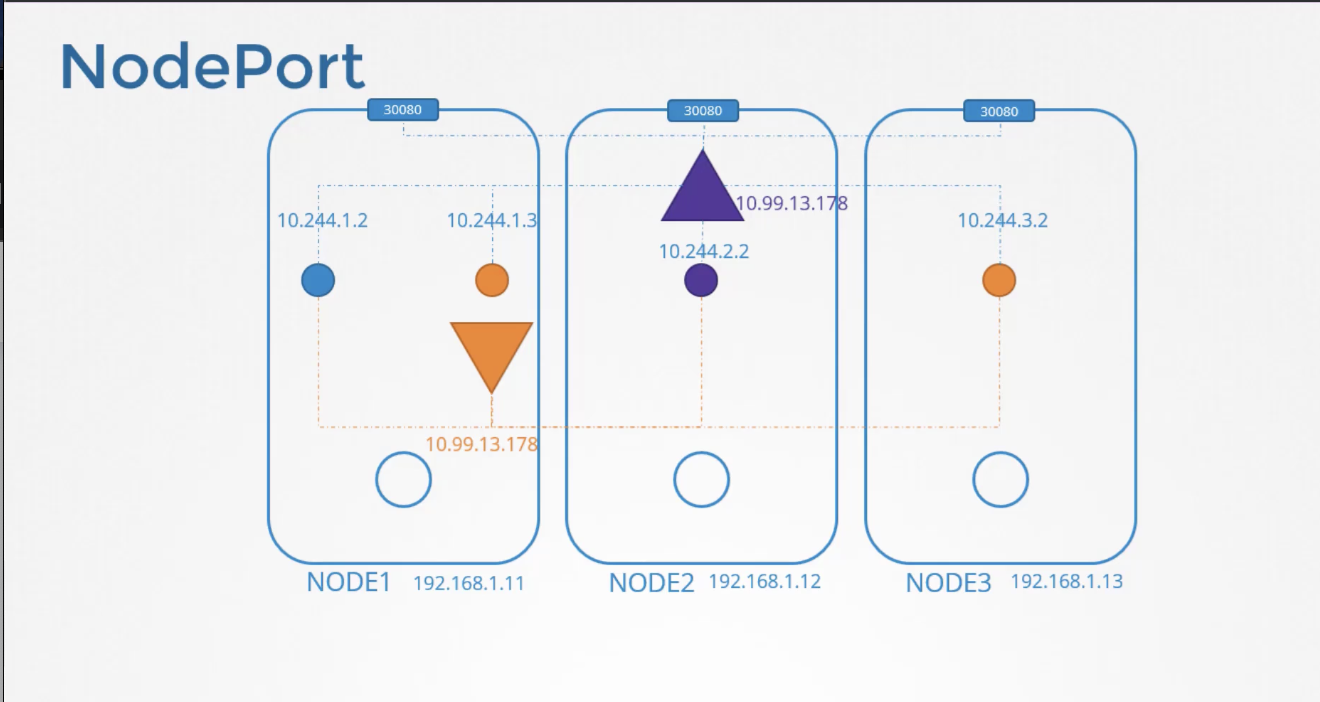
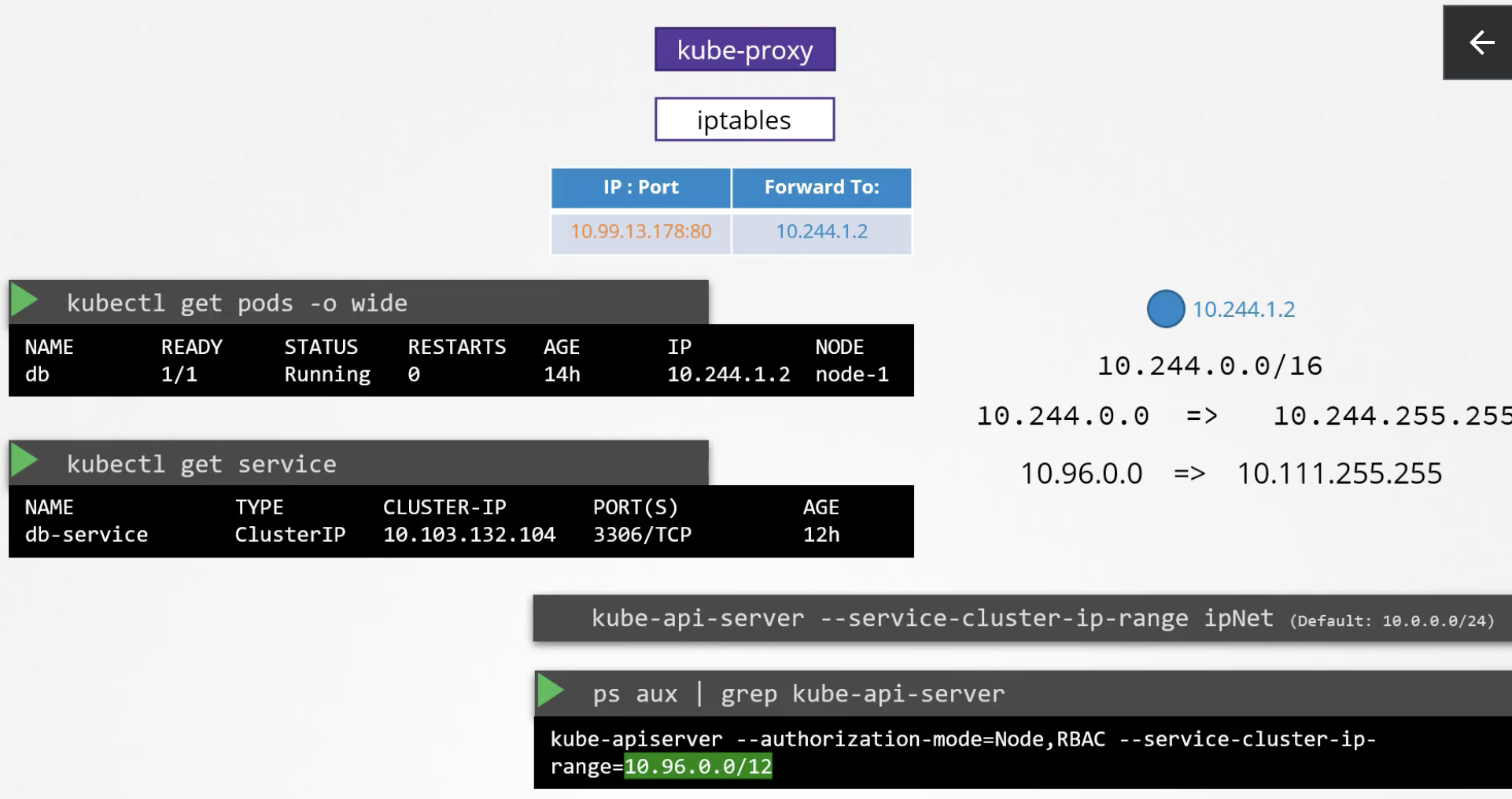
By looking up the service name in iptables, you can confirm that the cluster IP and the actual pod IP are set up as DNAT.
The network range of the bridge can be checked with ip addr.
226 DNS in kubernetes
DNS is also available within Kubernetes. When a Service is created, a Cluster IP is generated and registered in Kube DNS with the service name. Other pods can access it using the hostname (web-service) instead of the Cluster IP without any issues. Of course, this applies to pods in the same namespace. For pods in a different namespace, access must be done via web-service.apps.
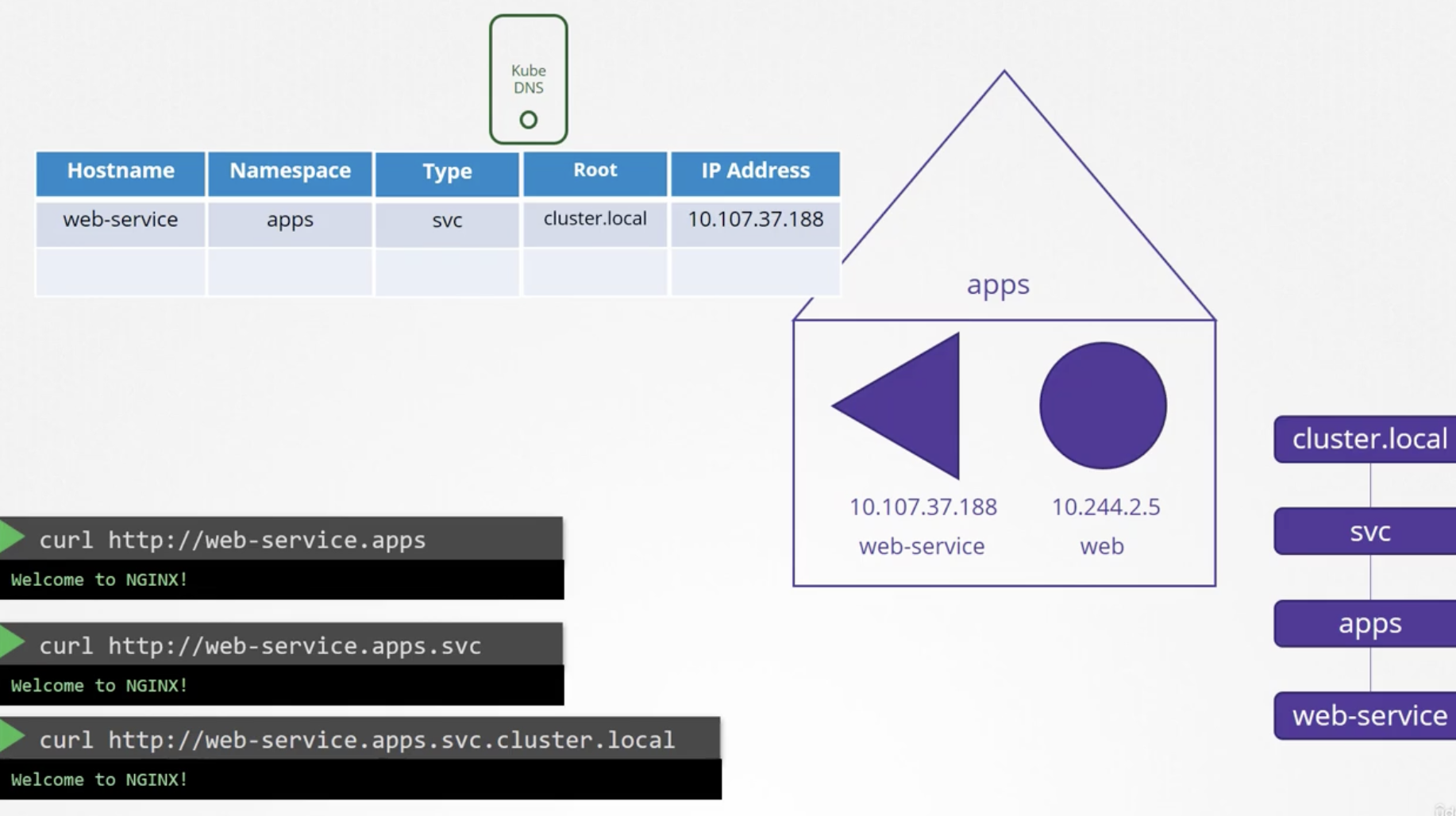
Unlike services, pods are not automatically registered in DNS. They can be registered through configuration, in which case the hostname is set by replacing . with - in the IP address.
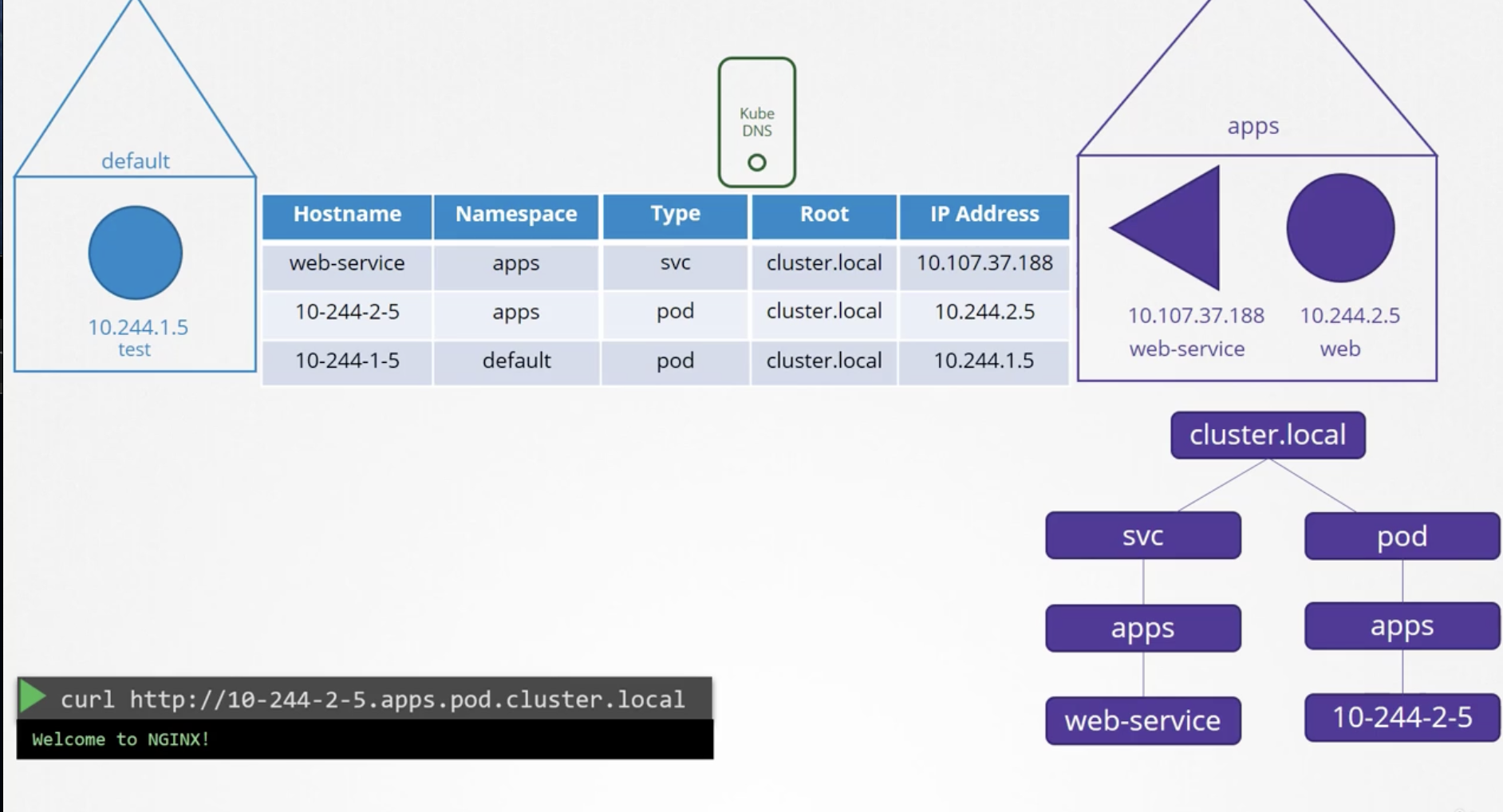
227 Core DNS in kubernetes
CoreDNS is a ReplicaSet (Deployment) running in the kube-system namespace.
CoreDNS configuration can be done in /etc/coredns/Corefile. The CoreDNS configuration values are stored in a ConfigMap, which can also be modified.
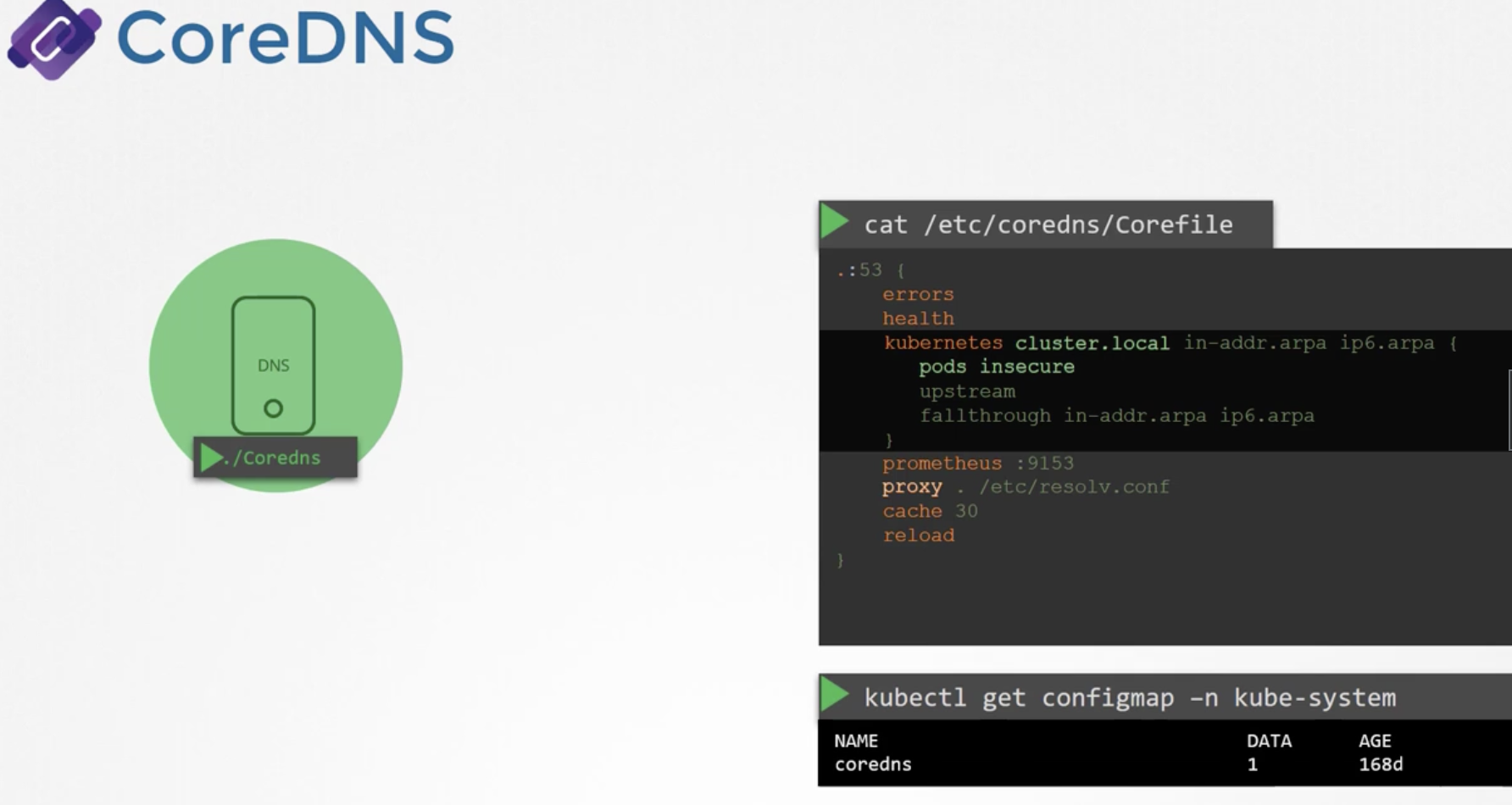
CoreDNS creates an endpoint accessible within the cluster under the name kube-dns, and the IP address of this DNS server is automatically written to the nameserver entry in /etc/resolv.conf of every pod.
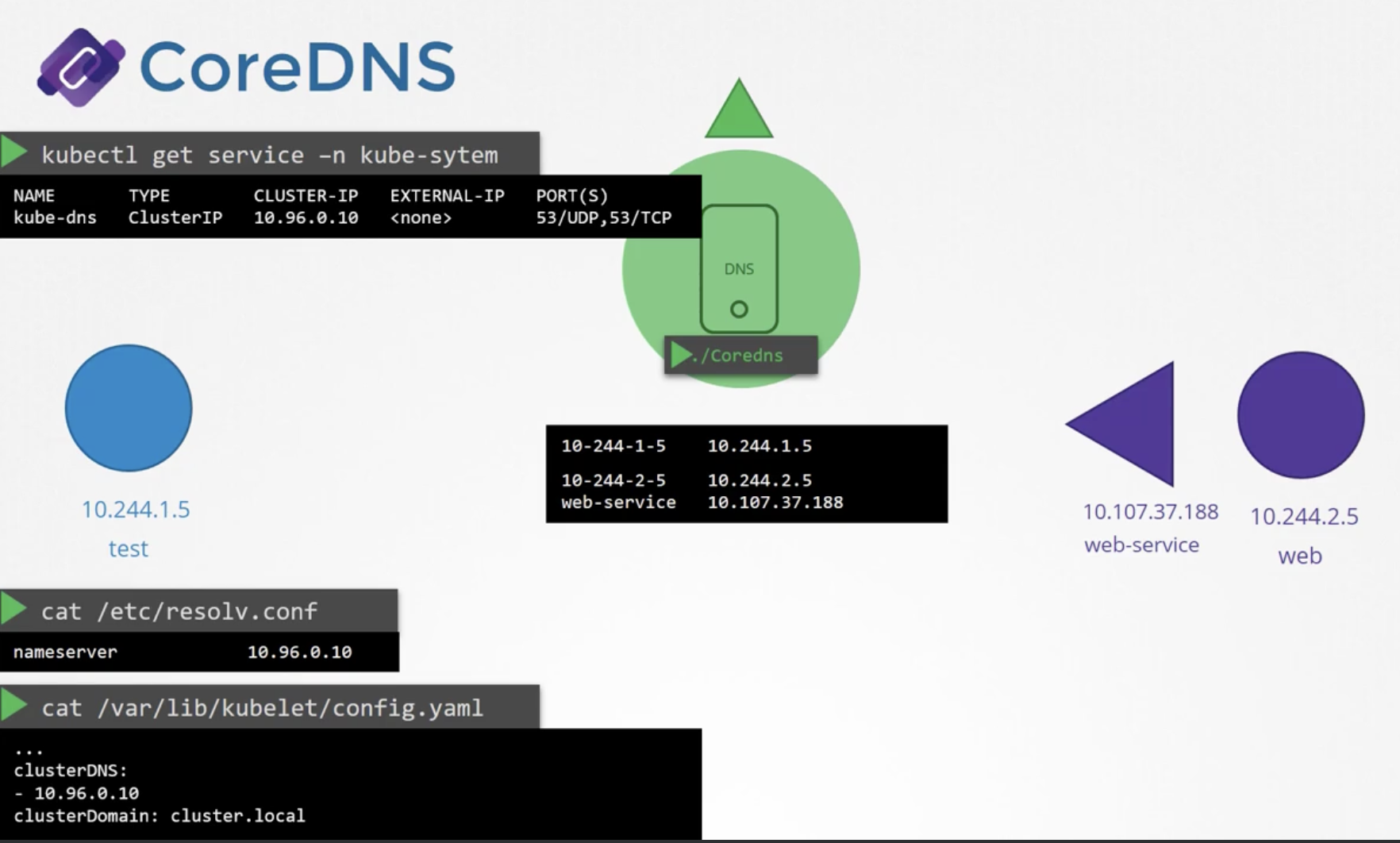
You can obtain the FQDN (Fully Qualified Domain Name) by entering just the hostname. This is because of the parent domains configured in the search directive inside /etc/resolv.conf that we looked at earlier.
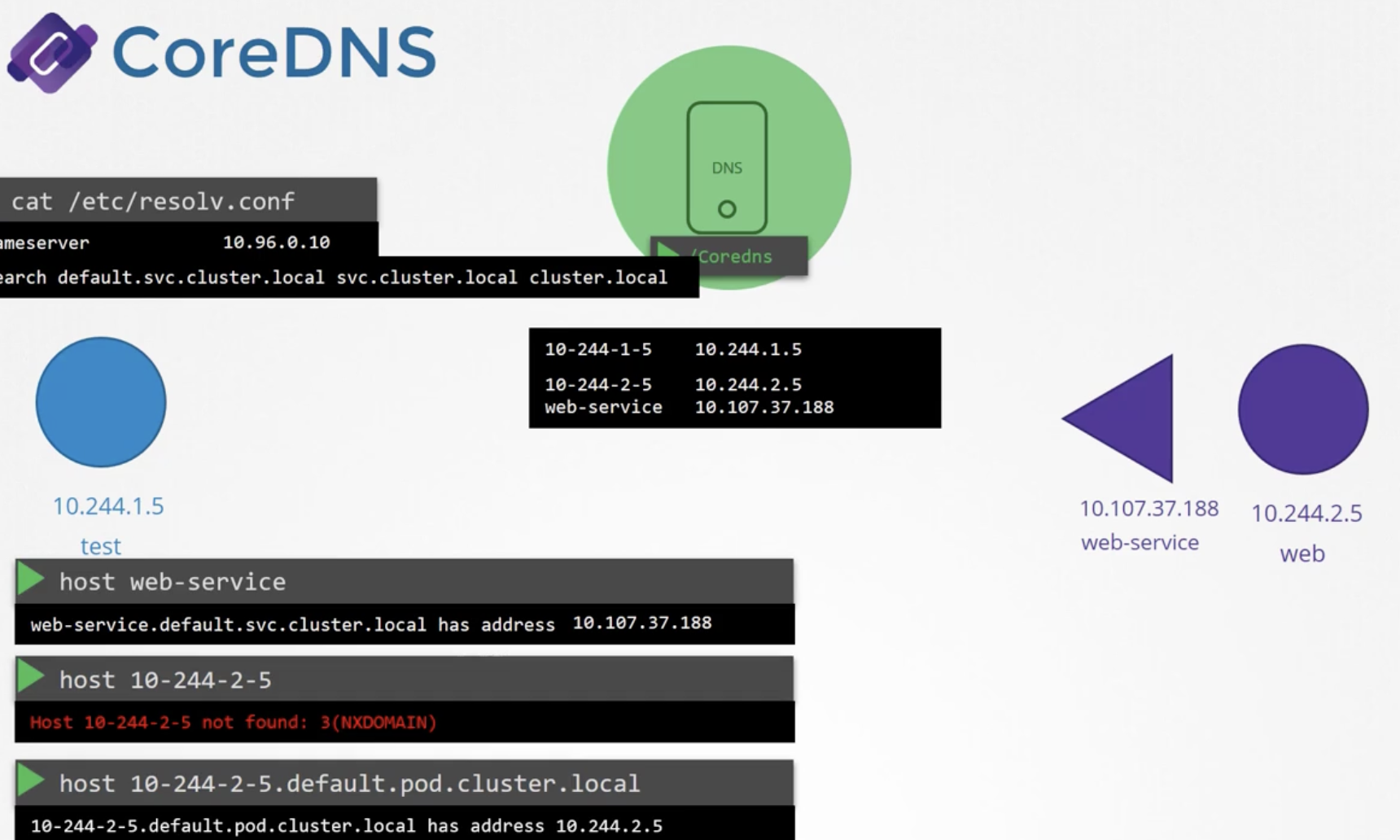
Copying nslookup results from inside a pod to local:
kubectl exec -it hr -- nslookup mysql.payroll > /root/CKA/nslookup.out
230 Ingress
---
apiVersion: networking.k8s.io/v1
kind: Ingress
metadata:
  name: test-ingress
  namespace: critical-space
  annotations:
    nginx.ingress.kubernetes.io/rewrite-target: /
    nginx.ingress.kubernetes.io/ssl-redirect: "false"
spec:
  rules:
  - http:
      paths:
      - path: /pay
        pathType: Prefix
        backend:
          service:
           name: pay-service
           port:
            number: 8282
Quiz
Q1: What is the main topic covered in "CKA_9_Network"?
CKA_9_Network
Q2: What are the key takeaways from this article?
CKA_9_Network
Q3: How can the concepts in this article be applied in practice?
Consider the practical examples and patterns discussed throughout the post.