
This post is a study note based on the https://www.udemy.com/course/certified-kubernetes-administrator-with-practice-tests course and content from https://kodekloud.com/.
- 92 Rolling Updates and Rollbacks
- 96 Commands
- 97 Commands and Arguments
- 101 Configuring ConfigMaps in Applications
- 104 Configure Secrets in Applications
- 110 Multi Container Pods
- 114 Init Containers
92 Rolling Updates and Rollbacks
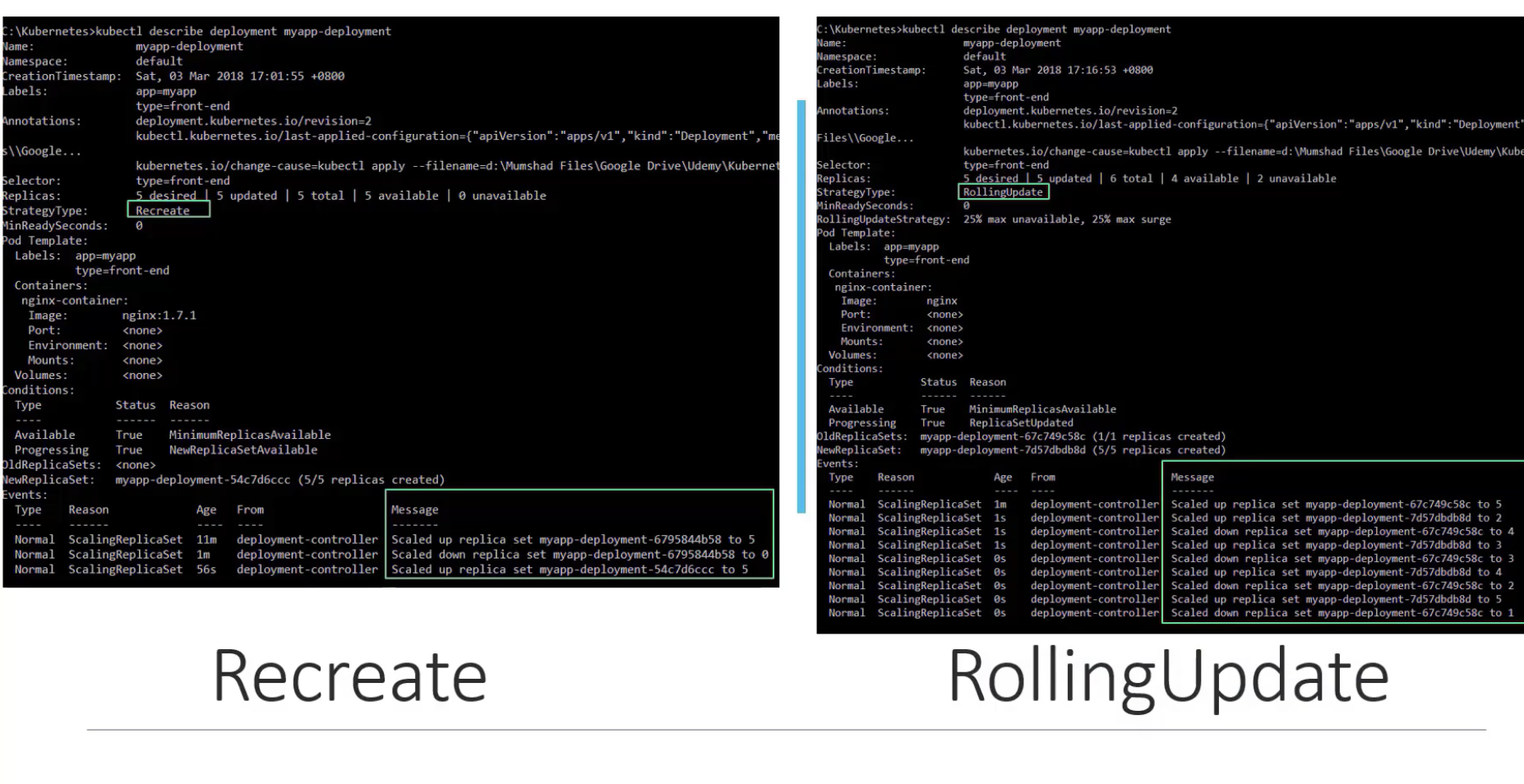
Applications are continuously developed, and deployment strategies must be planned accordingly. For services in production, the Rolling Update strategy is preferred over the Recreate strategy to eliminate service downtime. Deploying a new version of an application is called a rollout, and reverting when an issue occurs is called a rollback.
In Kubernetes Deployments, the Rolling Update strategy is the default.
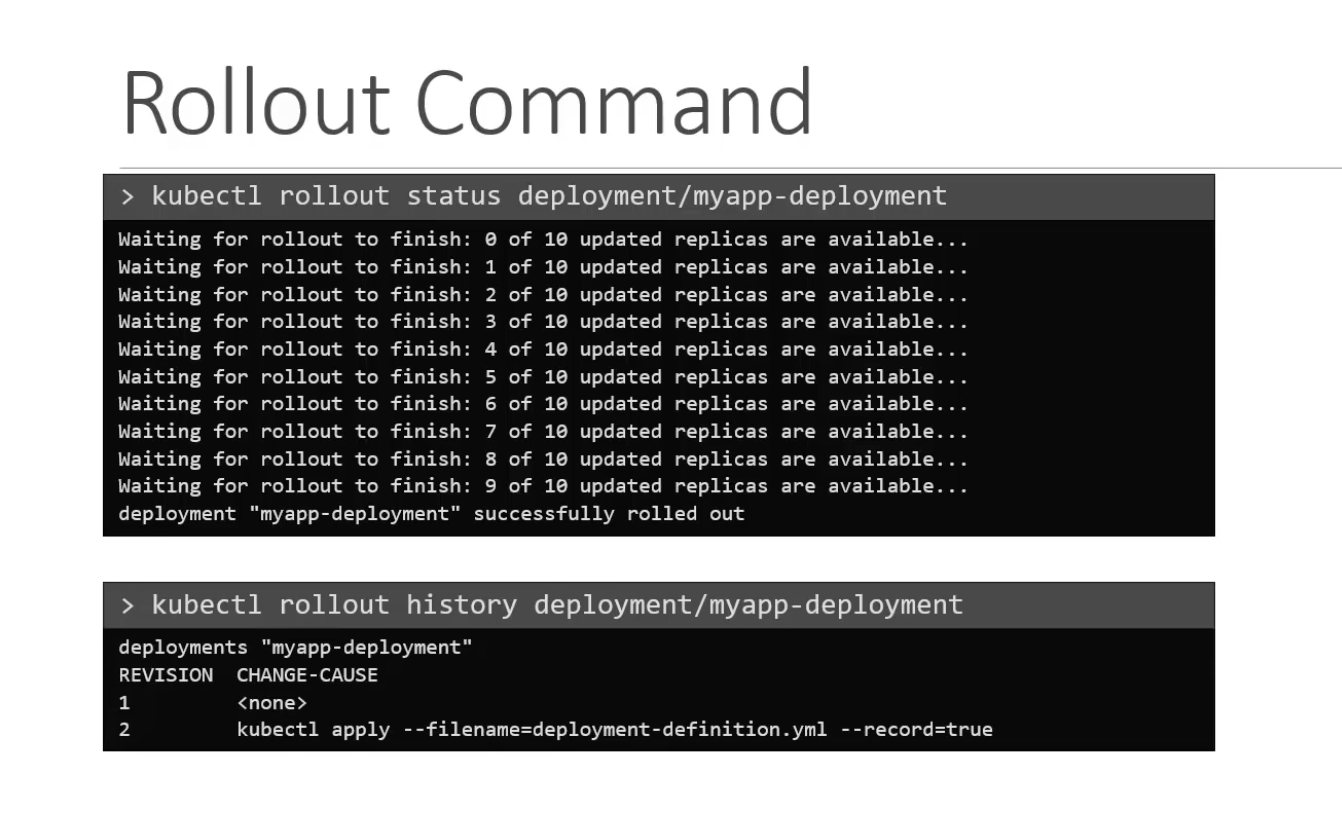
You can check the rollout history of a Deployment using the rollout command.
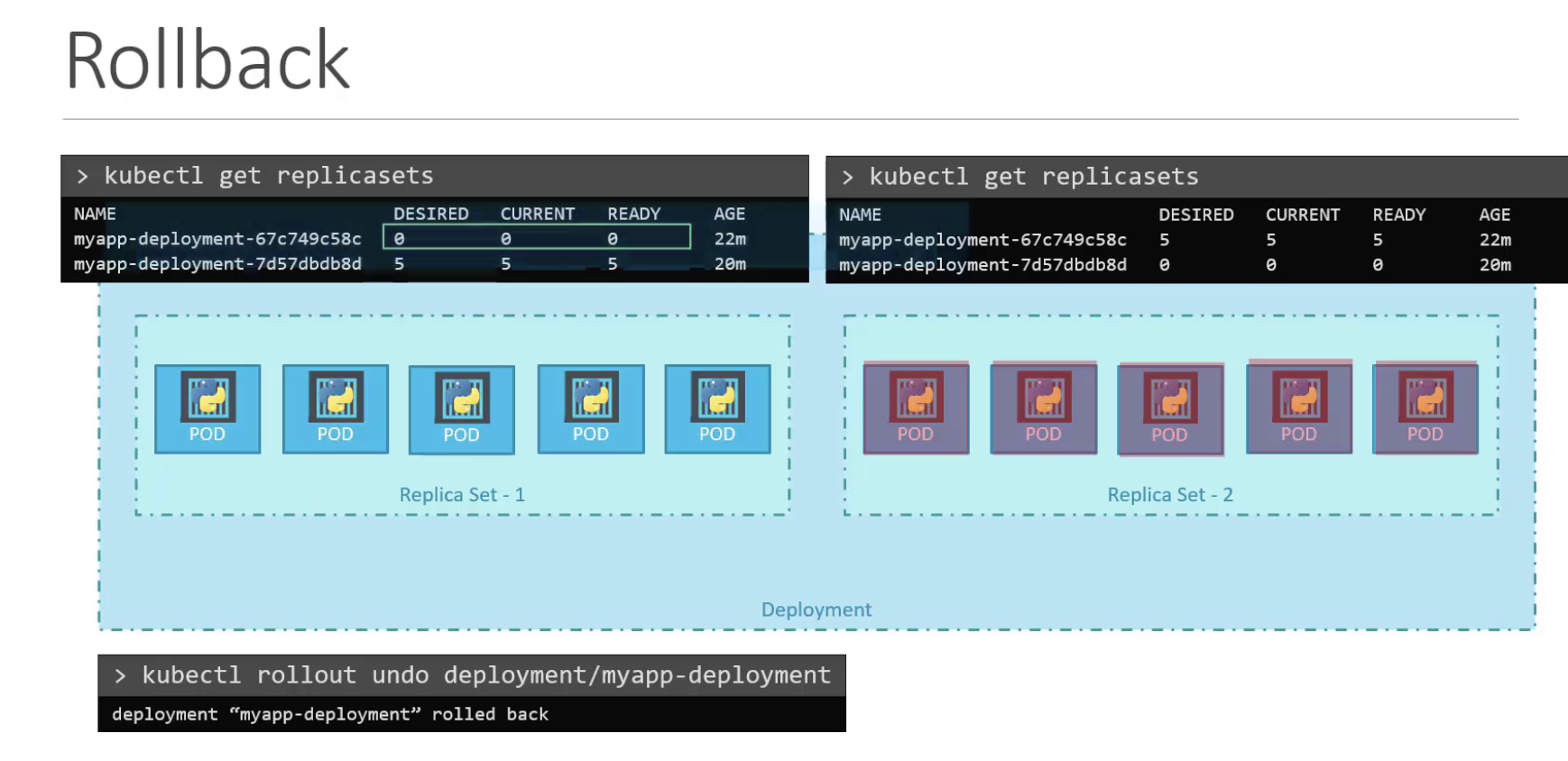
For ReplicaSets, the process works by creating a new ReplicaSet and simultaneously removing Pods from the old ReplicaSet (Replica Set - 1) while spinning up Pods in the new ReplicaSet (Replica Set - 2).
If you want to perform a rollback, you can revert using kubectl rollout undo <deployment name>.
96 Commands
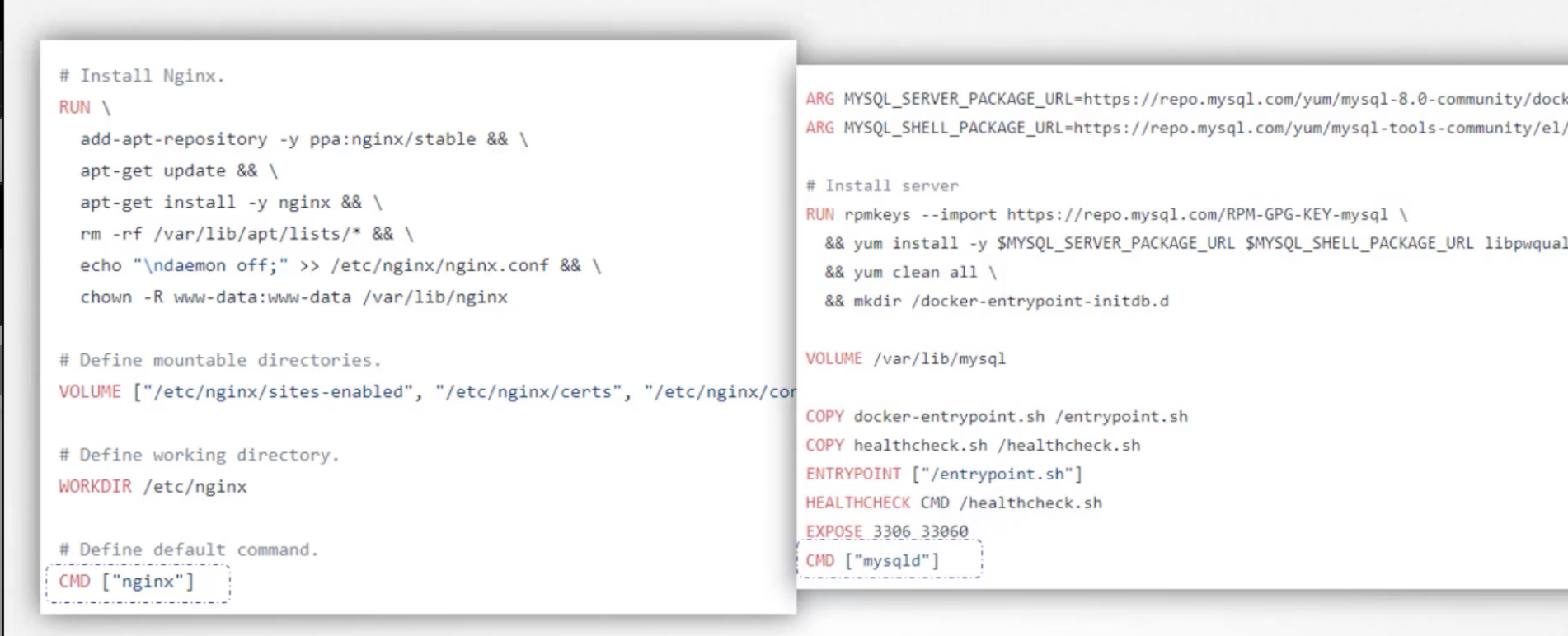
Typically, the commands needed to start a process are specified in the CMD section of a Dockerfile.
If you want to accept arguments after a docker run command, use ENTRYPOINT, which appends command parameters. As shown in the example below, the time after sleep is not hardcoded but can be changed by passing an argument at container startup.
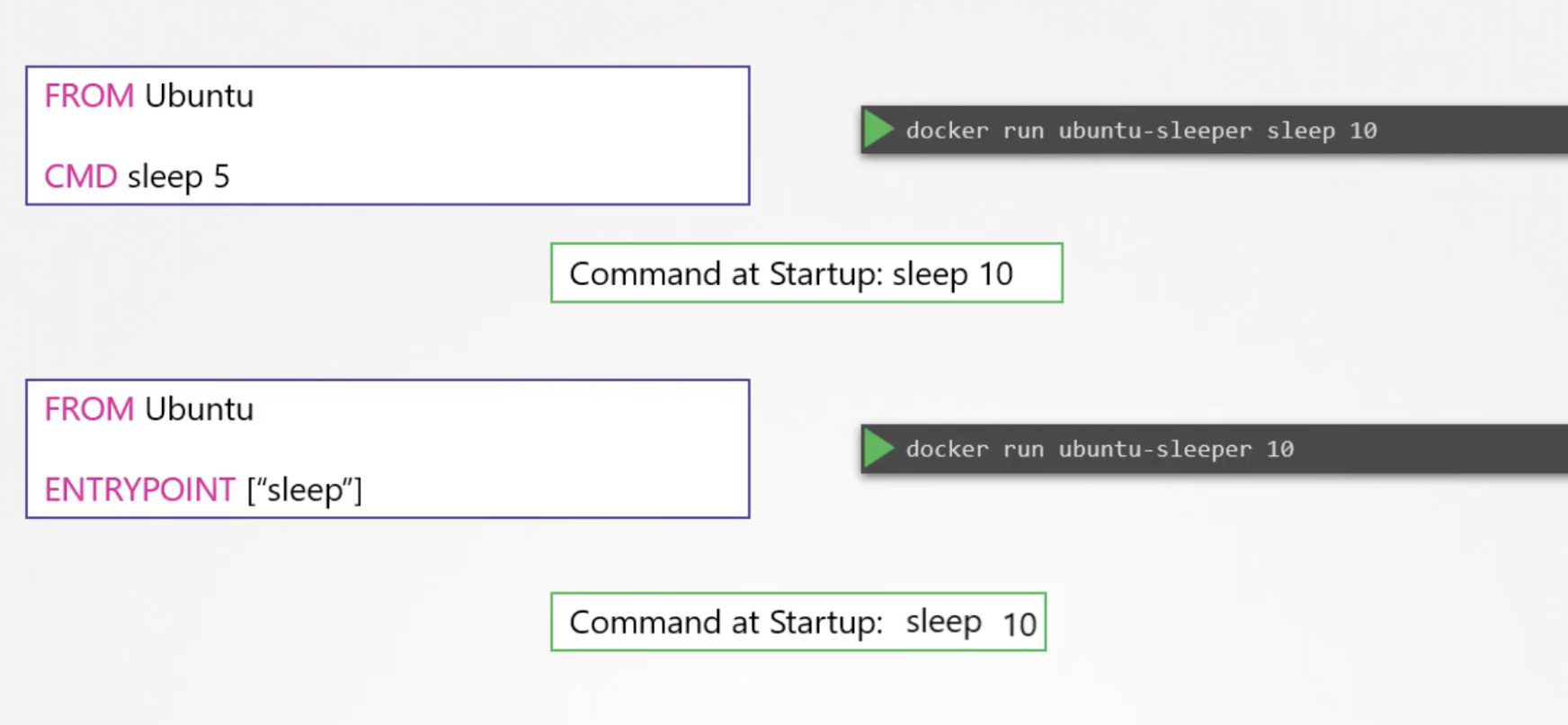
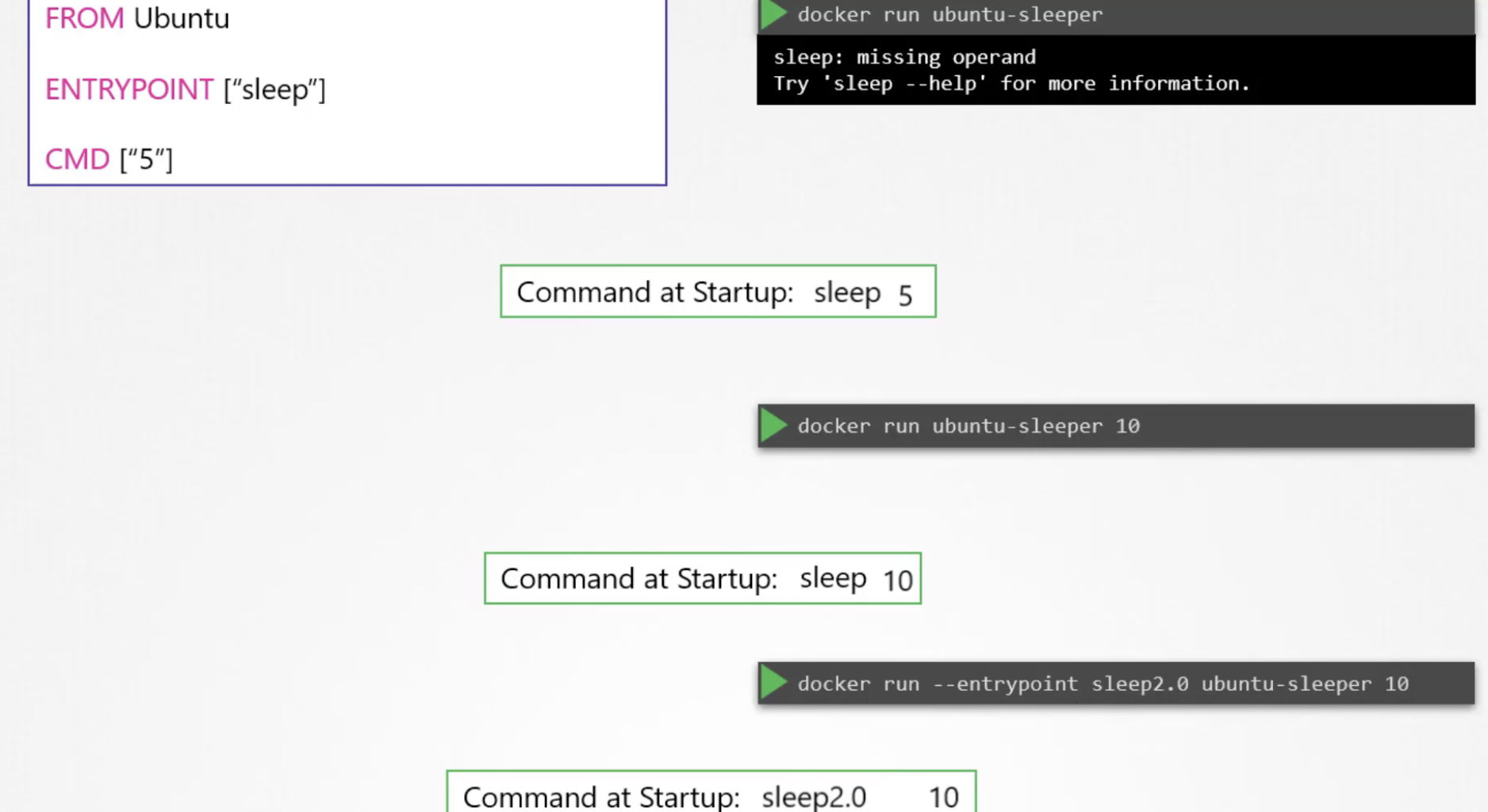
If no argument is provided, an error occurs. By defining CMD, you can create a Dockerfile that substitutes a default value when no argument is given, allowing it to run without errors. The entrypoint can also be overridden at docker run time.
97 Commands and Arguments
Here is how to run that Dockerfile as a Pod in Kubernetes:
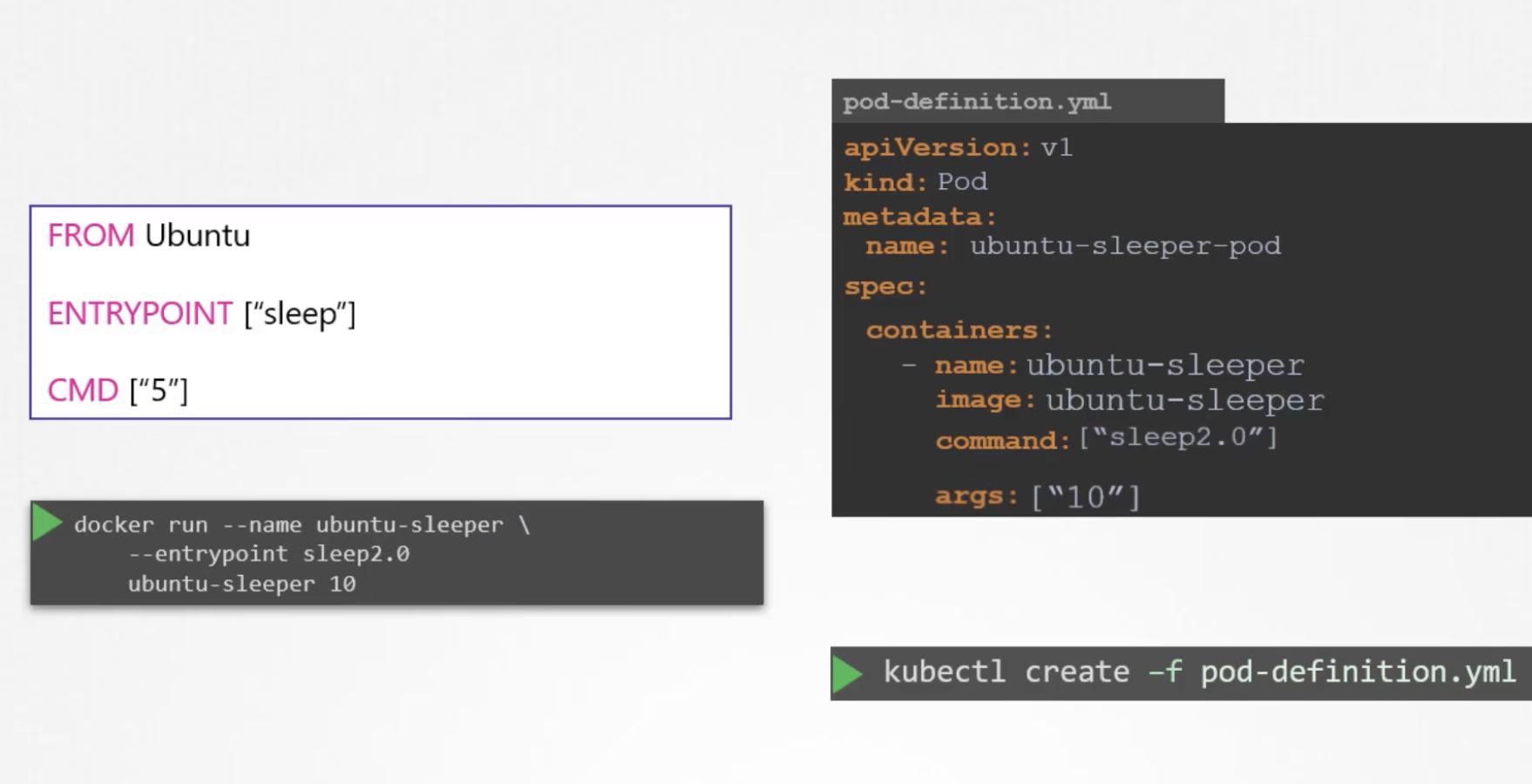
An important distinction: the CMD in a Dockerfile and the command in a Pod definition are different things.
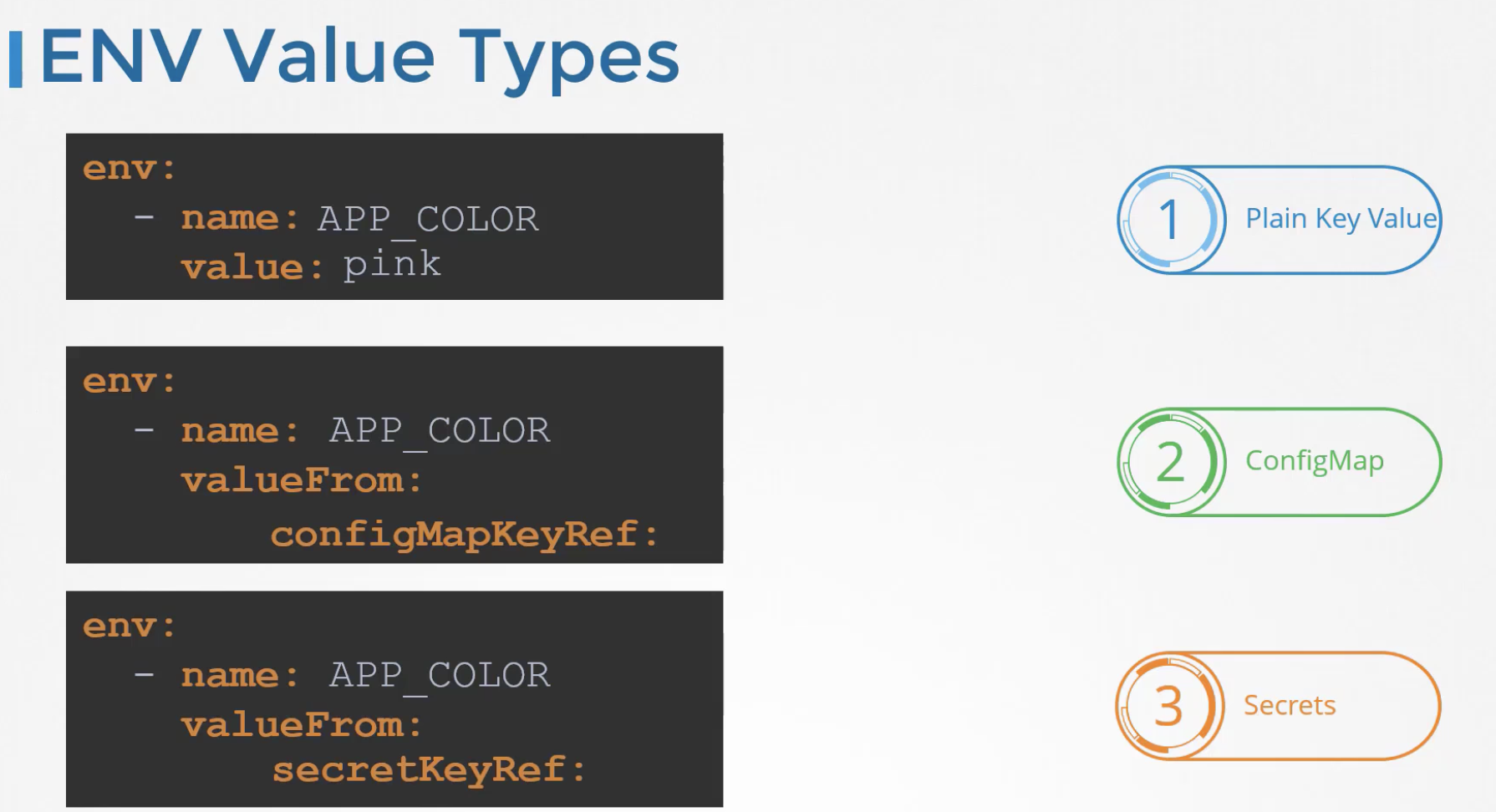
To define environment variables, you can specify key-value pairs as follows:
spec:
  containers:
    env:
      - name: APP_COLOR
        value: pink
Alternatively, you can retrieve environment variable values from a ConfigMap or Secret.
101 Configuring ConfigMaps in Applications
A ConfigMap is, as the name suggests, a store of configuration data in key-value pairs. To create a ConfigMap imperatively:
kubectl create configmap my-config --from-literal=APP_COLOR=blue \
                                   --from-literal=APP_ENV=prod
Or you can define it declaratively:
apiVersion: v1
kind: ConfigMap
metadata:
  name: my-config
data:
  APP_COLOR: blue
  APP_ENV: prod
ConfigMaps can be viewed with kubectl get configmaps or kubectl describe configmaps.
To inject environment variables using a ConfigMap, use envFrom and configMapRef:
spec:
  containers:
  - name:
    envFrom:
    - configMapRef:
      name: my-config
104 Configure Secrets in Applications
ConfigMaps store plaintext as-is, making them unsuitable for storing secrets. Encrypting sensitive data is important, and in Kubernetes, Secrets serve this purpose.
kubectl create secret generic my-secret --from-literal=DB_Host=mysql
kubectl create secret generic my-secret --from-file=<file_path>
To store secrets declaratively, you must encode them in base64:
$ echo -n "mysql" | base64
bXlzcWw=
apiVersion: v1
kind: Secret
metadata:
  name: my-secret
data:
  DB_Host: bXlzcWw=
To decode the data:
$ echo -n 'bXlzcWw=' | base64 --decode
mysql
To inject environment variables through a Secret, specify the Secret name under spec.container:
envFrom:
  - secretRef:
    name: my-secret
When a Secret is mounted as a volume, the Secret key-value pairs are stored as files inside the container.
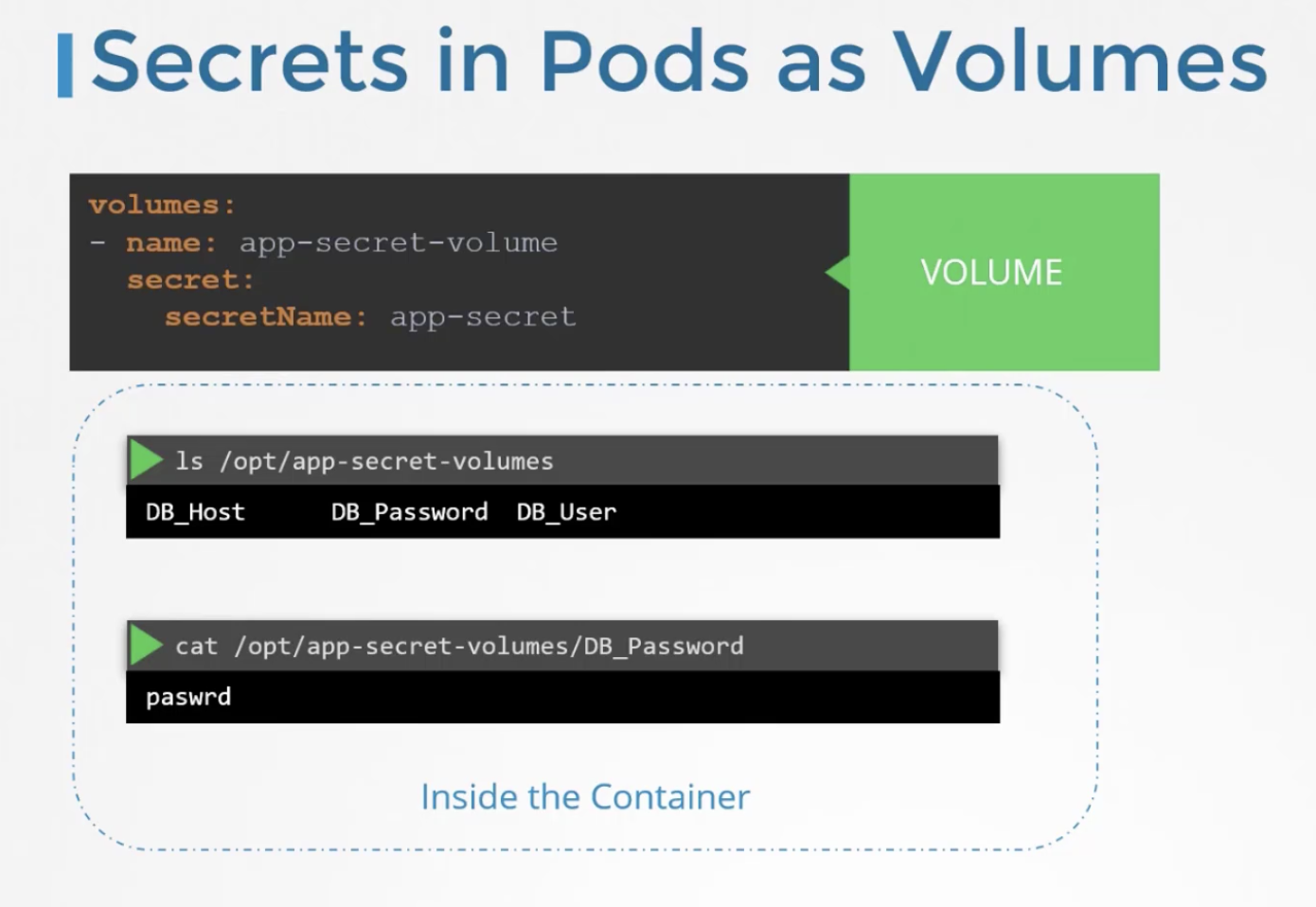
Secrets are not encrypted -- they are merely encoded. Be careful not to upload them to places like GitHub.
110 Multi Container Pods
Unlike the traditional monolithic architecture where everything is integrated into a single application, microservices separate each function into its own service.
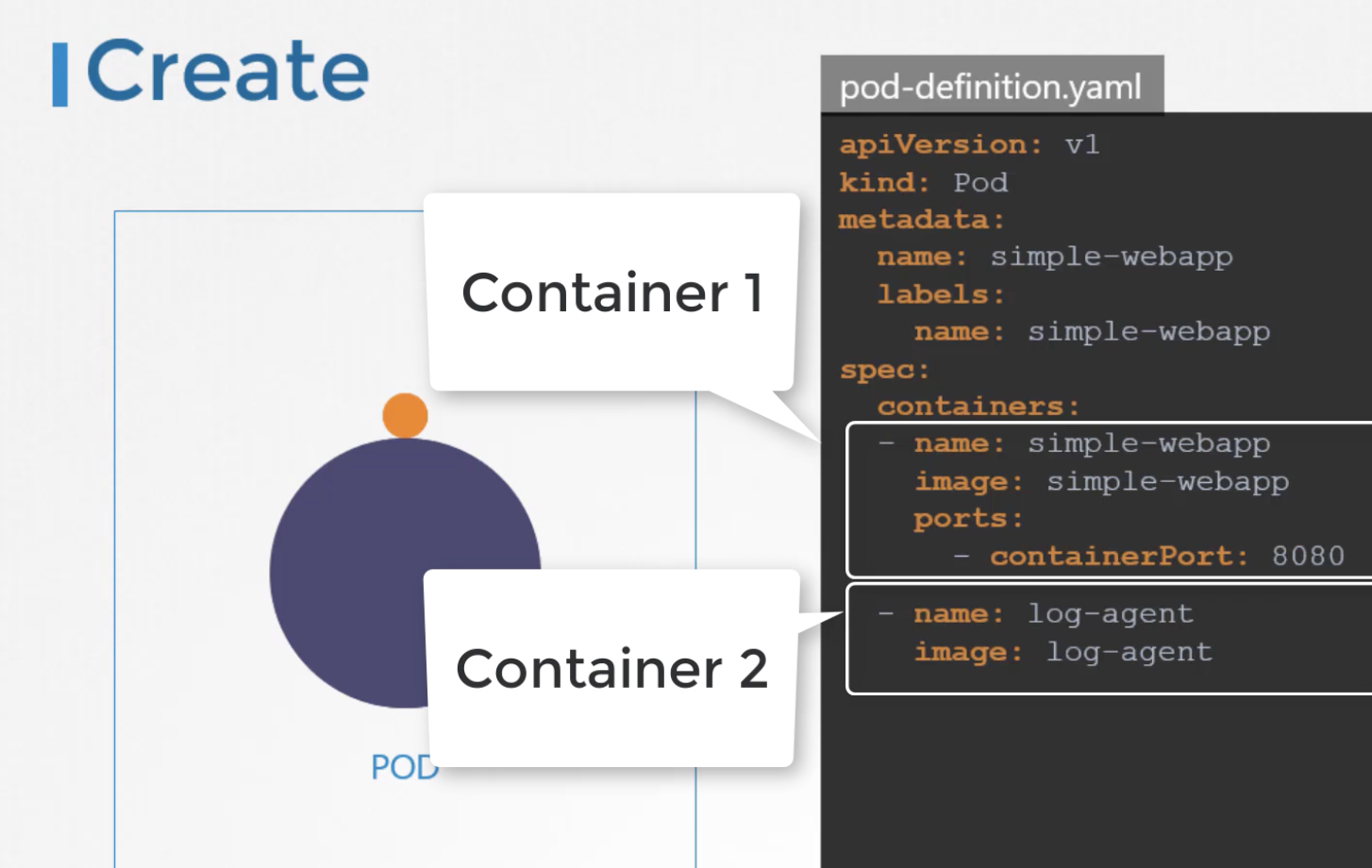
Within each Pod, there may be containers that need to share the same lifecycle (e.g., a log agent). Therefore, there are cases where multiple containers run in a single Pod. In such cases, not only the lifecycle but also the network and storage are shared, making it efficient.
114 Init Containers
An init container is used in multi-container Pods to designate a container that must run before the others.
spec:
  containers:
  - name: myapp-container
    image: busybox:1.28
    command: ['sh', '-c', 'echo The app is running! && sleep 3600']
  initContainers:
  - name: init-myservice
    image: busybox:1.28
    command: ['sh', '-c', 'until nslookup myservice; do echo waiting for myservice; sleep 2; done;']
Quiz
Q1: What is the main topic covered in "CKA_5_Application_Lifecycle_Management"?
CKA_5_Application_Lifecycle_Management
Q2: What are the key takeaways from this article?
CKA_5_Application_Lifecycle_Management
Q3: How can the concepts in this article be applied in practice?
Consider the practical examples and patterns discussed throughout the post.