
- 1. What Is CQRS?
- 2. Implementing the Command Model
- 3. Implementing the Query Model
- 4. Event Sourcing Integration
- 5. Event Synchronization with Kafka
- 6. API Layer
- 7. Quiz
- Quiz
1. What Is CQRS?
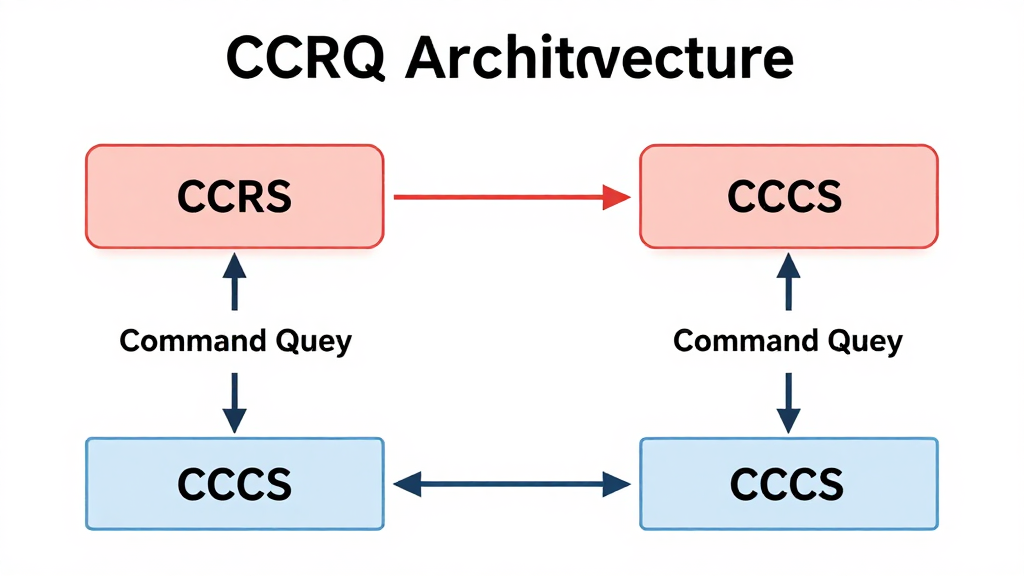
CQRS (Command Query Responsibility Segregation) is an architectural pattern that separates data writes (Commands) and reads (Queries) into distinct models.
Traditional CRUD vs CQRS
In traditional CRUD, a single model handles both reads and writes. CQRS separates them so each can be optimized independently.
Traditional CRUD:
  Client → [Same Model] → Database

CQRS:
  Client (Write) → [Command Model] → Write DB
  Client (Read)  → [Query Model]  → Read DB
When Should You Apply CQRS?
- When the read/write ratio is highly skewed (90%+ reads)
- When reads and writes need different optimizations
- When there is complex domain logic
- When used together with Event Sourcing
2. Implementing the Command Model
Defining Commands
from dataclasses import dataclass
from datetime import datetime
from uuid import UUID, uuid4

# Command objects
@dataclass(frozen=True)
class CreateOrderCommand:
    customer_id: UUID
    items: list[dict]
    shipping_address: str

@dataclass(frozen=True)
class CancelOrderCommand:
    order_id: UUID
    reason: str

# Domain Event
@dataclass(frozen=True)
class OrderCreatedEvent:
    event_id: UUID
    order_id: UUID
    customer_id: UUID
    items: list[dict]
    total_amount: float
    created_at: datetime
Command Handler
from typing import Protocol

class EventStore(Protocol):
    def append(self, stream_id: str, events: list) -> None: ...
    def load(self, stream_id: str) -> list: ...

class OrderCommandHandler:
    def __init__(self, event_store: EventStore, event_bus):
        self.event_store = event_store
        self.event_bus = event_bus

    def handle_create_order(self, cmd: CreateOrderCommand):
        order_id = uuid4()
        total = sum(item['price'] * item['quantity']
                    for item in cmd.items)

        # Business rule validation
        if total <= 0:
            raise ValueError("Order total must be positive")
        if not cmd.items:
            raise ValueError("Order must have at least one item")

        # Create event
        event = OrderCreatedEvent(
            event_id=uuid4(),
            order_id=order_id,
            customer_id=cmd.customer_id,
            items=cmd.items,
            total_amount=total,
            created_at=datetime.utcnow(),
        )

        # Store + publish event
        self.event_store.append(f"order-{order_id}", [event])
        self.event_bus.publish("order.created", event)

        return order_id

    def handle_cancel_order(self, cmd: CancelOrderCommand):
        # Restore state from existing events
        events = self.event_store.load(f"order-{cmd.order_id}")
        order = Order.from_events(events)

        if order.status == "cancelled":
            raise ValueError("Order already cancelled")

        cancel_event = OrderCancelledEvent(
            event_id=uuid4(),
            order_id=cmd.order_id,
            reason=cmd.reason,
            cancelled_at=datetime.utcnow(),
        )

        self.event_store.append(
            f"order-{cmd.order_id}", [cancel_event]
        )
        self.event_bus.publish("order.cancelled", cancel_event)
3. Implementing the Query Model
The Query model uses a separate data store optimized for reads.
from dataclasses import dataclass

# Read-only model (Materialized View)
@dataclass
class OrderSummary:
    order_id: str
    customer_name: str
    item_count: int
    total_amount: float
    status: str
    created_at: str

class OrderQueryHandler:
    def __init__(self, read_db):
        self.read_db = read_db

    def get_order(self, order_id: str) -> OrderSummary:
        row = self.read_db.execute(
            "SELECT * FROM order_summaries WHERE order_id = %s",
            (order_id,)
        )
        return OrderSummary(**row)

    def list_orders_by_customer(
        self, customer_id: str, limit: int = 20
    ) -> list[OrderSummary]:
        rows = self.read_db.execute(
            """SELECT * FROM order_summaries
               WHERE customer_id = %s
               ORDER BY created_at DESC
               LIMIT %s""",
            (customer_id, limit)
        )
        return [OrderSummary(**r) for r in rows]

    def search_orders(
        self, status: str = None, min_amount: float = None
    ) -> list[OrderSummary]:
        query = "SELECT * FROM order_summaries WHERE 1=1"
        params = []
        if status:
            query += " AND status = %s"
            params.append(status)
        if min_amount:
            query += " AND total_amount >= %s"
            params.append(min_amount)
        return self.read_db.execute(query, params)
4. Event Sourcing Integration
Implementing the Event Store
import json
from datetime import datetime

class PostgresEventStore:
    def __init__(self, conn):
        self.conn = conn

    def create_table(self):
        self.conn.execute("""
            CREATE TABLE IF NOT EXISTS event_store (
                id          BIGSERIAL PRIMARY KEY,
                stream_id   VARCHAR(255) NOT NULL,
                event_type  VARCHAR(255) NOT NULL,
                event_data  JSONB NOT NULL,
                metadata    JSONB DEFAULT '{}',
                version     INTEGER NOT NULL,
                created_at  TIMESTAMP DEFAULT NOW(),
                UNIQUE(stream_id, version)
            );
            CREATE INDEX IF NOT EXISTS idx_event_stream
                ON event_store(stream_id, version);
        """)

    def append(self, stream_id: str, events: list):
        current = self._get_latest_version(stream_id)
        for i, event in enumerate(events):
            version = current + i + 1
            self.conn.execute(
                """INSERT INTO event_store
                   (stream_id, event_type, event_data, version)
                   VALUES (%s, %s, %s, %s)""",
                (stream_id, type(event).__name__,
                 json.dumps(event.__dict__, default=str),
                 version)
            )

    def load(self, stream_id: str) -> list:
        rows = self.conn.execute(
            """SELECT event_type, event_data FROM event_store
               WHERE stream_id = %s ORDER BY version""",
            (stream_id,)
        )
        return [self._deserialize(r) for r in rows]

    def _get_latest_version(self, stream_id: str) -> int:
        result = self.conn.execute(
            "SELECT MAX(version) FROM event_store WHERE stream_id = %s",
            (stream_id,)
        )
        return result or 0
5. Event Synchronization with Kafka
from confluent_kafka import Producer, Consumer
import json

class KafkaEventBus:
    def __init__(self, bootstrap_servers: str):
        self.producer = Producer({
            'bootstrap.servers': bootstrap_servers,
            'acks': 'all',
            'enable.idempotence': True,
        })

    def publish(self, topic: str, event):
        self.producer.produce(
            topic=topic,
            key=str(event.order_id).encode(),
            value=json.dumps(
                event.__dict__, default=str
            ).encode(),
        )
        self.producer.flush()


class ReadModelProjector:
    """Consumes events and updates the Read DB"""

    def __init__(self, read_db, bootstrap_servers: str):
        self.read_db = read_db
        self.consumer = Consumer({
            'bootstrap.servers': bootstrap_servers,
            'group.id': 'read-model-projector',
            'auto.offset.reset': 'earliest',
            'enable.auto.commit': False,
        })
        self.consumer.subscribe([
            'order.created', 'order.cancelled'
        ])

    def run(self):
        while True:
            msg = self.consumer.poll(1.0)
            if msg is None:
                continue
            event = json.loads(msg.value())
            topic = msg.topic()

            if topic == 'order.created':
                self._project_order_created(event)
            elif topic == 'order.cancelled':
                self._project_order_cancelled(event)

            self.consumer.commit()

    def _project_order_created(self, event):
        self.read_db.execute(
            """INSERT INTO order_summaries
               (order_id, customer_id, item_count,
                total_amount, status, created_at)
               VALUES (%s, %s, %s, %s, %s, %s)""",
            (event['order_id'], event['customer_id'],
             len(event['items']), event['total_amount'],
             'active', event['created_at'])
        )

    def _project_order_cancelled(self, event):
        self.read_db.execute(
            """UPDATE order_summaries
               SET status = 'cancelled'
               WHERE order_id = %s""",
            (event['order_id'],)
        )
6. API Layer
from fastapi import FastAPI, HTTPException
from pydantic import BaseModel

app = FastAPI()

class CreateOrderRequest(BaseModel):
    customer_id: str
    items: list[dict]
    shipping_address: str

# Command endpoints (POST/PUT/DELETE)
@app.post("/orders")
async def create_order(req: CreateOrderRequest):
    cmd = CreateOrderCommand(
        customer_id=UUID(req.customer_id),
        items=req.items,
        shipping_address=req.shipping_address,
    )
    order_id = command_handler.handle_create_order(cmd)
    return {"order_id": str(order_id), "status": "created"}

# Query endpoints (GET)
@app.get("/orders/{order_id}")
async def get_order(order_id: str):
    result = query_handler.get_order(order_id)
    if not result:
        raise HTTPException(status_code=404)
    return result

@app.get("/customers/{customer_id}/orders")
async def list_customer_orders(customer_id: str, limit: int = 20):
    return query_handler.list_orders_by_customer(customer_id, limit)
7. Quiz
Q1: Why does Eventual Consistency occur in CQRS, and what are the strategies to handle it?
There is a time lag between when a Command saves to the Write DB and when the event is reflected in the Read DB via Kafka. Strategies include:
Read-your-writes: Read data you just wrote directly from the Write DB Polling: The client retries until the Read DB is updated Versioning: Track event versions to verify whether data is up to date WebSocket/SSE: Real-time notifications when updates are complete
Q2: How do you handle event schema changes in Event Sourcing?
Use the Event Upcasting pattern:
Add a version field to events (v1, v2, ...) Write upcasters that transform older version events to the latest schema when loading Never modify existing events (immutability principle)
Alternatively, you can use snapshots to avoid replaying all events.
Q3: When should you NOT apply CQRS?
Simple CRUD apps: When the read/write models are nearly identical Strong consistency is mandatory: When eventual consistency is unacceptable, such as real-time balance checks Small projects: When the complexity of CQRS outweighs its benefits Lack of team experience: Risky to adopt without experience in event sourcing and message queues
Quiz
Q1: What is the main topic covered in "CQRS Pattern Practical Implementation Guide"?
A comprehensive guide to the CQRS pattern — from the principles of Command/Query separation to Event Sourcing integration, Kafka usage, and hands-on implementation examples with Spring Boot.
Q2: What Is CQRS??
CQRS (Command Query Responsibility Segregation) is an architectural pattern that separates data
writes (Commands) and reads (Queries) into distinct models. Traditional CRUD vs CQRS In
traditional CRUD, a single model handles both reads and writes.
Q3: Explain the core concept of Implementing the Command Model.
Defining Commands Command Handler
Q4: What are the key aspects of Implementing the Query Model?
The Query model uses a separate data store optimized for reads.
Q5: How does Event Sourcing Integration work?
Implementing the Event Store